3
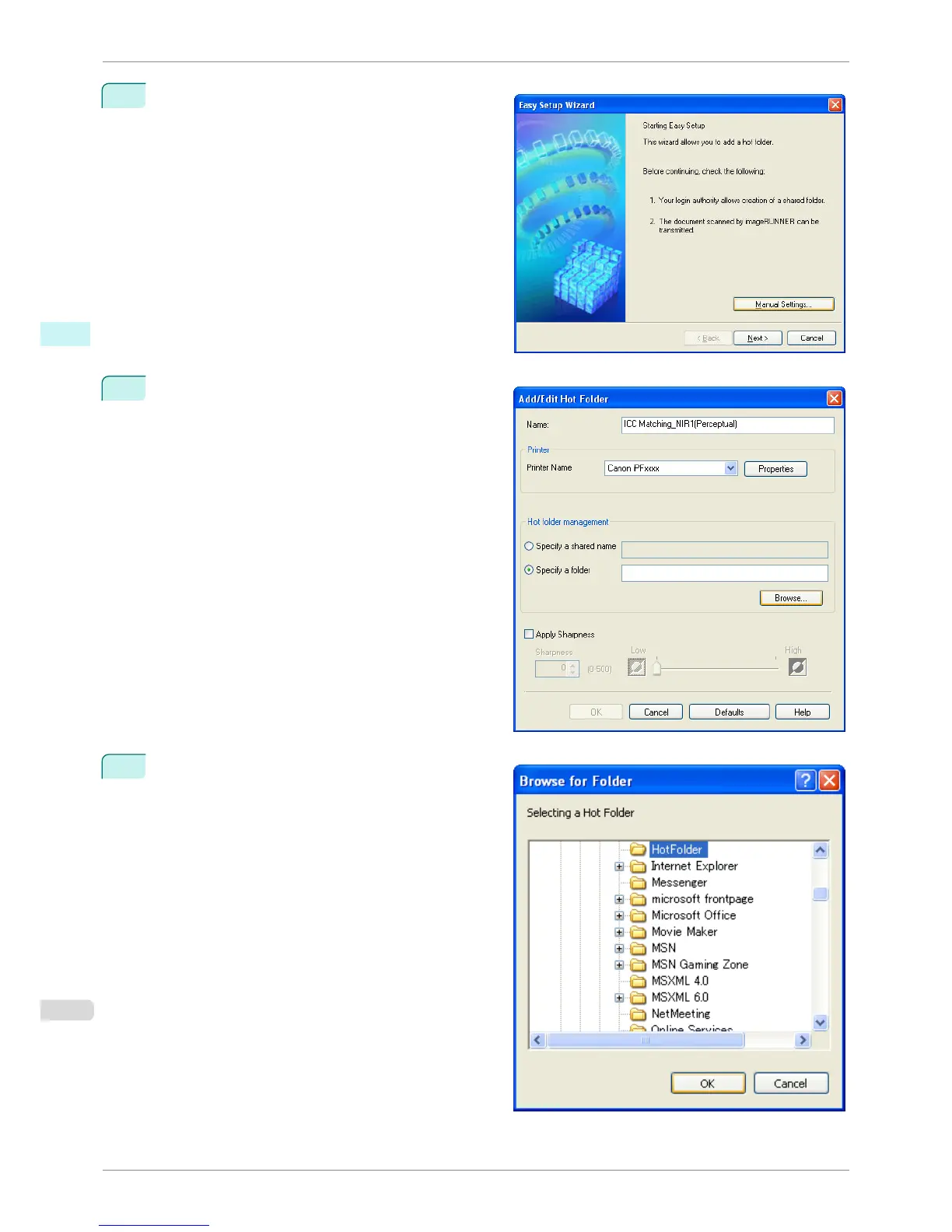
The Easy Setup Wizard dialog box displays.
Click the Manual Settings button.
4
The Add/Edit Hot Folder dialog box displays.
Enter the hot folder name in Name.
Click the Browse botton, with selecting Specify a
folder, to set the existing shared folder.
5
The location of the folders will appear.
Select the folder to specify a hot folder, and click the
OK button.
Specifying an Existing Shared Folder as a Hot Folder
iPF760
User's Guide
Windows Software Color imageRUNNER Enlargement Copy
224















 To Next Page