2
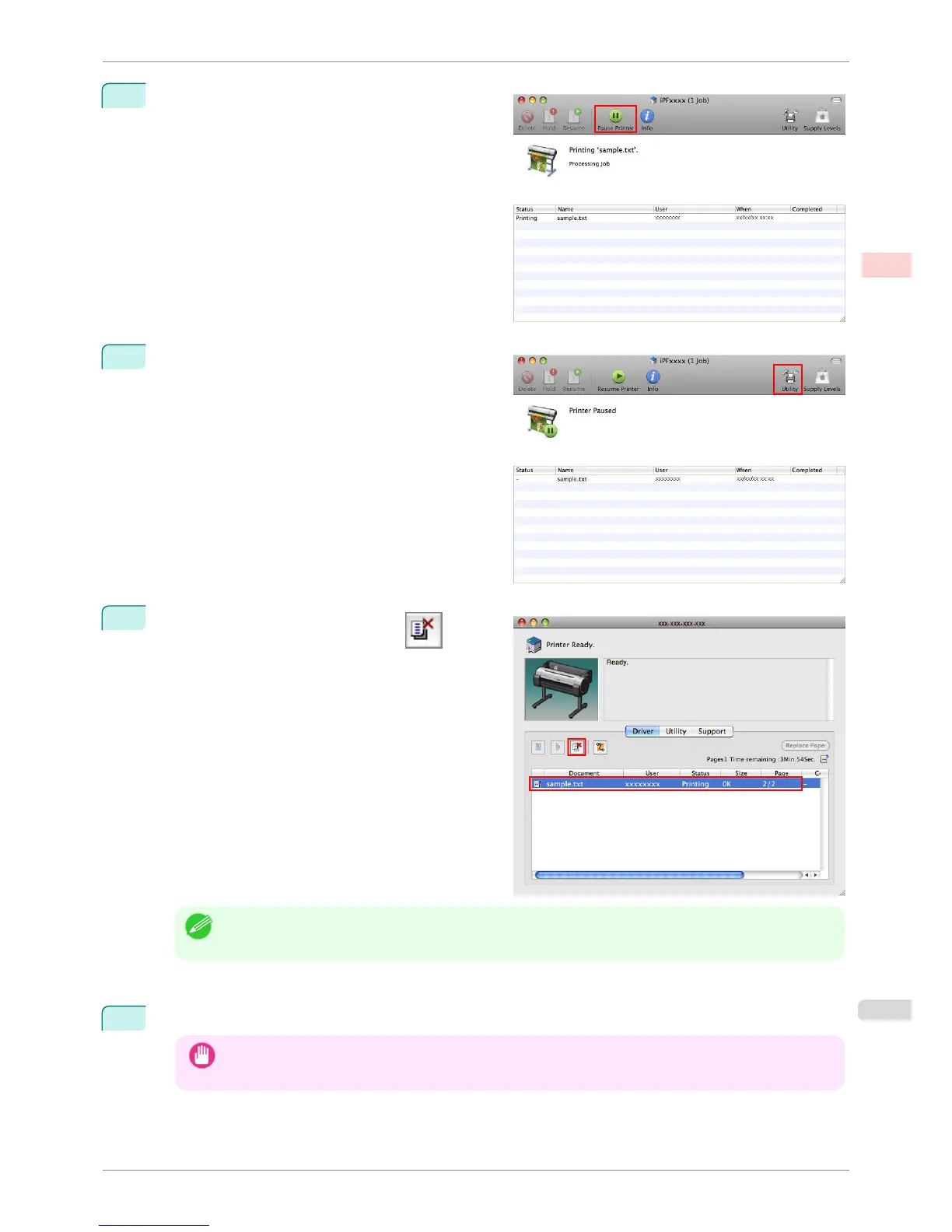
Click Pause Printer to stop printing.
3
If there are no jobs in the printer window that can be
canceled, (that is, if the print data has already been
sent to the printer), click Utility to display image-
PROGRAF Printmonitor.
4
Select the print job to cancel and click
to de-
lete the print job.
Note
• The screen may differ slightly depending on the model you are using.
The job sent to the printer is canceled.
5
Exit imagePROGRAF Printmonitor. In the printer window, click Resume Printer.
Important
• Always follow these steps if you cancel print jobs from imagePROGRAF Printmonitor. If you do not restart job
processing, the next job cannot be printed.
iPF760
Canceling Print Jobs from Mac OS X
User's Guide
Basic Printing Workflow Canceling print jobs
27















 To Next Page