4
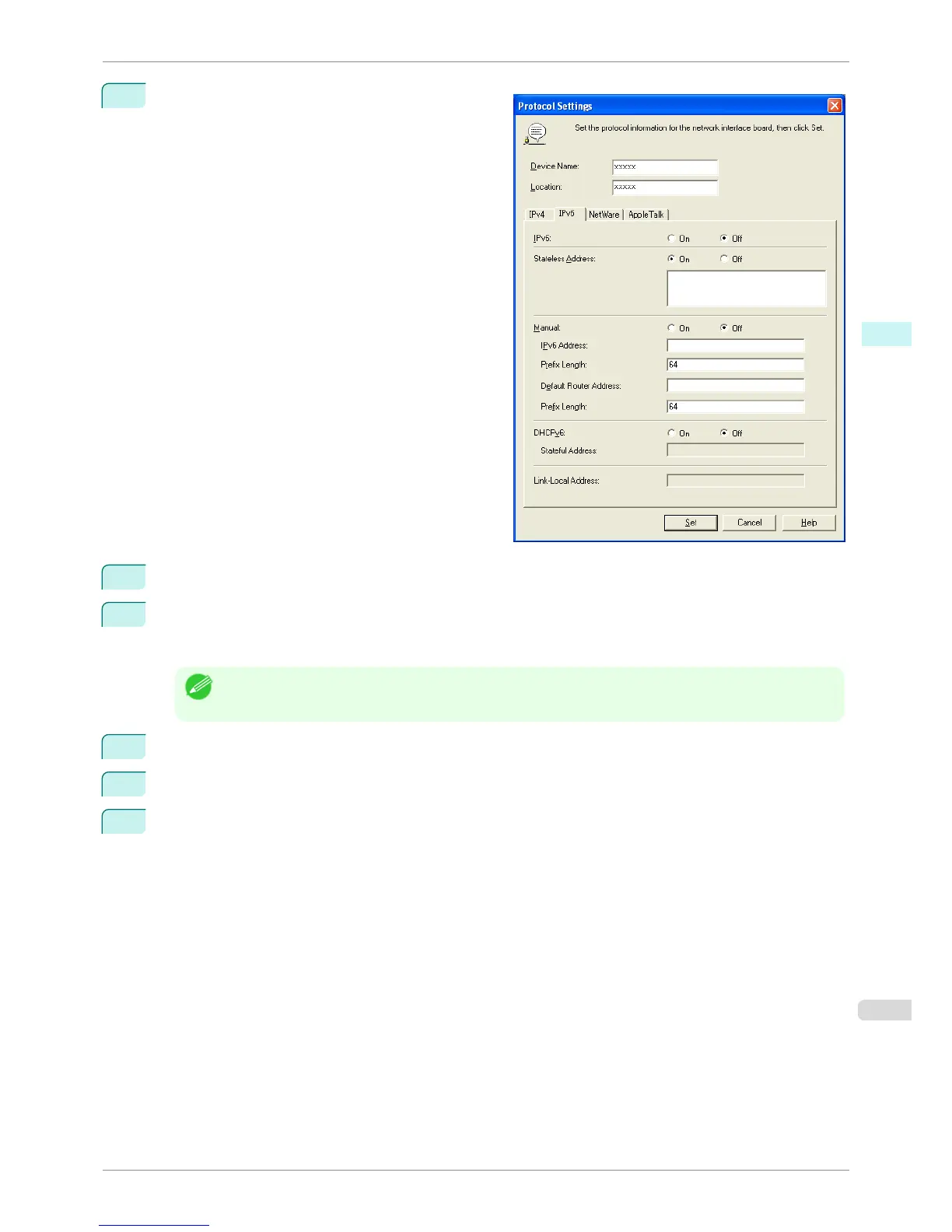
Select the IPv6 tab.
5
In IPv6, select On.
6
When there is an IPv6-compatible router in the network environment, select On in Stateless Address.
Additionally, when there is an DHCPv6-compatible server in the network environment, select On in
DHCPv6.
Note
• When there is no IPv6-compatible router or DHCPv6-compatible server, select On in Manual and enter the IPv6
Address and Prefix Length.
7
Click Set.
8
Click OK after the Confirmation message is displayed.
9
Exit imagePROGRAF Device Setup Utility.
iPF760
Configuring the IP Address Using imagePROGRAF Device Setup Utility
User's Guide
Windows Software Device Setup Utility
277















 To Next Page