3
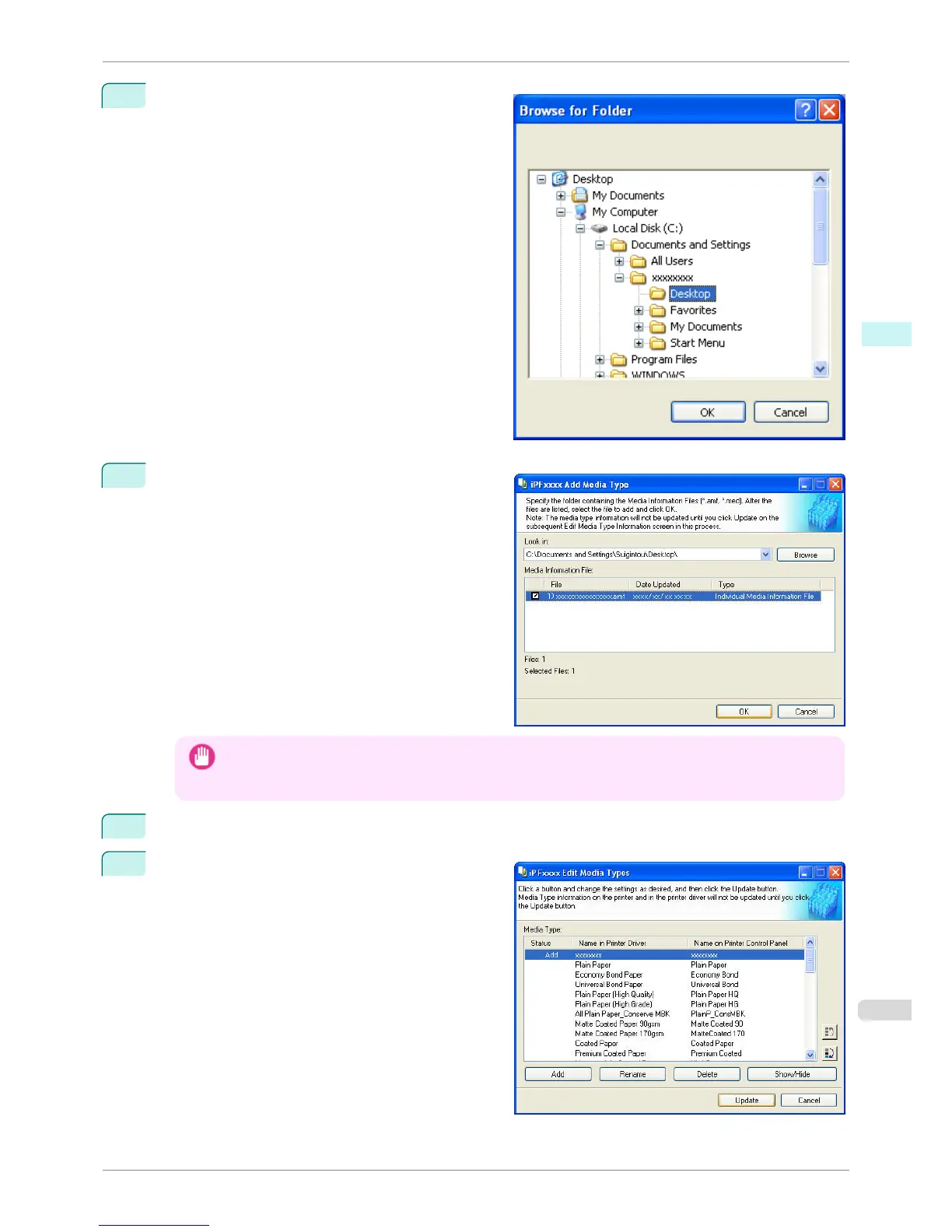
The Browse for Folder dialog box opens.
Select the folder that contains the media information
files (.amf files), and then click the OK button.
4
The names of media information files in the folder you
selected in the Browse for Folder dialog box are dis-
played under Media Information File in the Add Me-
dia Type dialog box. Select the check boxes of paper
to add and click the OK button.
Important
• If Master Media Information File is displayed as the Type of the Media Information File, the media type
display order and media type display/non-display settings are initialized. Reconfigure these after added the
master media information file.
5
Click OK when the confirmation message is displayed.
6
In the Edit Media Types dialog box, click the Update
button.
iPF760
Adding Media Types
User's Guide
Windows Software Media Configuration Tool
283















 To Next Page