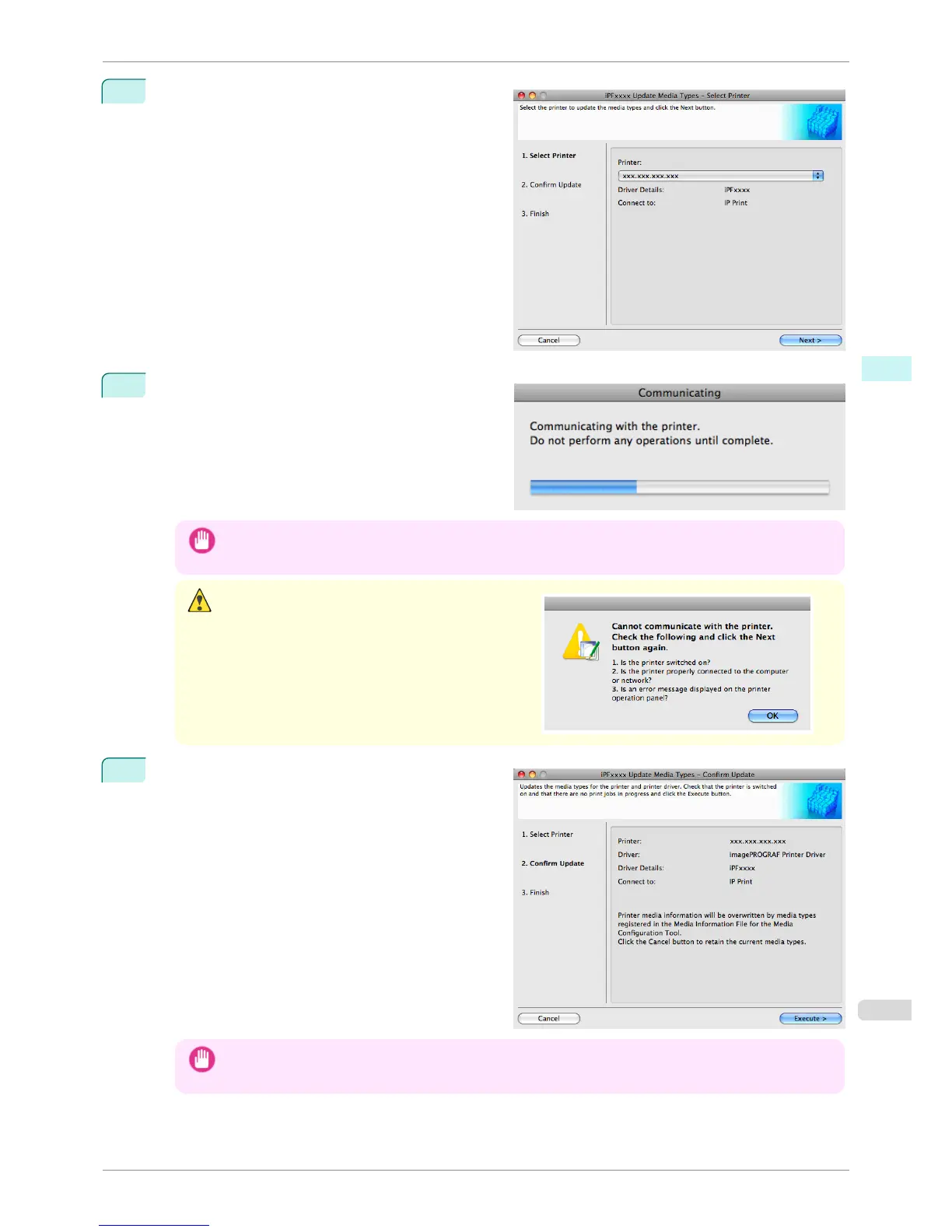
1
Confirm the printer, where media type information is
to be updated, to be displayed in Printer in the Up-
date Media Types - Select Printer dialog box, and
then click the Next button.
2
Communication with the printer starts and the follow-
ing dialog box is displayed.
Important
• Do not attempt to print or turn the printer off while the program is communicating with the printer.
Caution
•
When the program cannot communicate with the print-
er, the following warning message is displayed.
3
When the program has finished communicating with
the printer, the screen moves to display Update Me-
dia Types - Confirm Update. Confirm the informa-
tion received from the printer.
To update click the Execute button.
Important
• When setting a data to the printer that differs from the data to be updated, the selected media information file is
updated. When you would like to remain the data that is set to the printer, click the Cancel button.
iPF760
Updating Media Types
User's Guide
Mac OS X Software Media Configuration Tool
389















 To Next Page