2
Press ▲ or ▼ to select Load Roll Paper, and then press the OK button.
Note
• If any paper has been advanced that will not be used, a message is shown requesting you to remove it.
Press ▲ or ▼ to select "Yes", and then press the OK button. Remove the paper and go to the next step.
3
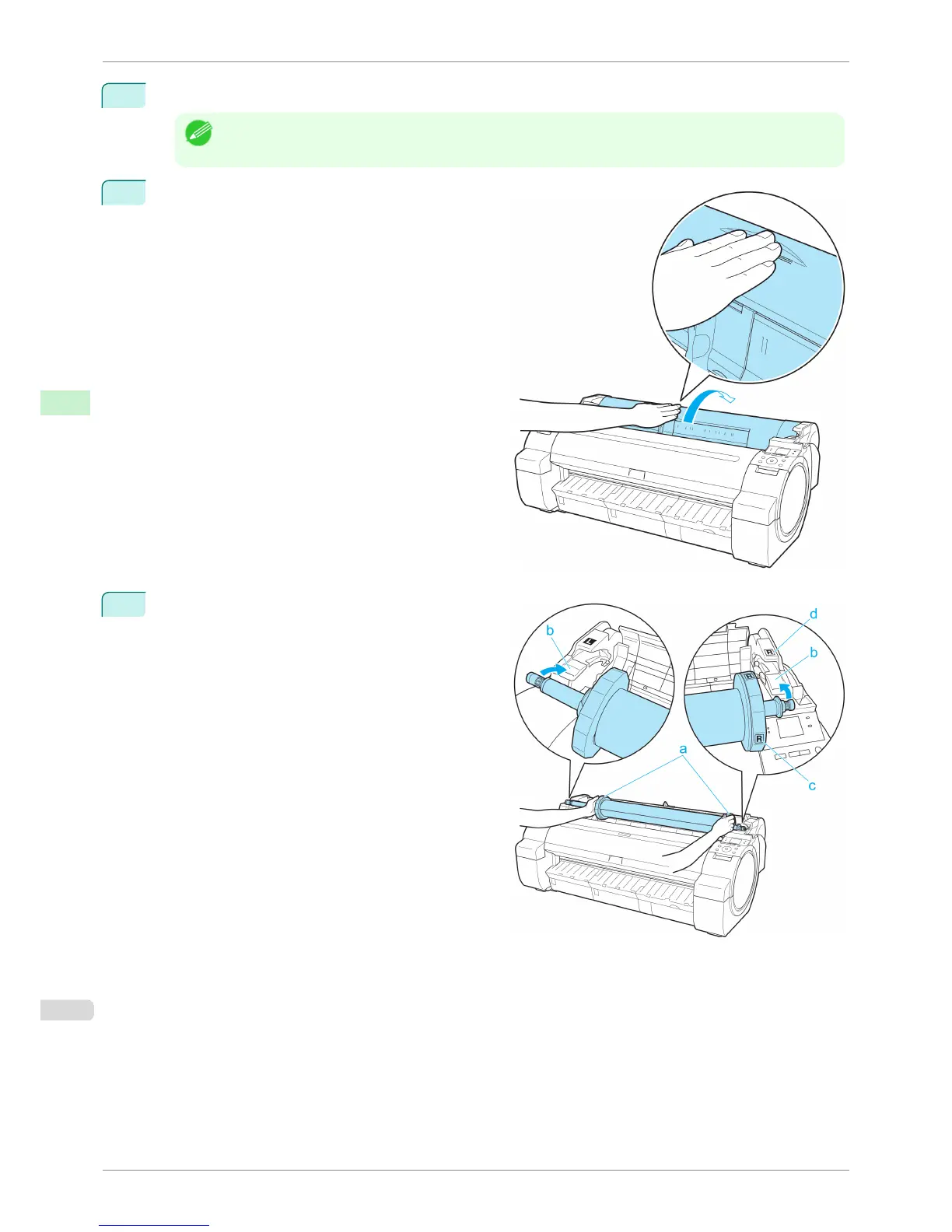
Positioning your hands as shown, open the Roll Cov-
er.
4
Holding the Roll Holder flange (a), rest the Roll Hold-
er shaft on the Roll Ledge (b).
At this time, position the holder so that the R label (c)
on the [W label (c) on the Roll Holder flange is
aligned with the R label (d) on the printer .
Loading Rolls in the Printer
iPF760
User's Guide
Handling Paper Handling rolls
400















 To Next Page