2
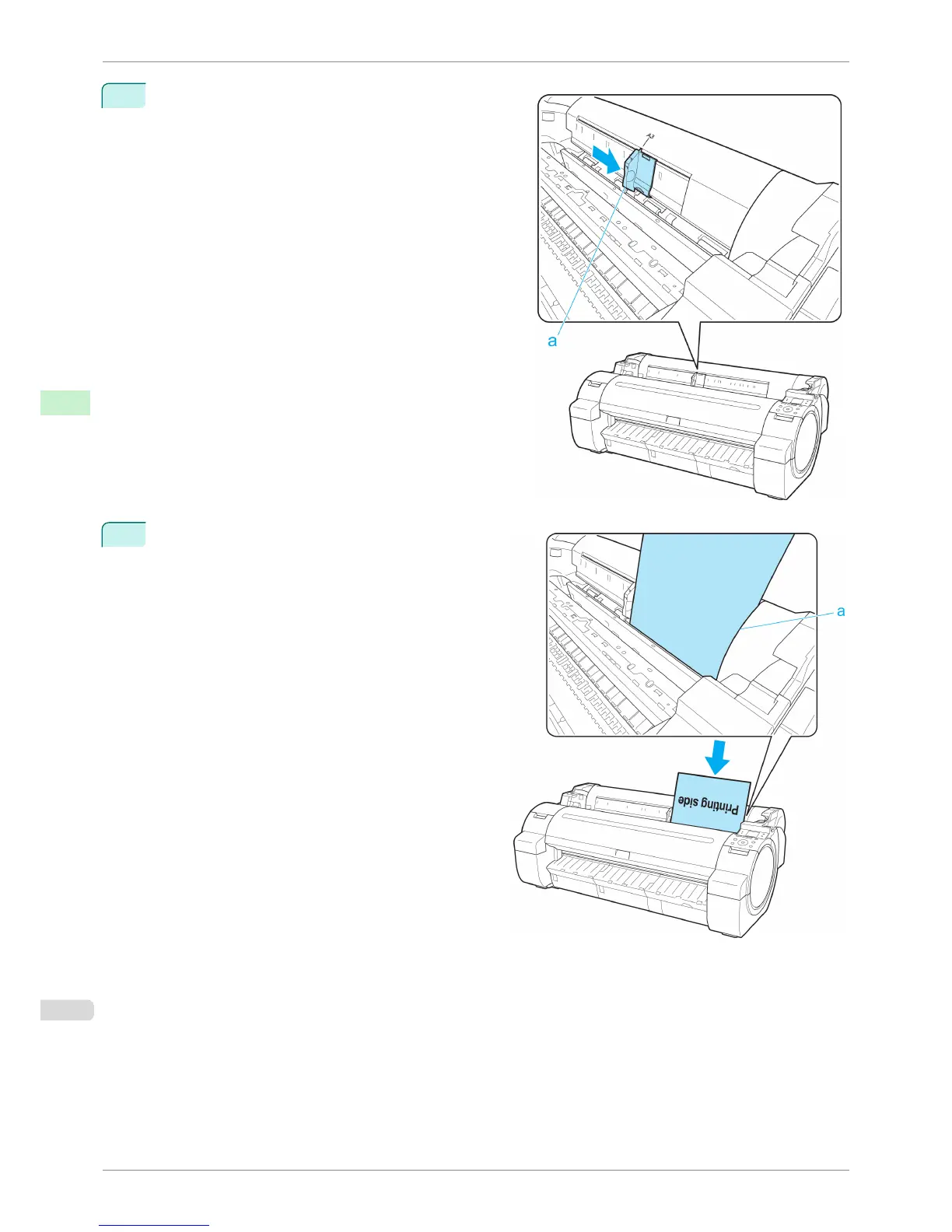
Slide the Width Guide (a) to align it with the mark for the
size of paper you will load.
3
Load a single sheet printing-side up in the Paper
Feed Slot, with the right edge aligned with the Paper
Alignment Guide (a) to the right of the Roll Cover.
Insert the paper until the leading edge makes contact
and you hear a tone.
Loading Sheets in the Printer
iPF760
User's Guide
Handling Paper Handling sheets
418















 To Next Page