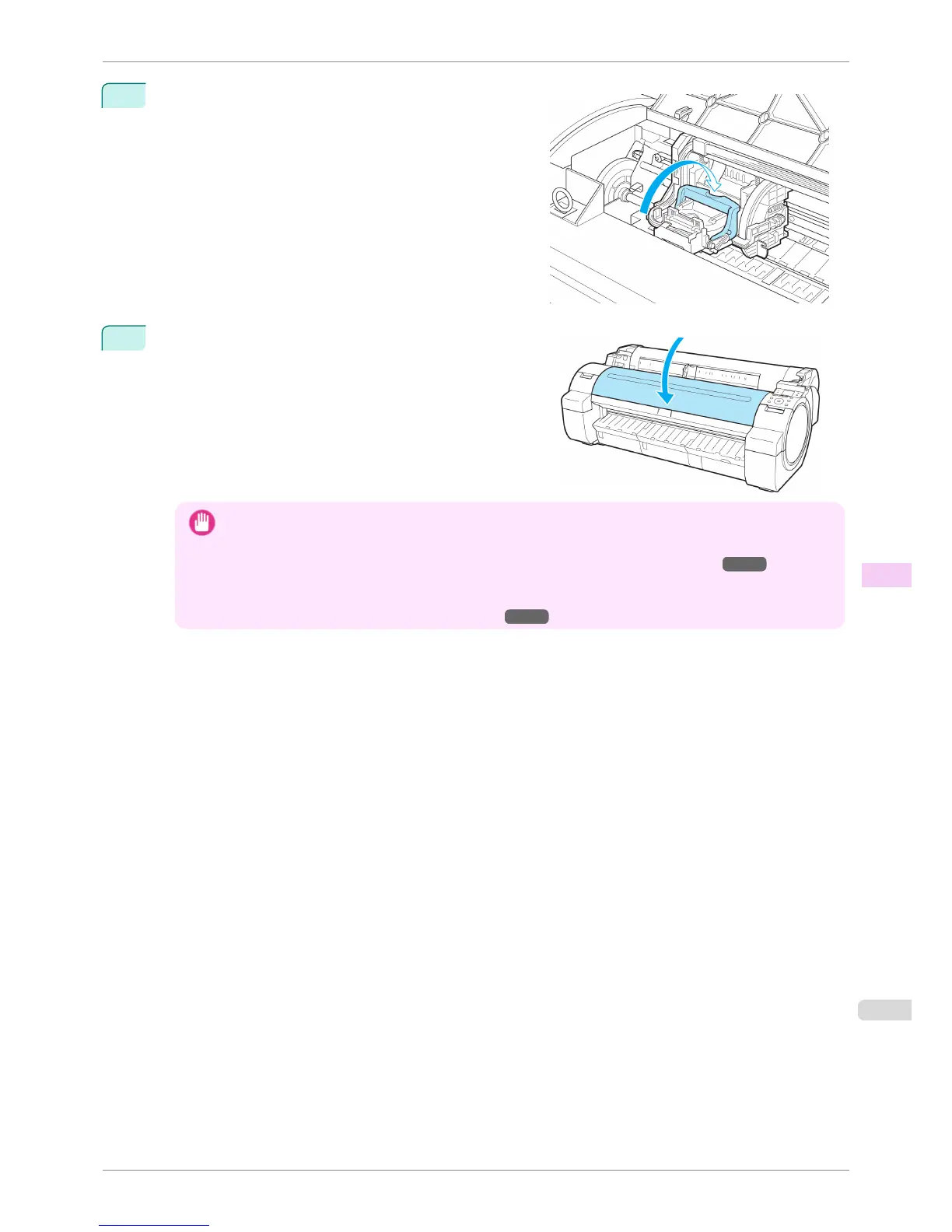
10
Push the Printhead Fixer Lever toward the back of the
printer until it clicks.
11
Close the Top Cover.
Ink now fills the system. It takes about seven minutes to
complete.
Important
• Never remove an Ink Tank while the system is filling with ink.
• After Printhead has been replaced and filled with ink, Head Posi. Adj. ( Auto(Advanced)) is performed if you
have selected Rep.P.head Print > On in the Control Panel menu. (See "Menu Settings.") →P.448
In this case, follow the instructions on the Display Screen for Printhead adjustment.
If Rep.P.head Print is Off, perform Head Posi. Adj. ( Auto(Advanced)) yourself. (See "Automatic Adjustment
to Straighten Lines and Colors (Head Posi. Adj.).") →P.502
iPF760
Replacing the Printhead
User's Guide
Maintenance and Consumables Printheads
531















 To Next Page