5
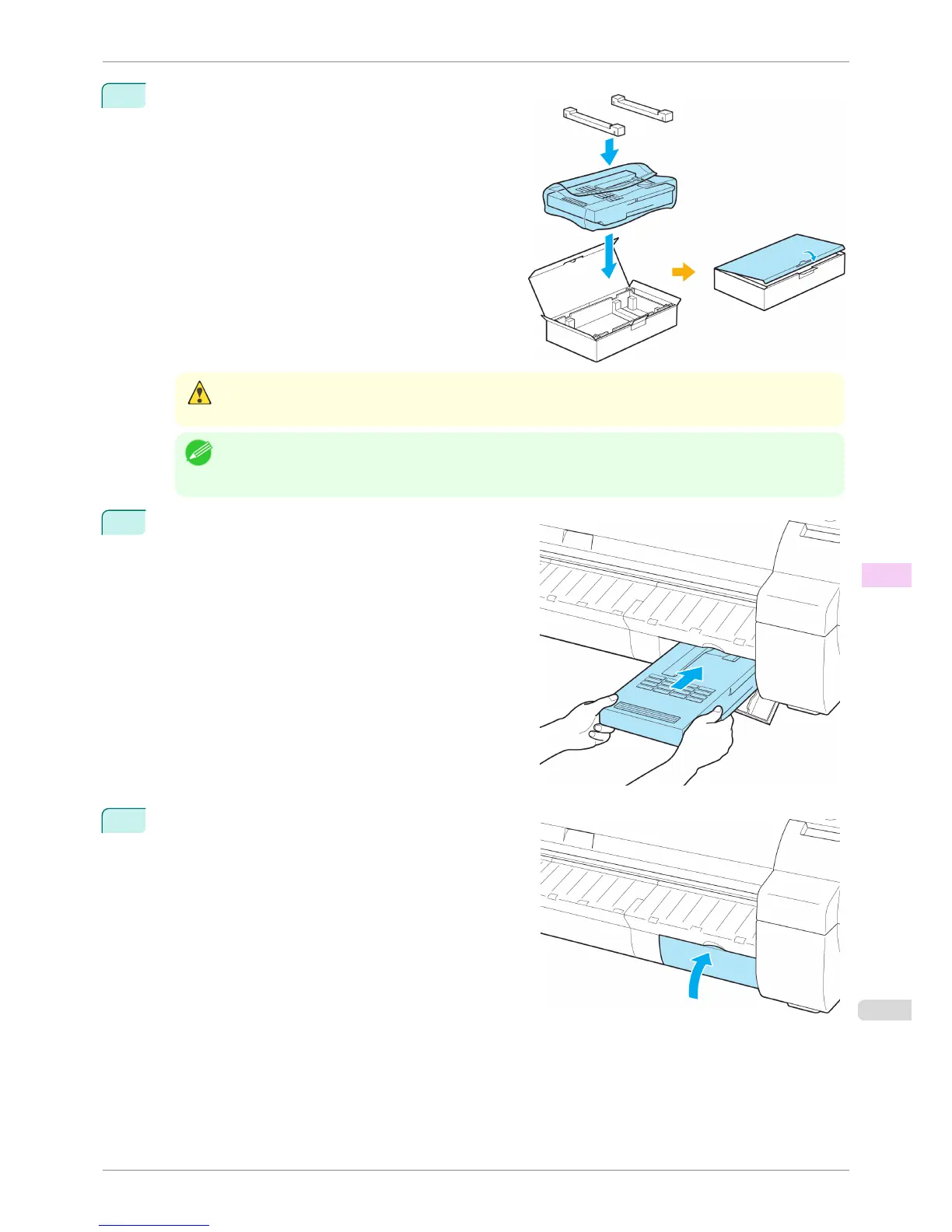
Confirm the Maintenance Cartridge is right-side up, put
it in the box with the packaging material attached, and
store it so that it stays level.
Caution
• Always put the used Maintenance Cartridge back in the box and store the box on a flat surface. Otherwise, ink
may leak and cause stains.
Note
• In accordance with active and ongoing environmental programs, Canon supports recycling of used maintenance
cartridges. Follow the instructions provided with the new Maintenance Cartridge that describe how to process
the used Maintenance Cartridge.
6
Keeping the new Maintenance Cartridge level, insert it all
the way in.
7
Close the Maintenance Cartridge Cover.
iPF760
Replacing the Maintenance Cartridge
User's Guide
Maintenance and Consumables Maintenance Cartridge
535















 To Next Page