3
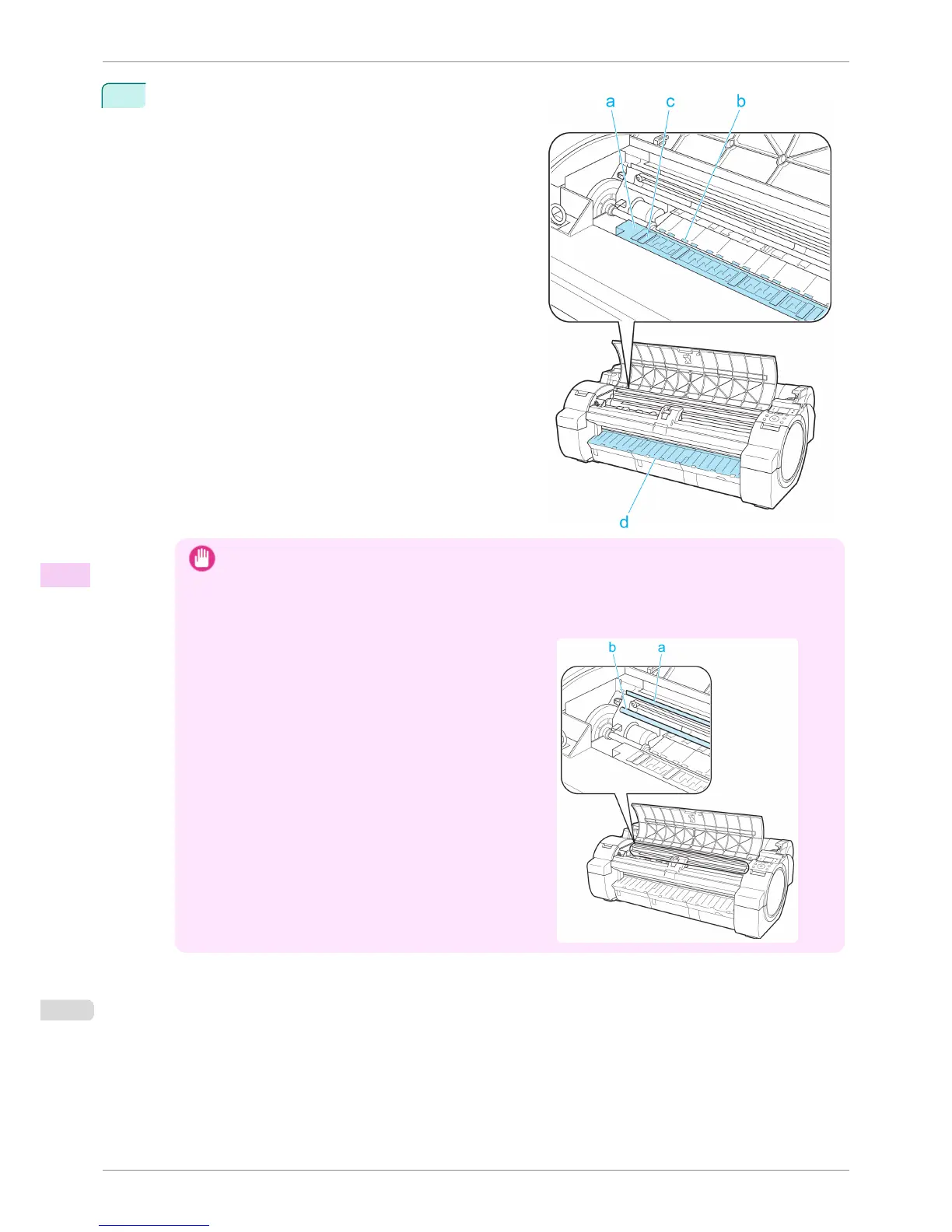
Using a damp cloth that you have wrung out completely,
wipe inside the Top Cover to clean it. Wipe away any ink
residue on the Platen as a whole (a), the Paper Retainer
(b), Borderless Printing Ink Grooves (c), and Ejection
Guide (d).
Important
• Do not use a dry cloth to wipe inside the Top Cover. This may create a static charge, which may attract dust
and affect the printing quality.
• Never use flammable solvents such as alcohol, benzene, or thinner. If these substances come into contact with
electrical components inside the printer, there is a risk of fire or electrical shock.
•
Do not touch the Linear Scale (a) or Carriage Shaft (b).
Cleaning Inside the Top Cover
iPF760
User's Guide
Maintenance and Consumables Cleaning the Printer
540















 To Next Page