Remove the Ink Tank
1
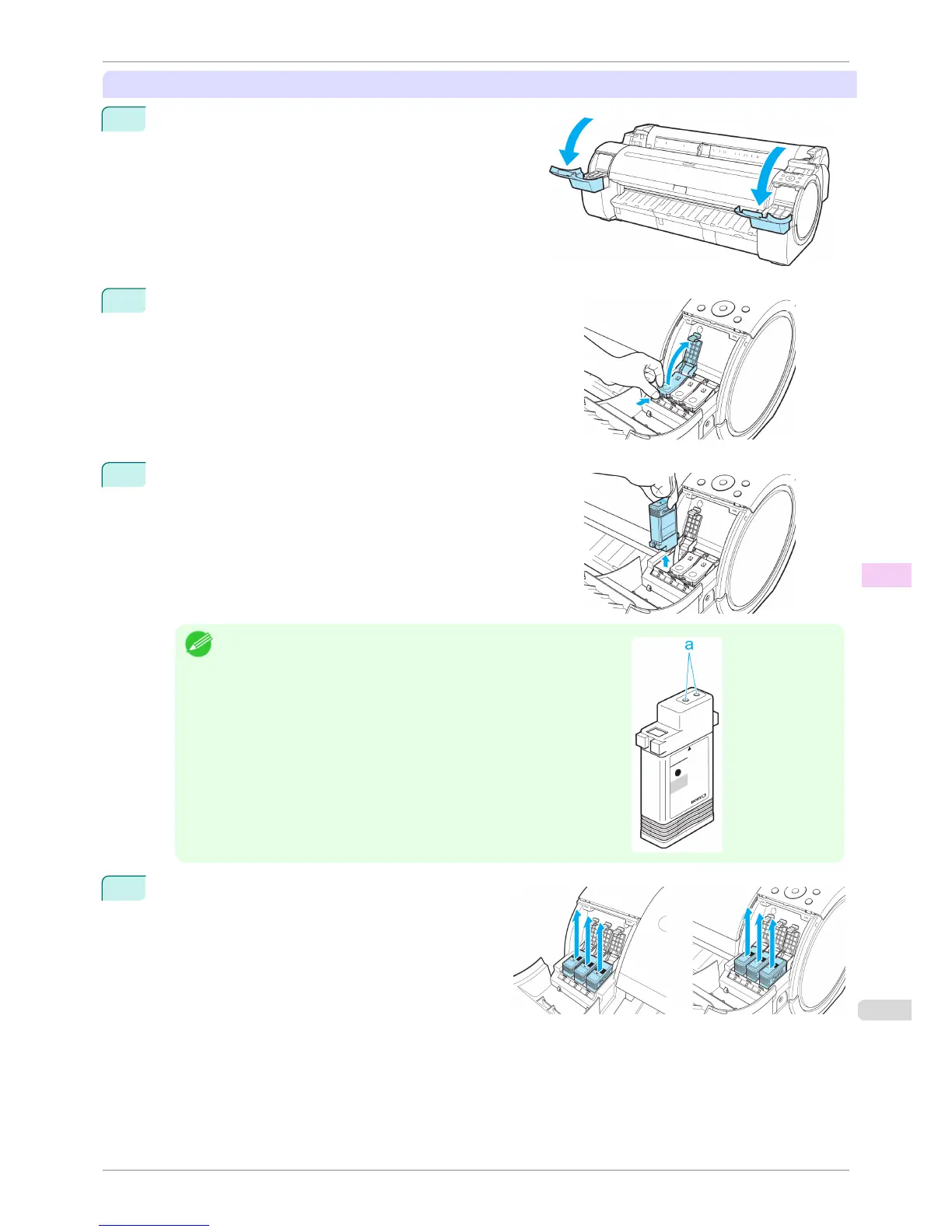
Open the Ink Tank Cover.
2
Pressing the tip of the Ink Tank Lock Lever horizontally, lift the
Ink Tank Lock Lever to release the lock.
3
Holding the ink tanks by the grips, remove them.
Note
•
Store the ink tanks you removed with the ink holes (a) facing up. Other-
wise, ink may leak and cause stains.
4
Repeat steps 2 and 3 to remove all ink tanks.
iPF760
Preparing to Transfer the Printer
User's Guide
Maintenance and Consumables Other Maintenance
543















 To Next Page