2
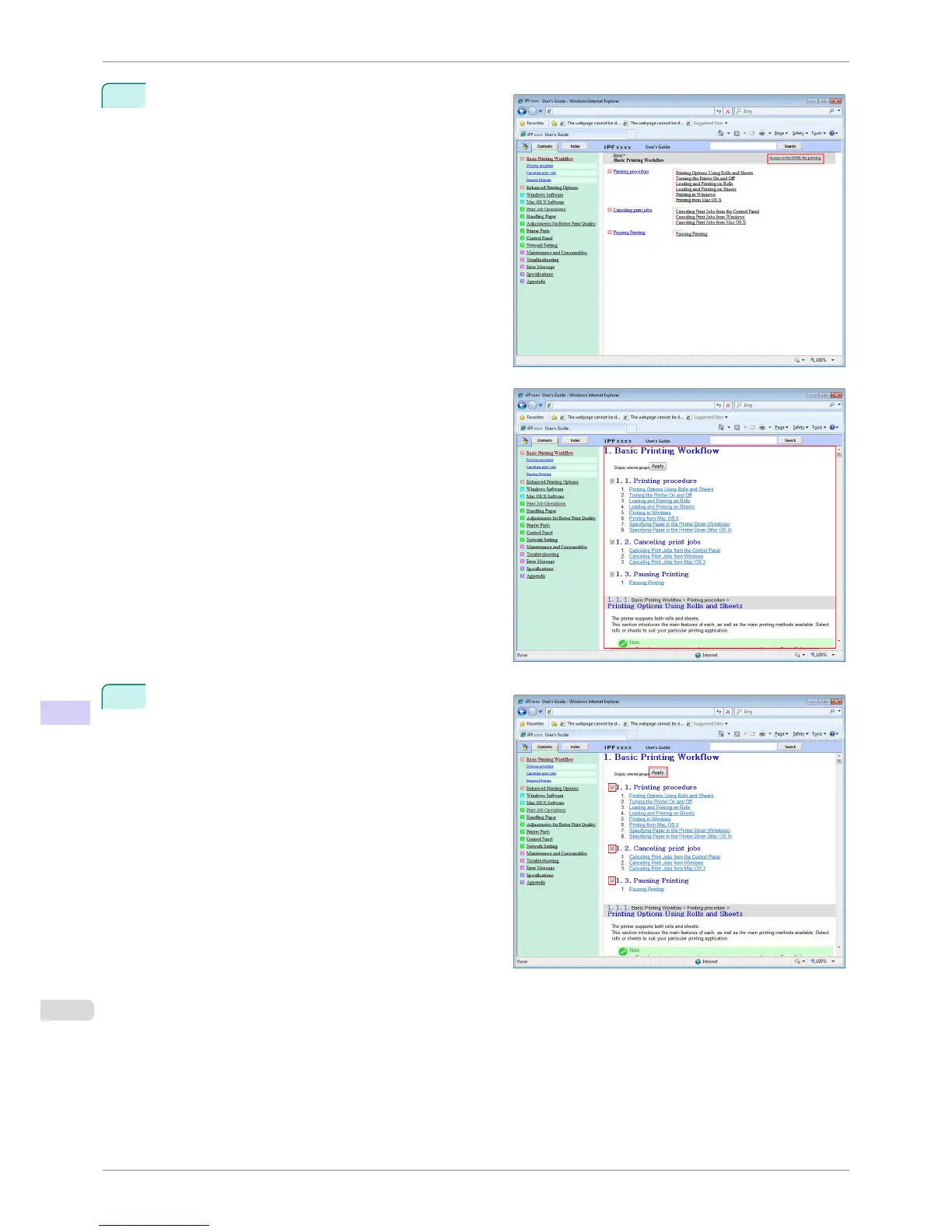
Click Access to the HTML for printing in the title
area.
The topics in Basic Printing Workflow are displayed
together in HTML format, ready for printing.
3
Clear the sections you will not print and click the Ap-
ply button.
HTML Version of the Manual for Printing
iPF760
User's Guide
Appendix How to use this manual
612















 To Next Page