CAPINTEC, INC. CRC
®
-25R
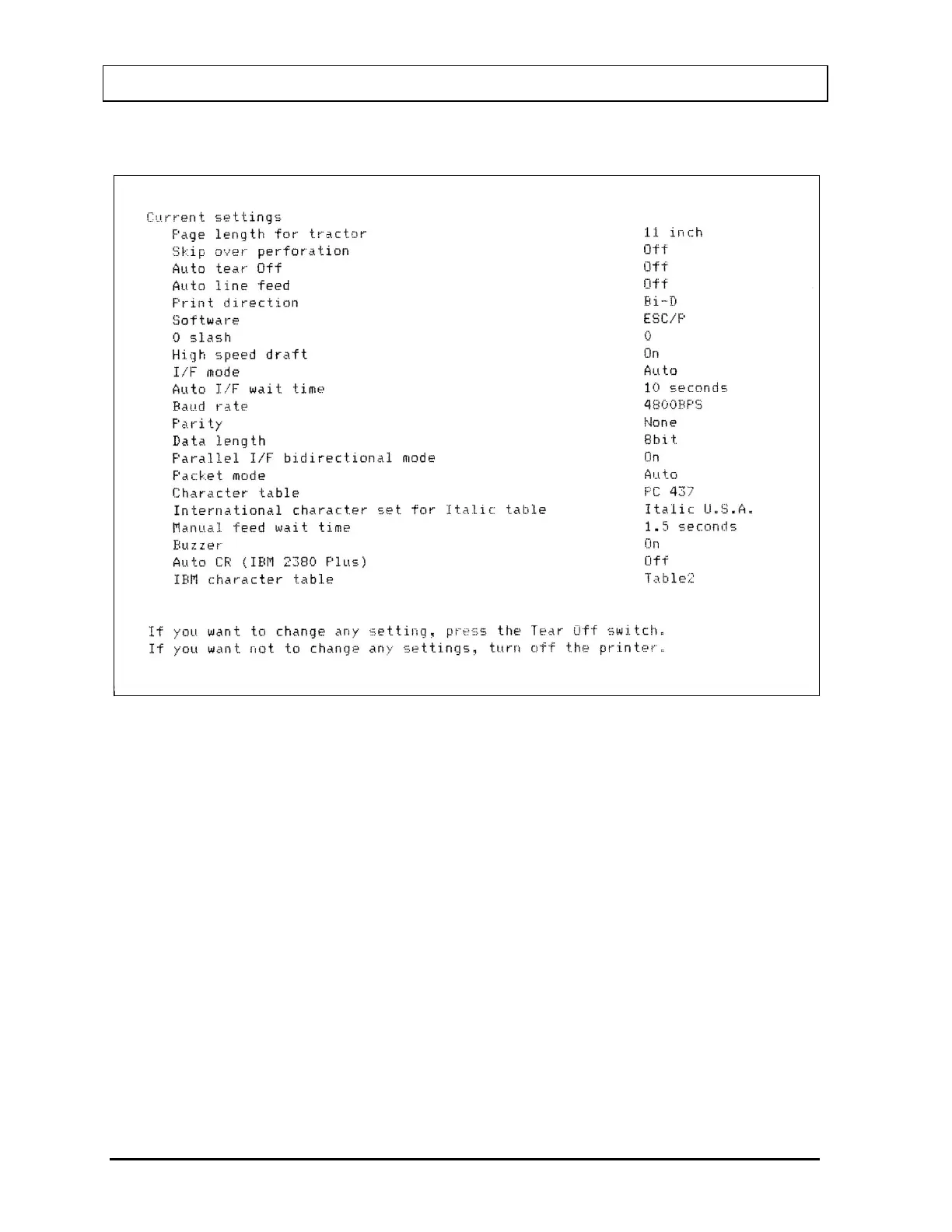
Figure 5-15 Epson LX-300+II Printer Current Settings
5. If there are no differences between what just printed and Figure 5-15 Epson
LX-300+II Printer Current Settings, turn off the printer to exit Default Setting
mode.
If changes are needed, proceed to step 6.
6. Press the TEAR OFF (FONT) button. The printer prints instructions for
changing the settings as shown in Figure 5-16a Epson LX-300+II Printer
Changing Settings Instructions.
5 - 12 SYSTEM INITIALIZATION March 15


 To Next Page