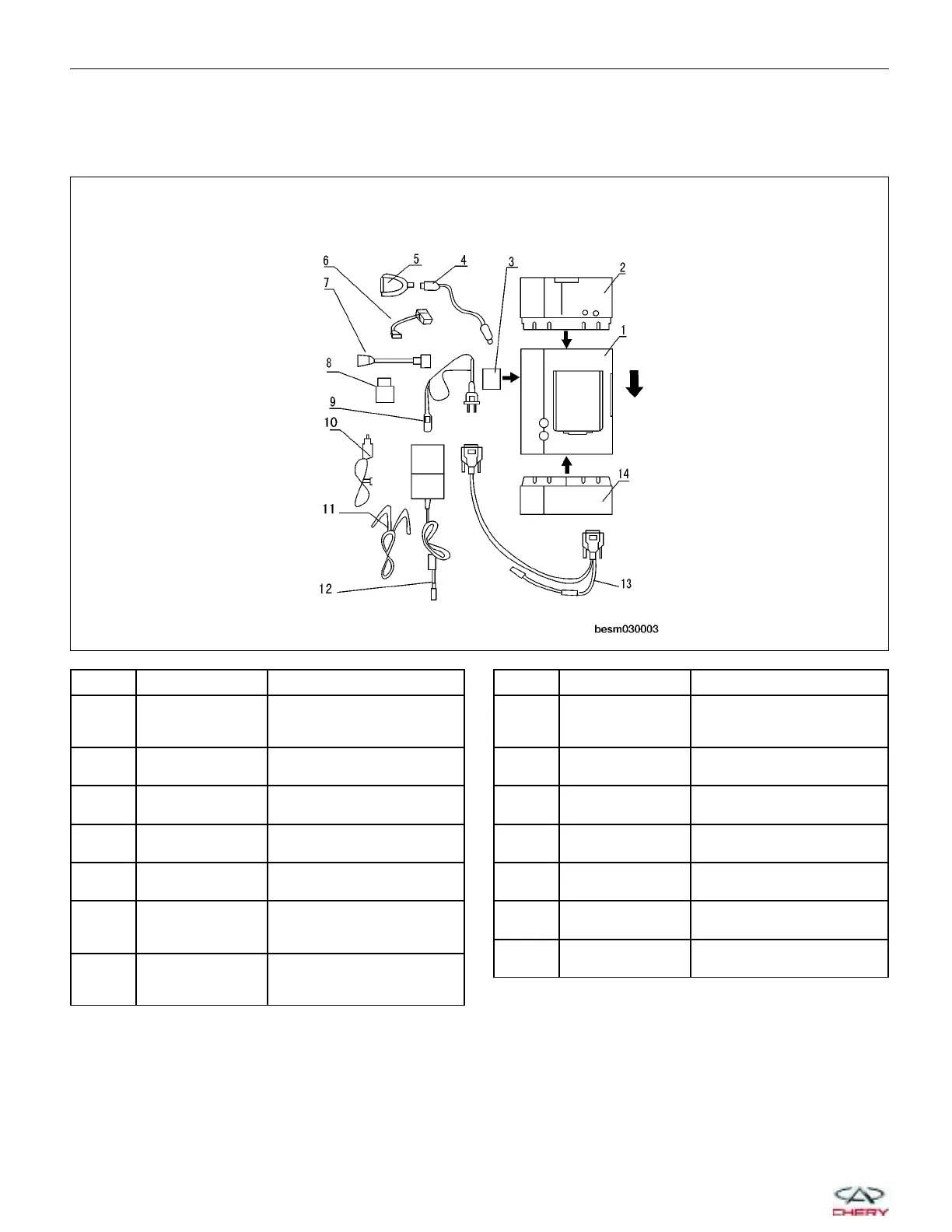
Hardware Requirements
The hardware configuration of X-431 is as follows:
Diagnostic Scan Tool Configuration
ITEM NAME FUNCTION
1 X-431 Main Unit
To Display Operational
Buttons, Test Results, Help
Information, etc.
2 Mini-Printer
To Print Test Results.
(Optional)
3 CF Card
To Store Diagnostic Software
and Data
4 USB Cable
To Connect CF Card
Reader/Writer and Computer
5
CF Card
Reader/Writer
To Read or Write Data On
The CF Card
6
Mitsubishi-12+16
Pin Connector
To Diagnose Mitsubishi
Electronic Control Systems
On Chery A1 Series
7
Fiat-3 Pin
Connector
To Diagnose Vehicles With
Fiat-3 Pin Diagnostic
Connector
ITEM NAME FUNCTION
8
Smart OBDII-16
Pin Connector
To Diagnose Other Systems
Of Vehicle With OBDII-16
Pin Diagnostic Connector
9 Power Cord
To Connect AC 100 - 240 V
Outlet and Power Adapter
10
Cigarette Lighter
Cable
To Get Power From Vehicle
Cigarette Lighter
11
Battery Cable
W/Two Clips
To Get Power From Vehicle
Battery
12 Power Adapter
To Convert 100 - 240 V AC
Power Into 12 V DC Power
13 Main Cable
To Connect The Diagnostic
Connector and Smartbox
14 Smartbox
To Perform Vehicle
Diagnosis
GENERAL INFORMATION
BESM030003
03–8
Chery Automobile Co., Ltd.



 To Next Page