Cleverscope CS300 Reference Manual v2.11
Page 140 www.cleverscope.com ©Cleverscope 2004-2015
21 Protocol Setup
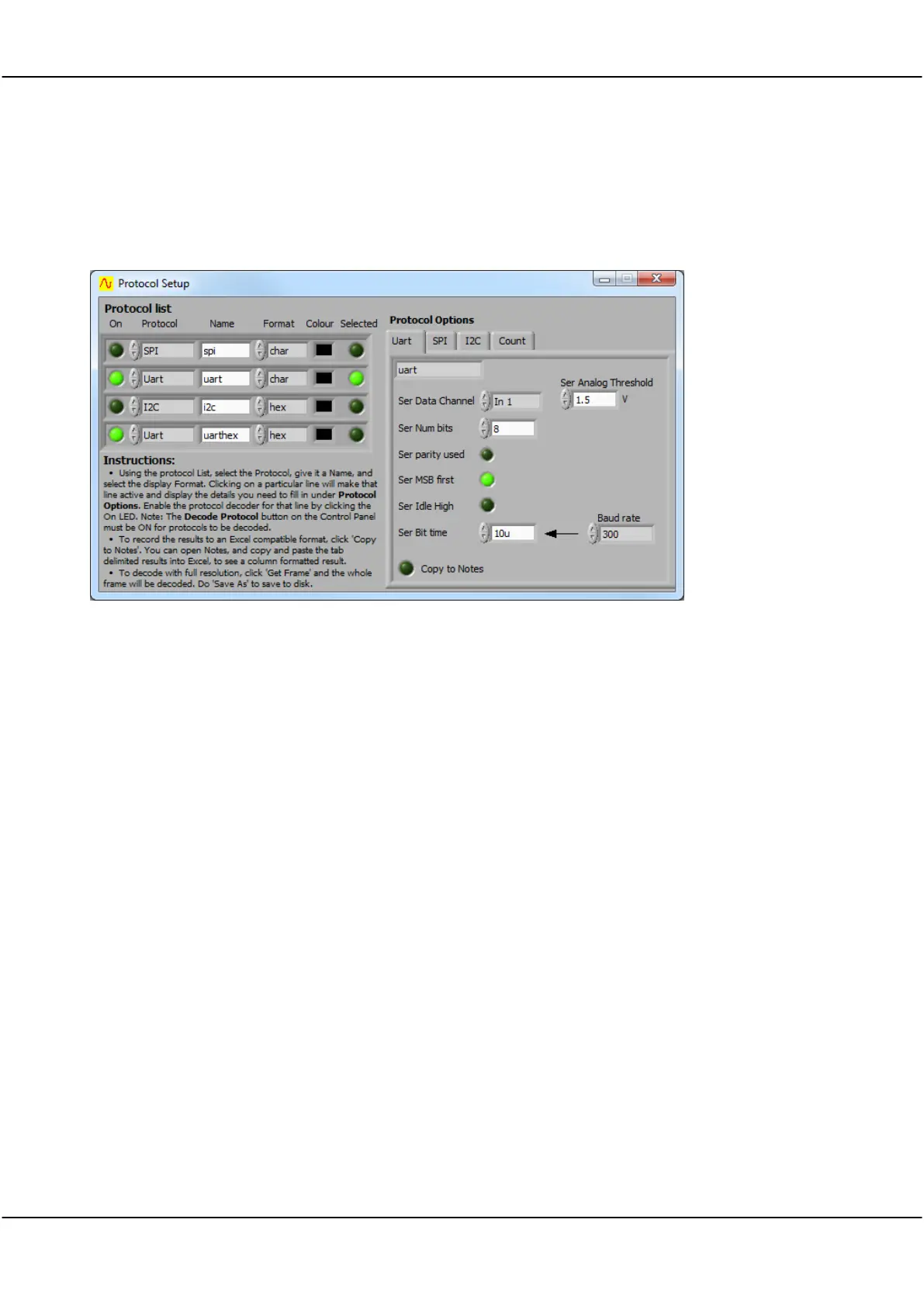
Protocol Setup is via a Protocol Setup Window that contains all the controls to acquire signals from data
streams.
Switches on the Protocol Decode function for each of the protocols being captured.
Click on the arrows or in the field to select the protocol to be decoded.
The Protocol Options tab will be set to match the protocol selected.
Click in the field to enter the required user-defined Name.
Click on the up or down arrow or in the field to select the Hex, Decimal or character format
data display.
Click in the colour box to select a colour from the pop-up colour palette.
Click on the button to activate the capture. Button turns green when active.
Tab is selected when the Protocol is selected.
Settings for serial data streams.
Settings for SPI protocol data streams.
Settings for I2C protocol data streams.
Settings for counting-based capture.



 To Next Page