Cleverscope CS300 Reference Manual v2.11
Page 172 www.cleverscope.com ©Cleverscope 2004-2015
When the button changes to Begin Ref B Measurement move the probe
to Chan B, and
Click Begin Ref B Measurement.
When the button changes to Finish you have completed the
Once Yearly
Calibration
.
26.3 Standard Calibration
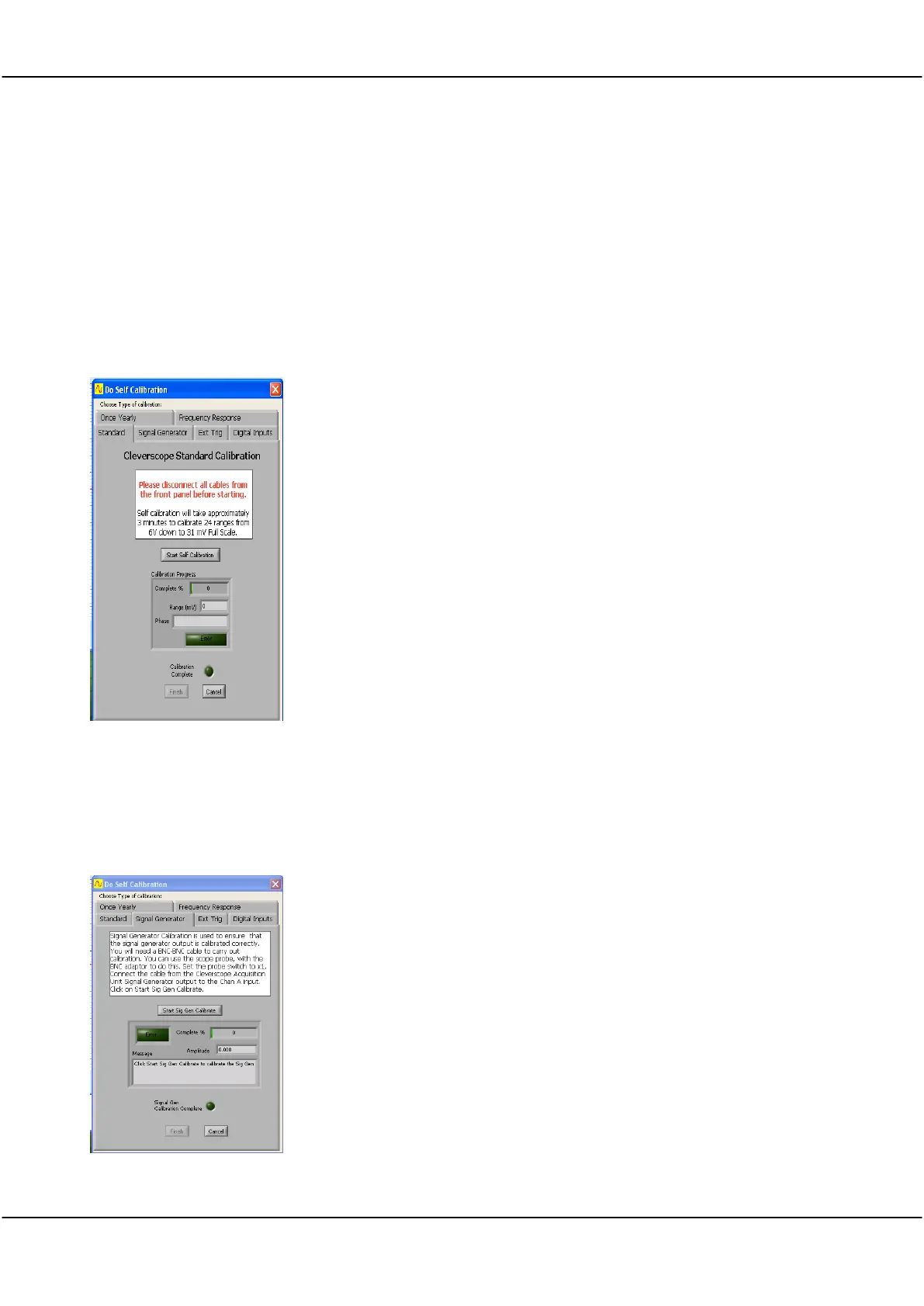
Next carry out a Standard calibration.
Click the Standard tab.
Remove the scope probe from the front panel.
Click Start Self Calibration button.
Wait until Calibration Progress indicates 100% and Calibration Complete
indicator glows Green.
Click Finish when completed.
26.4 Signal Generator Calibration
If your Cleverscope has the CS700A signal generator hardware fitted you may wish to carry out a Sig Gen
calibration.
Signal Generator Calibration
Click the Signal Generator tab.
Connect a BNC-BNC cable from the Signal Generator to Channel A.
Click Start Sig Gen Calibrate button.
Wait until progress indicator reaches 100% and Sig Gen Calibration Complete
indicator glows Green and Finish button becomes active.
Click Finish when completed.



 To Next Page