v2.13 Cleverscope CS300 Reference Manual
©Cleverscope 2004-2018 www.cleverscope.com Page 169
25.8 Firmware Update
Some Cleverscope releases require the firmware inside the
Cleverscope Acquisition Unit
to be up to date to take
advantage of the latest features (however you can always use earlier versions of the firmware without the
added functionality).
When you did the Cleverscope application update above, a firmware file of the form
cscope_fw64xx 53yy.cmf
was loaded into your Cleverscope programs folder. The
64xx
gives the current firmware version number with
the update. Compare this with the current firmware version in your
Cleverscope Acquisition Unit
(Cleverscope)
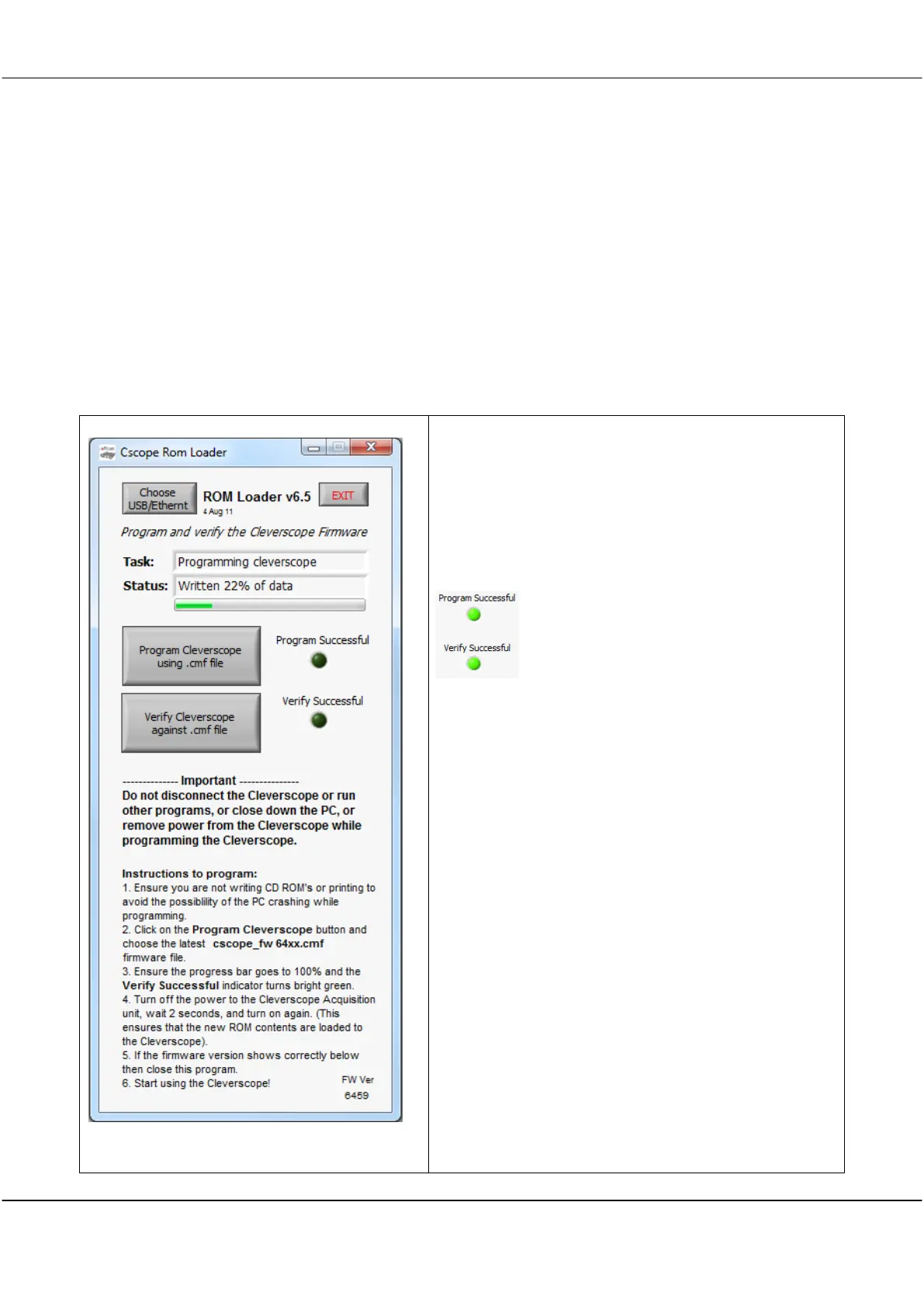
displayed on ROM Loader as FW Ver. If they are not the same, you will need to update the firmware to gain
full advantage of any changes.
Note The .
cmf
file contains the firmware for both
CS328 Classic
and
CS328A
varieties and are version numbers
53yy
and
64xx
respectively.
To update firmware carry out the following steps:
Connect the
Cleverscope
, and cycle the power on it (turn it
off, wait 5 seconds, turn it on), to ensure a fresh start.
Start Cleverscope ROM Loader, an application that is
included in the update, and will be in your Cleverscope
programs folder.
Important Do not run any other applications, write CD’s
or do printing while the update is in
progress. If power is lost to the
Cleverscope
during the update you may have to return
the unit to the factory.
Click Program Cleverscope using .cmf file.
Navigate to the Cleverscope programs folder and choose
the newest
cscope_fw64xx 53yy.cmf
(the file contains
firmware for all versions of Cleverscope).
ROM Loader will now write the firmware to the
Cleverscope
and light Program Successful when complete.
ROM Loader will then proceed to automatically verify the
download. If the program and verify were successful you
should see:
If not, please repeat this step.
You may verify the correct
.cmf
file is loaded at any time by
clicking Verify Cleverscope against .cmf file.
Important Turn off the power to the
Cleverscope
. Wait 5
seconds. Turn the power to the
Cleverscope
back on again.
This forces the FPGA inside the
Cleverscope
to reload the
firmware from ROM. Verify that the
Cleverscope’s
green
power light is on.
Check that the FW Ver shown on ROM Loader now
matches the version you programmed.
Close ROM Loader by clicking Exit. Your firmware update
is now complete.



 To Next Page