filter.
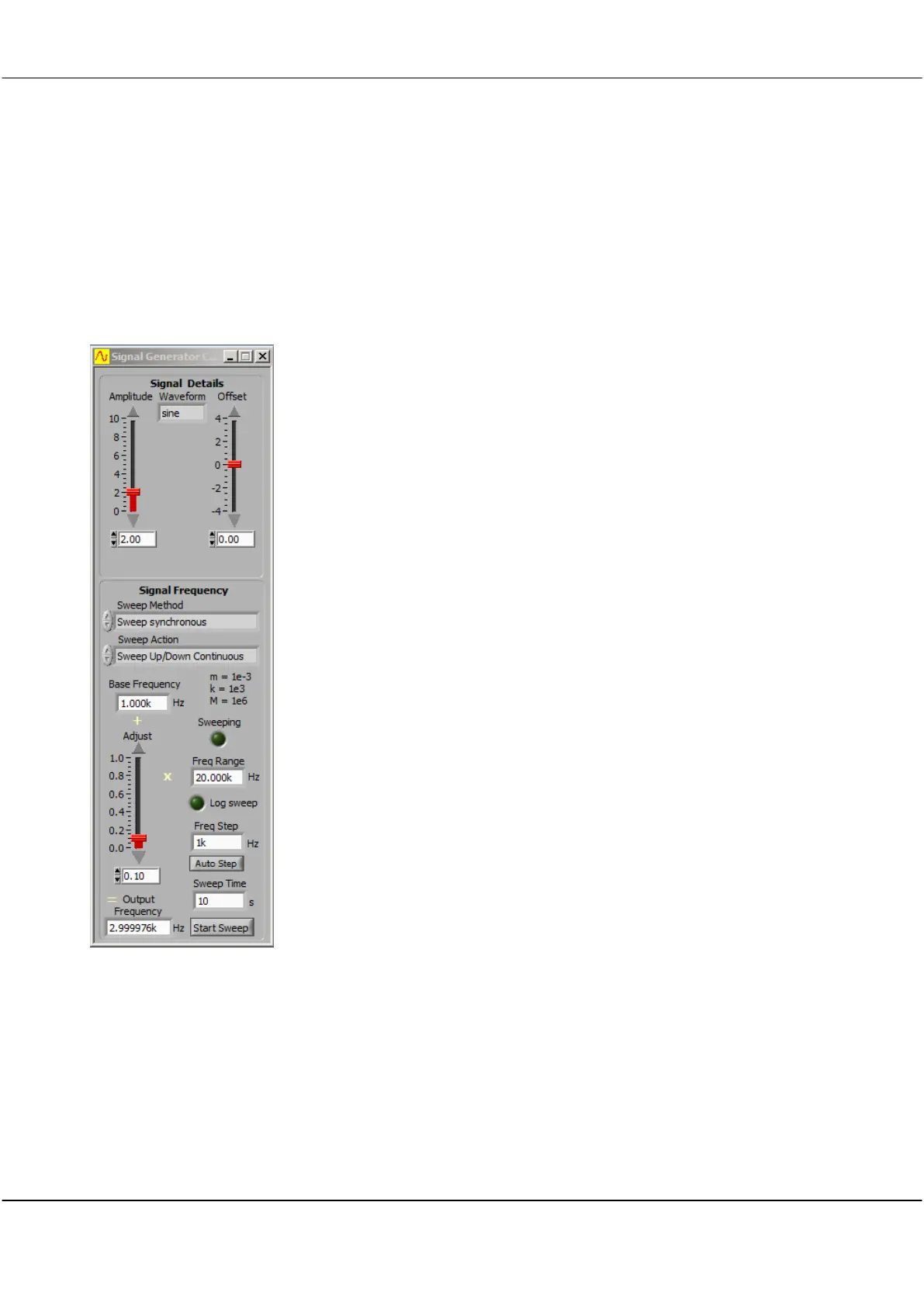
Click inside the field to select sine, triangle, square, DC, or
OFF.
Click and drag the slider to adjust the output voltage level.
Click on the arrows to adjust the output voltage level on 0.1
volts steps or
Click inside the field to type a value.
Click and drag the slider to adjust the offset voltage level.
Click on the arrows to adjust the output voltage level on 0.1
volts steps or
Click inside the field to type a value
Click on the arrows or inside the field to select from the
dropdown list.
No sweeping occurs.
Frequency steps occur at fixed time intervals and are
asynchronous with the sampling system. Gain/Phase values
are not coherent with the signal generator frequency, and
records peak values across the entire spectrum range.
Frequency is only adjusted between sample frames. The
cycle is Set Frequency - Capture result... Set Frequency -
Capture Result. Since this is synchronous with the sampling
system no smearing of the spectra will occur. When
Gain/Phase is selected, the Spectrum Display automatically
interpolates from one frequency point to the next, and
gain/phase values are coherent with teh signal generator
frequency.
Synchronous capture with 50 points per frequency sweep
(decimated to freq step values).
Synchronous capture with 200 points per frequency sweep
(decimated to freq step values).
Automatically sweep the signal generator in the Acquisition
unit when doing a multi frame capture, in between
captures.



 To Next Page