Cleverscope CS300 Reference Manual v2.11
Page 64 www.cleverscope.com ©Cleverscope 2004-2015
9 Cleverscope Displays – Display Control Buttons
Use the buttons around the graph, and the tools above the graph to control the display view.
9.1 Display Buttons - Vertical Axis
Buttons common to Scope, Tracking, Spectrum, XY, and Math displays
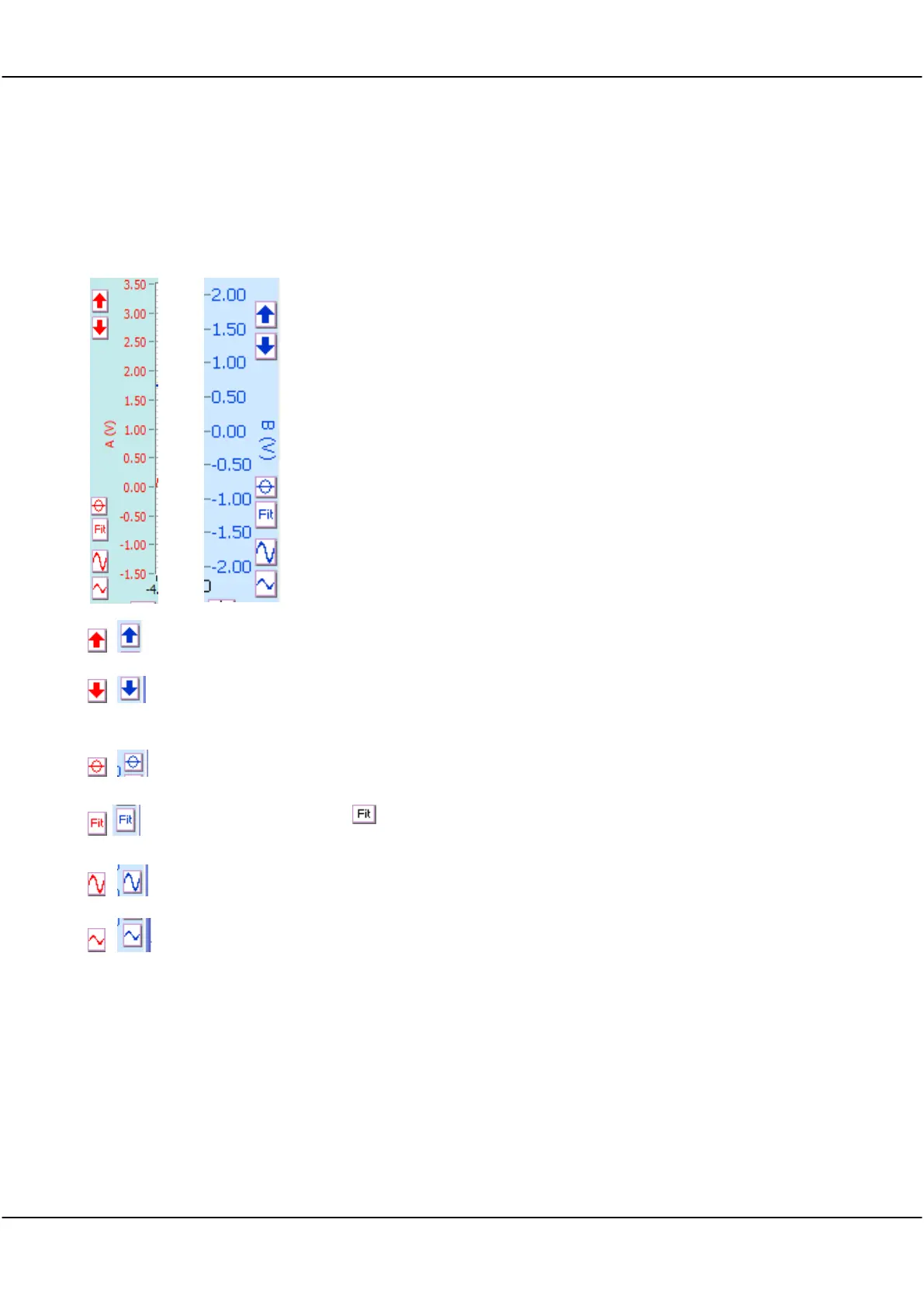
The Red Buttons to the left of the A channel vertical axis control A channel
vertical settings.
The Blue Buttons to the right of the vertical B channel axis control Channel B
vertical settings.
The vertical axis settings determine the internal scaling and offset.
Cleverscope’s full 10-14 bit analog resolution maps onto the chosen minimum
and maximum amplitude axis values to maximize resolution.
The values for Channels A and B are independent of each other.
The Scope Display setup specifies the Channel A, Channel B and Time settings
used to capture the signal.
Click button to move a channel signal trace up on the display.
Click button to move a channel signal trace down on the display.
Click to set the amplitude axis so that 0V is at the vertical centre of the
amplitude range.
Click to change the amplitude axis to fit the available signal. Channel A is
placed on the lower half, and Channel B on the upper half, of the graph.
Click to increase the height of the signal on the display.
Click to reduce the height of the signal on the display.
9.1.1 Button Vs Keyboard expand/contract
The keyboard shortcuts work on the currently selected Channel. There is an important distinction between the
wave the buttons work, and the keyboard shortcuts. The vertical expand and contract buttons expand and
contract the signal about the centre voltage value, while keeping that point at 1/4 and 3/4 of the amplitude
range (Chans A, B respectively). The Keyboard Expand (Ctrl ) and Contract (Ctrl ) expand and contract
about the tracer position. This means the Keyboard shortcuts are very useful for rapidly expanding at the tracer
point.



 To Next Page