v2.13 Cleverscope CS300 Reference Manual
©Cleverscope 2004-2018 www.cleverscope.com Page 149
21.8 UART Protocol Example
The source for each data line can be any one of the Digital Inputs 1-8, the external trigger, or Channel A or B.
If Channel A or B is used you can set the threshold (or where there are two or more inputs, the threshold for
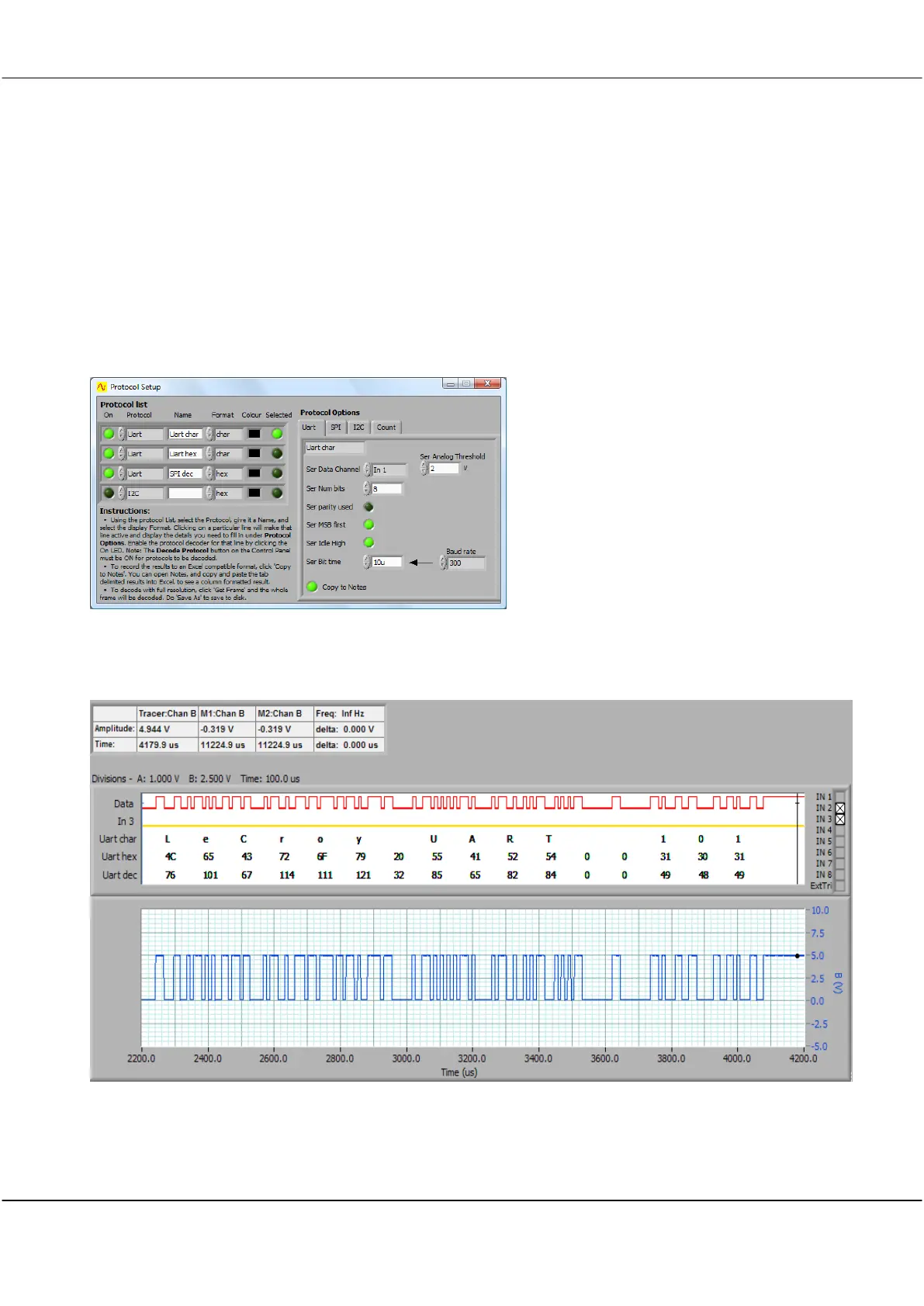
each one of them). The UART decoder function allows you to choose the number of bits if parity is used, the bit
order, and the idle state, in addition to the bit time. A calculator for pre-setting the bit time with standard Baud
rates is included. Otherwise you can just type in the time (as we below – 10usecs).
Setting up the UART protocol analyser
The setup screen shows the UART selected in the Protocol List and the settings on the Protocol Options tab as
below
UART protocol analyser output
Here is the Scope Display displaying the UART message.



 To Next Page