Cleverscope CS300 Reference Manual v2.11
Page 102 www.cleverscope.com ©Cleverscope 2004-2015
17.5 Frequency Response Analyser Control Window
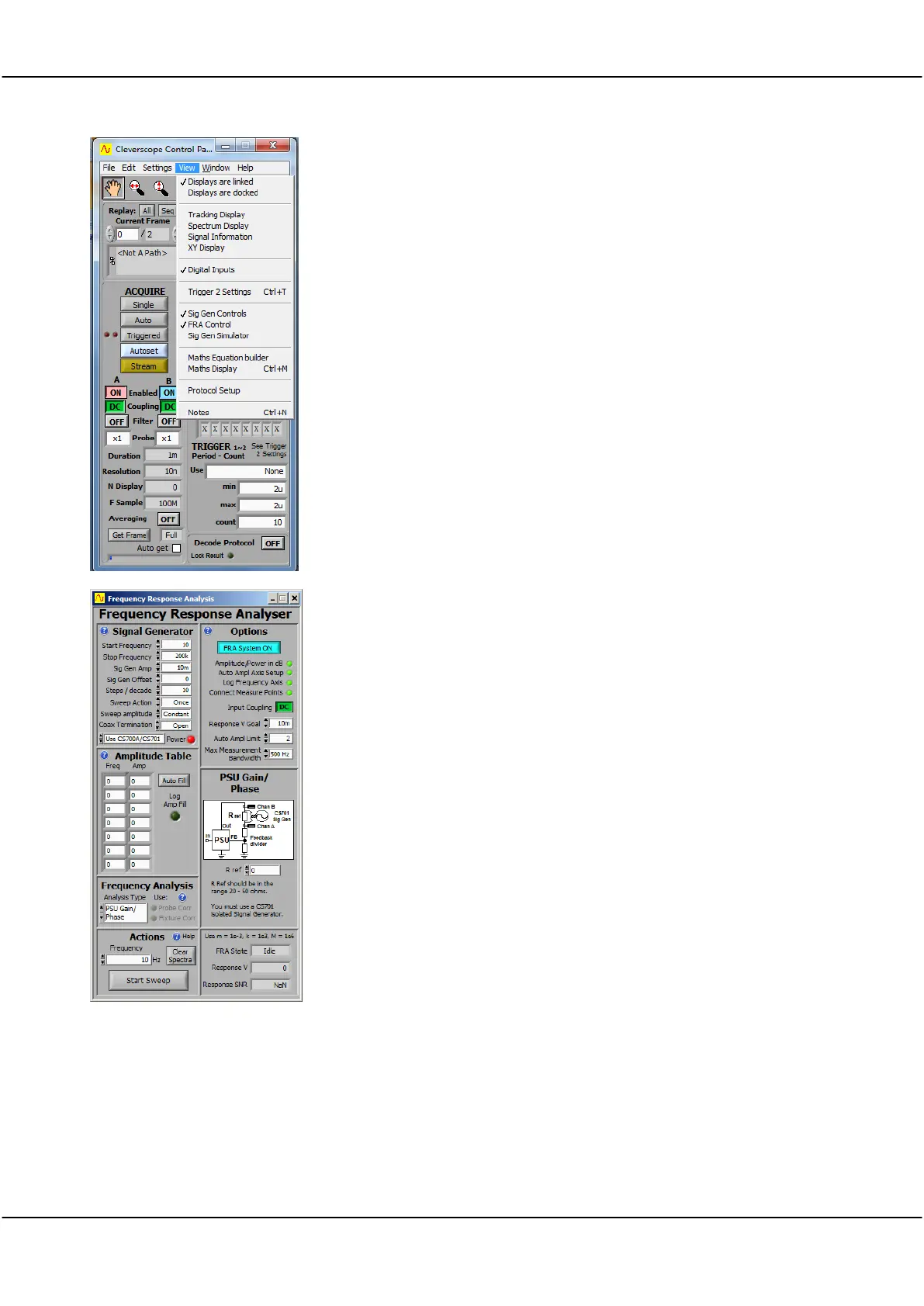
The Cleverscope FRA Control Panel is accessed from the View menu.
Click on the View menu at the top of the Cleverscope Control Panel and
select the “FRA Control” option.
The Cleverscope Frequency Response Analyser Control Panel has 7 panels to
make it straightforward to set up the required test conditions.
These are detailed below. The Frequency Analysis panel chooses the type of
analysis to be done. The Actions panel is used to start a sweep. The Signal
Generator panel defines the signal generator chracteristics. The Options
panel sets overall capture and display options.
The connections panel shows you how to connect up the FRA, and includes
analysis specific values.



 To Next Page