Cleverscope CS300 Reference Manual v2.11
Page 20 www.cleverscope.com ©Cleverscope 2004-2015
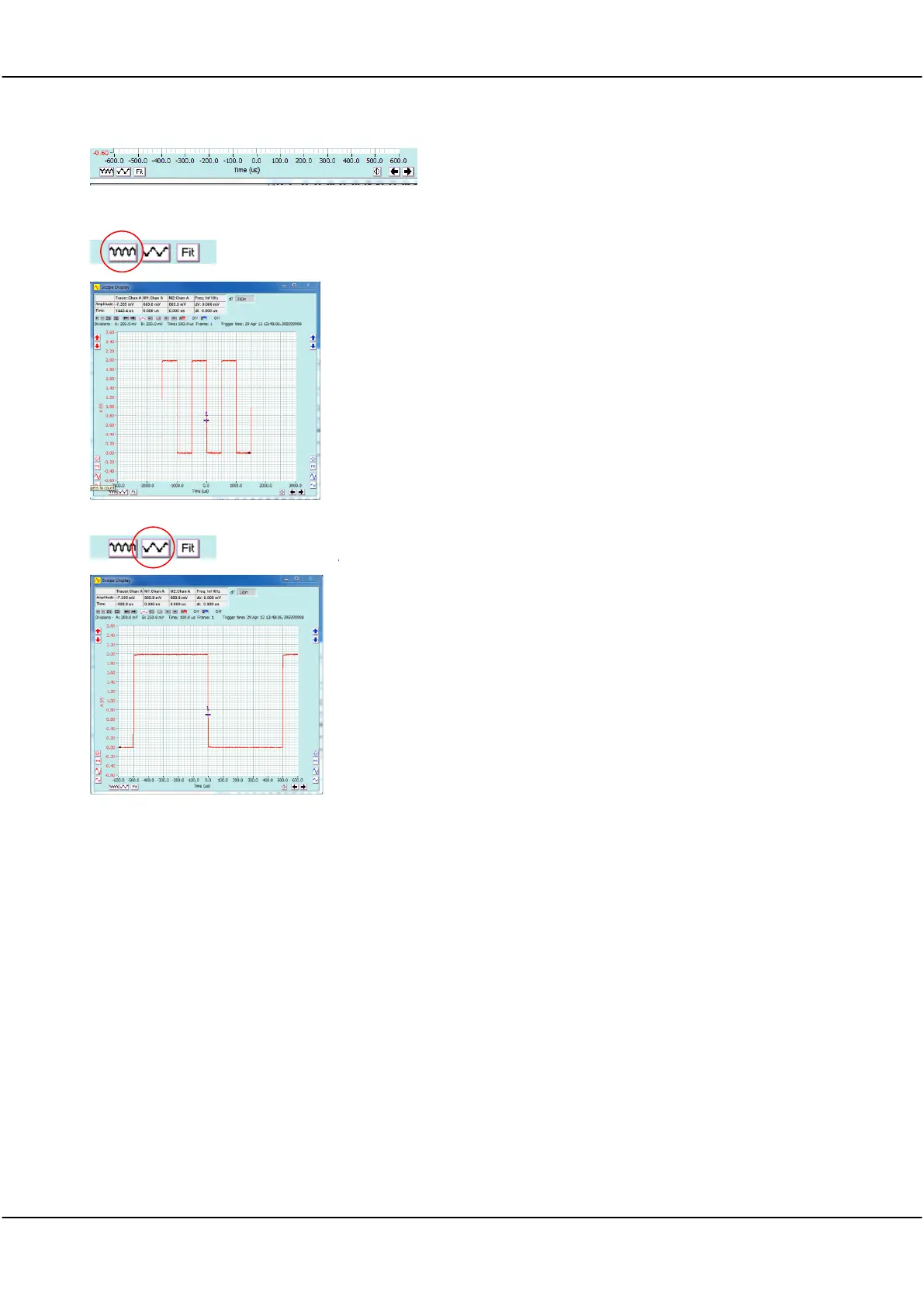
The screen at left shows the capture after the Channel A Contract Time
button was clicked.
The display will adjust each time the button is clicked.
Note The trigger point is always positioned at time zero on the
horizontal axis.
The screen at left shows the capture after the Channel A Expand Time
button was clicked.
The display will adjust each time the button is clicked.
Channel B behaves the same as Channel A.
3.11 Signal Generators
If you ordered your Cleverscope to be supplied with the CS700A Signal Generator module fitted you can now
use that to experiment further with capturing signals at different frequencies and wave shapes (sine, square and
triangle).
Chapter 11, CS700A Signal Generator Module Controls describes the use of the Signal Generator module.
(Note you can upgrade your Cleverscope to include the CS700A if it wasn’t fitted ex-factory.)
You can also use the internal Signal Generator Simulator to experiment further with capturing signals at
different frequencies and wave shapes.
Chapter 12, Internal Signal Generator Simulator describes the use of the internal software Signal Generator
Simulator. Note the Simulator is software only and the connection to the Channel A & B inputs is done internally
so no external connections are required. You cannot use the simulator for testing external units.



 To Next Page