v2.13 Cleverscope CS300 Reference Manual
©Cleverscope 2004-2018 www.cleverscope.com Page 31
4.6 Trigger 1~2 Zone [Control Panel]
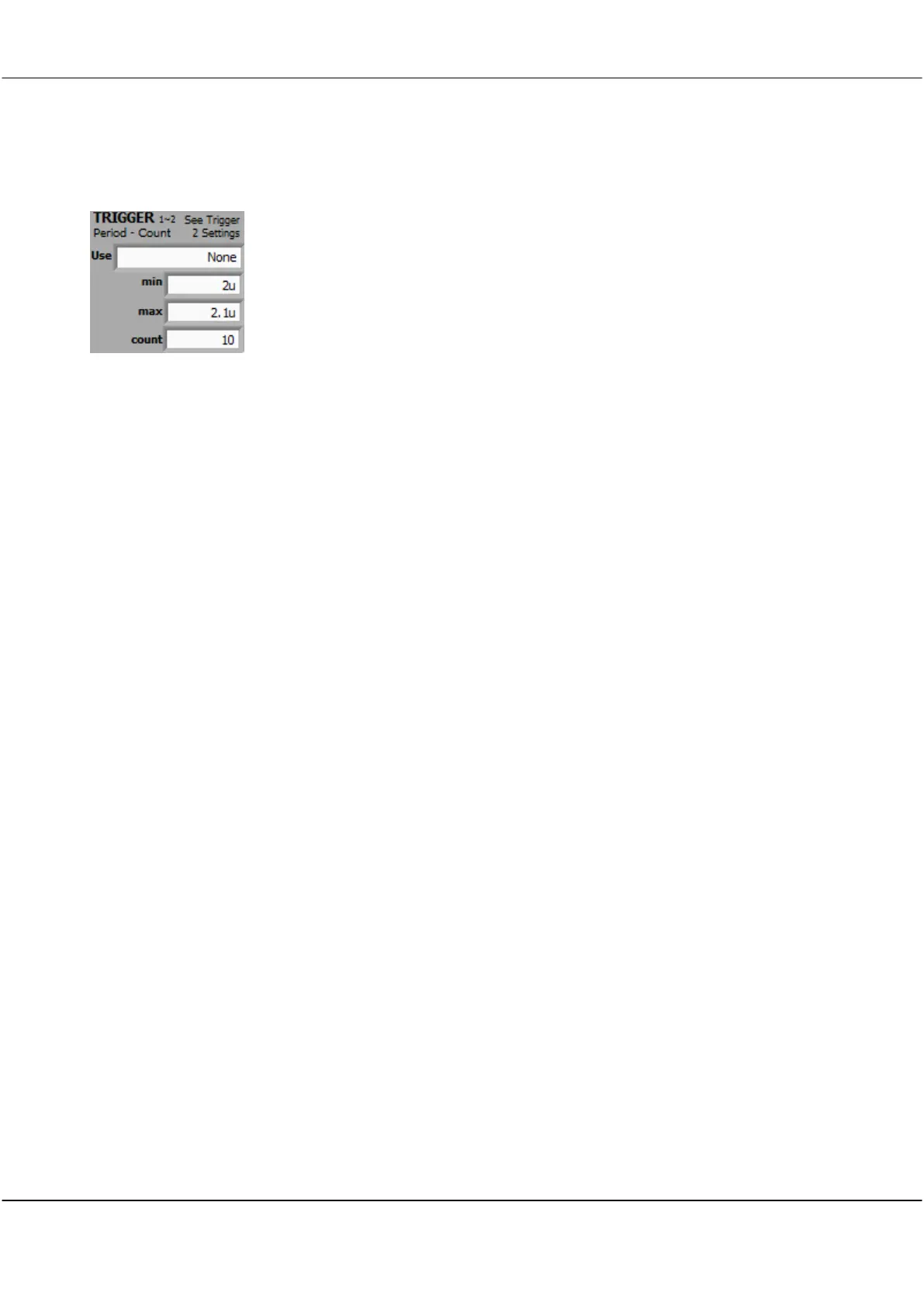
Period – Count Trigger provides additional trigger control on the duration between Trigger 1 and Trigger 2 or
counting of triggers or a combination of duration and counting
Note: m=milliseconds, u=microseconds, n= nanoseconds
Use
Trig 1~2 < Min
min<T1~2 < max
Trig 1~2 > max
Count Trig 1
Count Trig 2
T1~2<Min:count T2
in T1~2 : count T2
T1~2>max:count T2
T1 OR T2
Selects an option from the Use menu
Triggers if the duration between Trigger 1 and Trigger 2 is less than min time.
Triggers if the duration between Trigger 1 and Trigger 2 is between min time and max
time.
Triggers if the duration between Trigger 1 and Trigger 2 is greater than max time.
Triggers when Trigger 1 has occurred count times.
Triggers when Trigger 1 occurs followed by Trigger 2 occurring count times.
Triggers if the duration between Trigger 1 and Trigger 2 is less than min time and then
counts Trigger 2 occurring count times.
Triggers if the duration between Trigger 1 and Trigger 2 is between min time and max
time and then counts Trigger 2 occurring count times.
Triggers if the duration between Trigger 1 and Trigger 2 is greater than max time and
then counts Trigger 2 occurring count times.
Triggers on either Trigger 1 or Trigger 2.
Sets the minimum period for which the trigger can be active
Note: you can use m=milliseconds, u=microseconds, n= nanoseconds
Sets the maximum period for which the trigger can be active
Note: you can use m=milliseconds, u=microseconds, n= nanoseconds
Sets the number of triggers to count



 To Next Page