Cleverscope CS300 Reference Manual v2.11
Page 24 www.cleverscope.com ©Cleverscope 2004-2015
4.2 ACQUIRE Zone [Control Panel]
Acquire zone buttons provide access to establish the capture options.
4.2.1 Acquire
Use one of the THREE AQUIRE buttons to start and stop signal capture
Click on Single, to capture a single acquisition when the trigger condition is met.
Click on Auto to capture continuing acquisitions. If the trigger condition is met, acquisitions are
triggered. If the trigger condition is not met, acquisitions automatically continue at the Update
Rate (see 5.3.6 Acquisition settings dialog).
Click on Triggered to capture continuing acquisitions, but wait for the trigger condition to be
met before capture. Uses the Update Rate to set the maximum update rate.
4.2.2 Autoset
Click button to automatically set the graph scales and trigger settings.
Autoset places Channel A in the bottom half and Channel B in the top half of the graph and
shows 3 cycles of the signal in the Scope Display and 2 cycles in the Tracking Display.
A quick way to view a new set of signals.
4.2.3 Charting
Note: Charting is only available in Application version 4.7xx and above.
Click button to start a charting session.
To setup a charting session, on the File menu click File Options.
For more information see the section 5.1.1 Format of the Binary file
The binary file is organized as follows:
Options
The binary file has a 64 byte header followed by an array of samples.
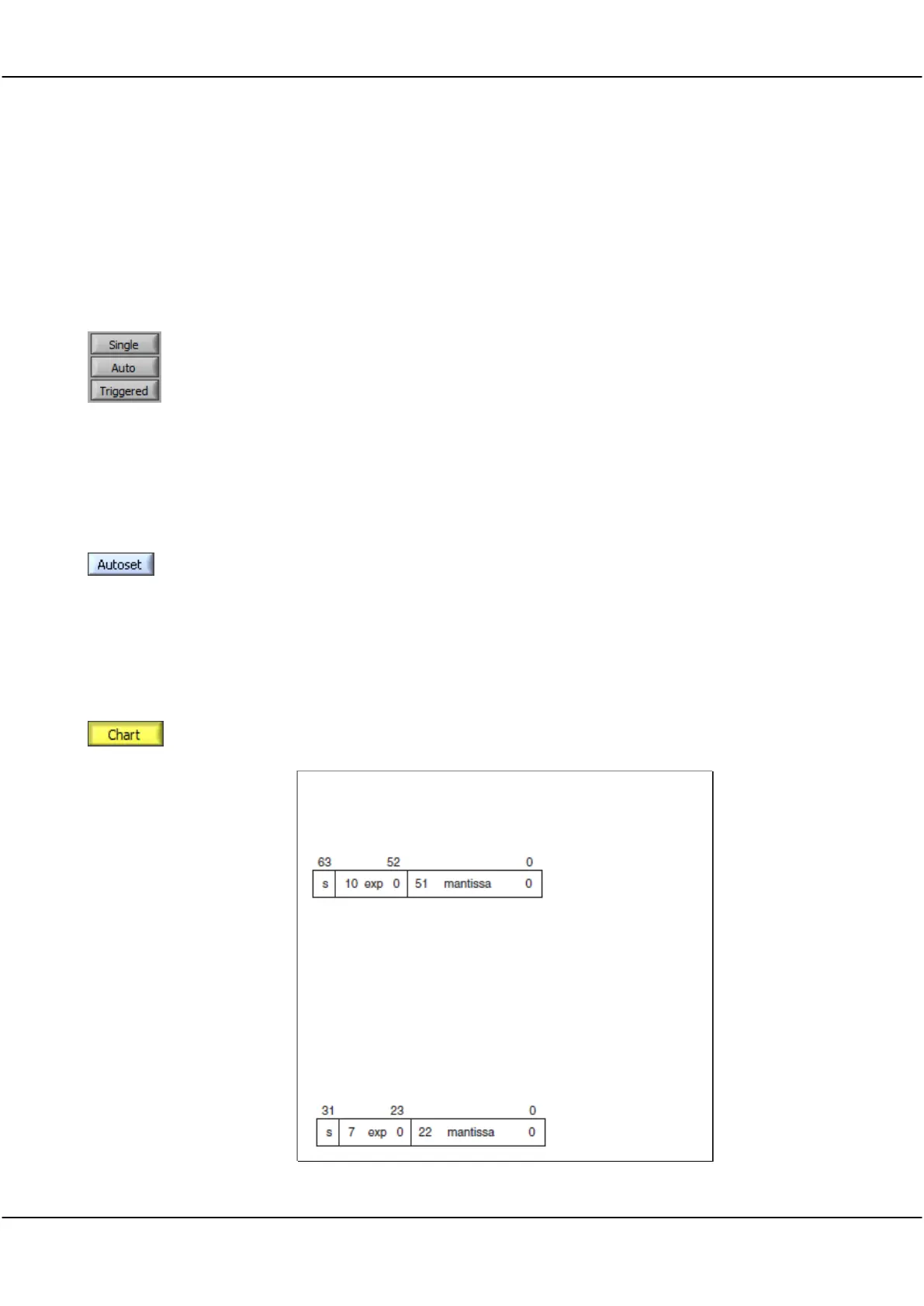
The 64 byte header is organized as 8 x IEEE 64 bit double precision real
numbers, stored big endian, with the following format:
The header words are:
Version
n
Frame
dt or df
T0 or F0
Ttrigger
Fn
Flags
Each sample is in an IEEE 32 bit single precision format real number:
1.3
number of samples in one frame
The current frame number
sample interval, in seconds, or df, freq interv al
Time at which sampling started, relative to the trigger.
Local time at which trigger occurred, in seconds, 1us res.
Time 0 is 00:00, midnight, starting 1 January 1904 UTC
Number of frames saved
Bit 0: 0=file contains time base data (T0 and dt)
1=file contains spectrum data (F0 and dF)



 To Next Page