Cleverscope CS300 Reference Manual v2.11
Page 80 www.cleverscope.com ©Cleverscope 2004-2015
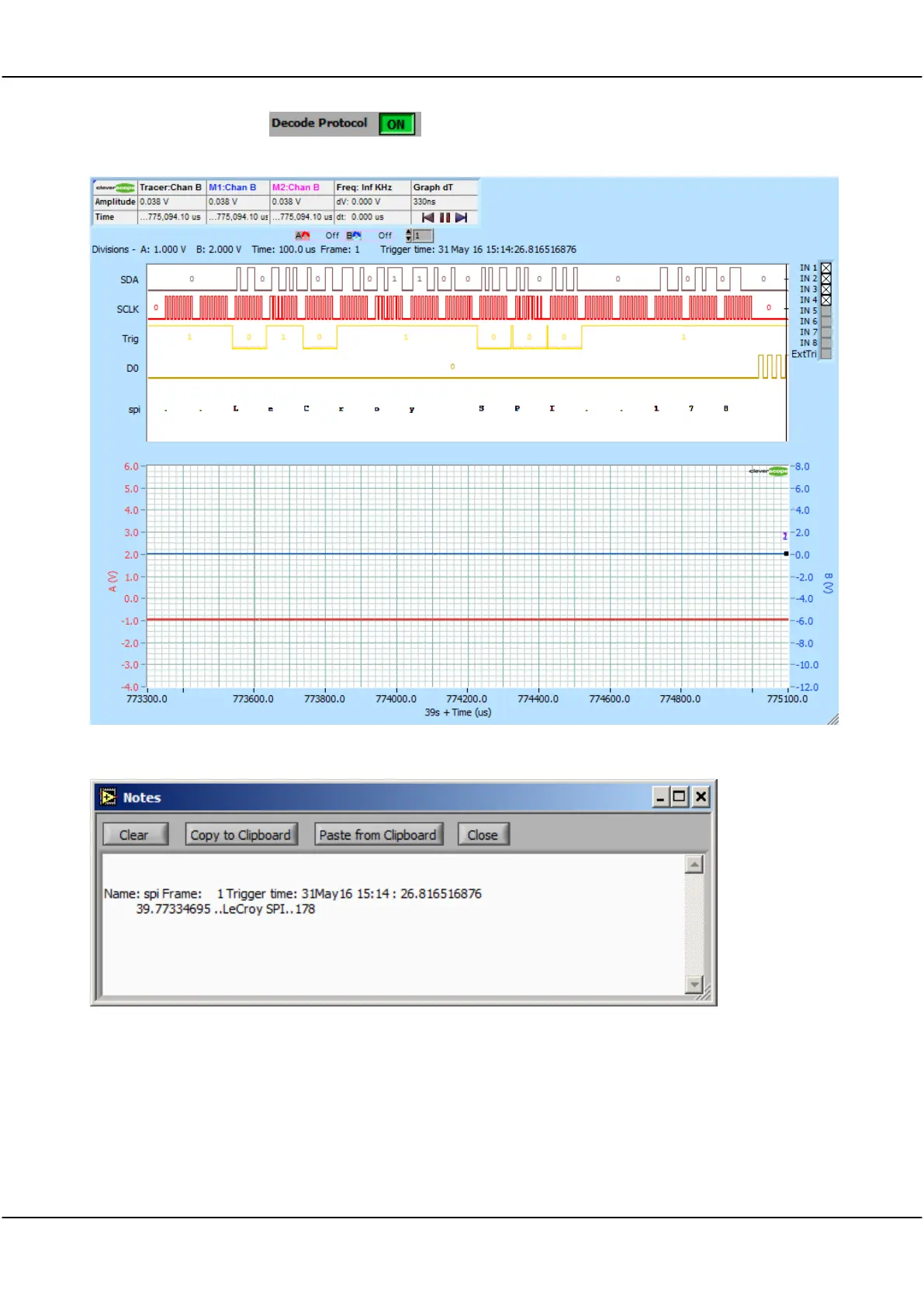
Click Decode Protocol ON , and then the protocol is decoded and added to the digital
display:
We see the message LeCroy SPI 178. As we had Copy to Notes turned on, if we use View/Notes, we see the
decode in the Notes window:
We can copy this pre-formatted message into Excel for easy analysis (tabs are used for column separation).
12.4 Tracking and Maths Display of a Stream
We can open a Tracking Display and using the View/Display are Linked option move the Tracer to see an
expanded view as normal.
We can open a Maths Display, and do maths on the section of graph currently visible in the Scope Display.



 To Next Page