v2.13 Cleverscope CS300 Reference Manual
©Cleverscope 2004-2018 www.cleverscope.com Page 159
23.3 Remote Fixed IP Network
In this situation, you do not have a Cleverscope – it is located somewhere else, and you want to connect to it
over the internet. Your IT people will make a bridge from the Cleverscope to a port on the internet connection
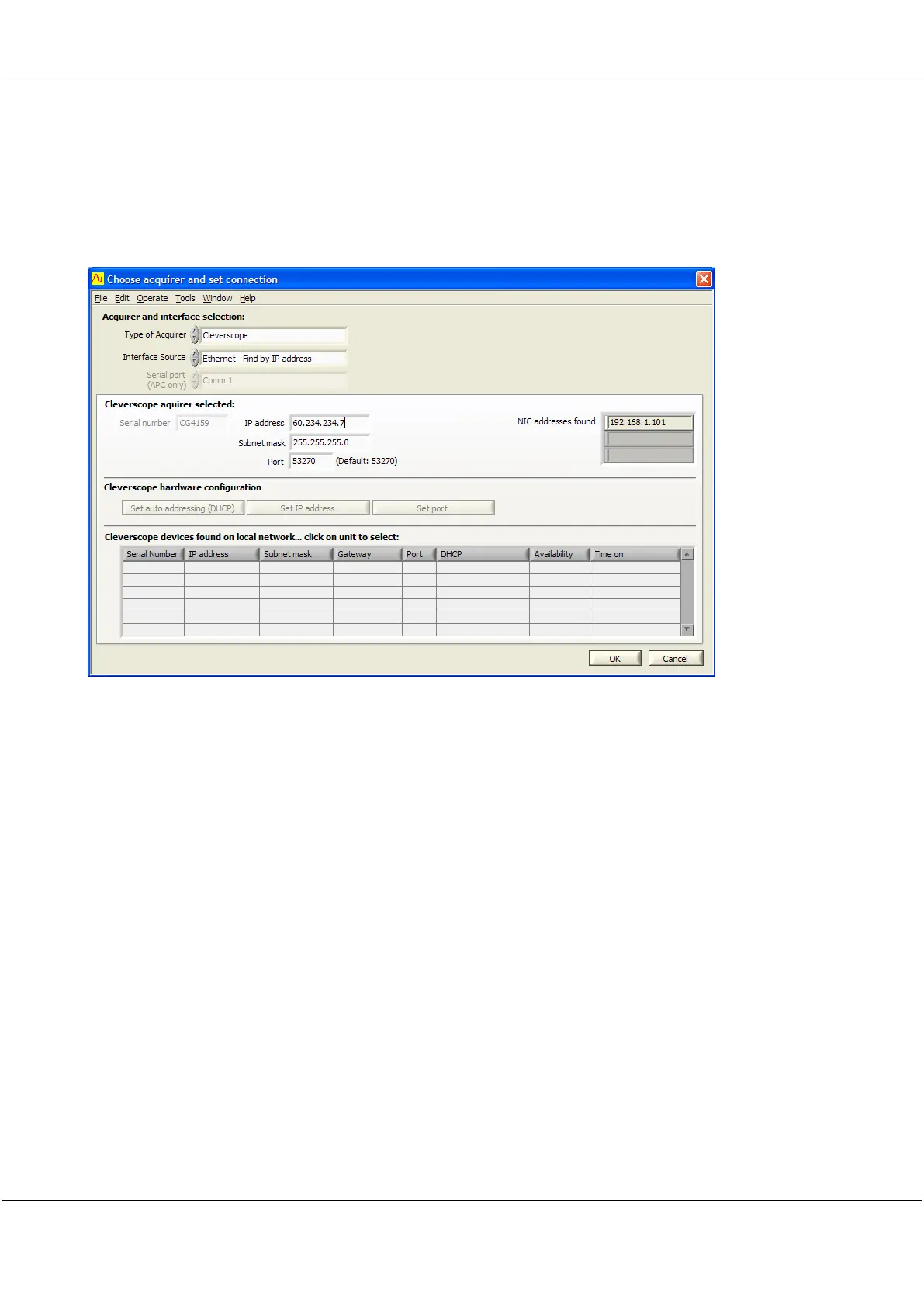
point, and give you the address. In this example the address is 60.234.234.7.
On the Settings menu, click Choose Acquirer and set connection.
Set Interface Source to Ethernet – Find by IP address.
Enter the IP address.
Click OK, and then click Auto on the Cleverscope Control Panel to acquire a signal from the remote
Cleverscope.
One way to obtain a remote IP address is to use a dynamic DNS service such as http://dyn.com/dns/.
You will need to make sure the ports 53270- 53272 are open to cleverscope.exe in your local firewall.



 To Next Page