v2.13 Cleverscope CS300 Reference Manual
©Cleverscope 2004-2018 www.cleverscope.com Page 65
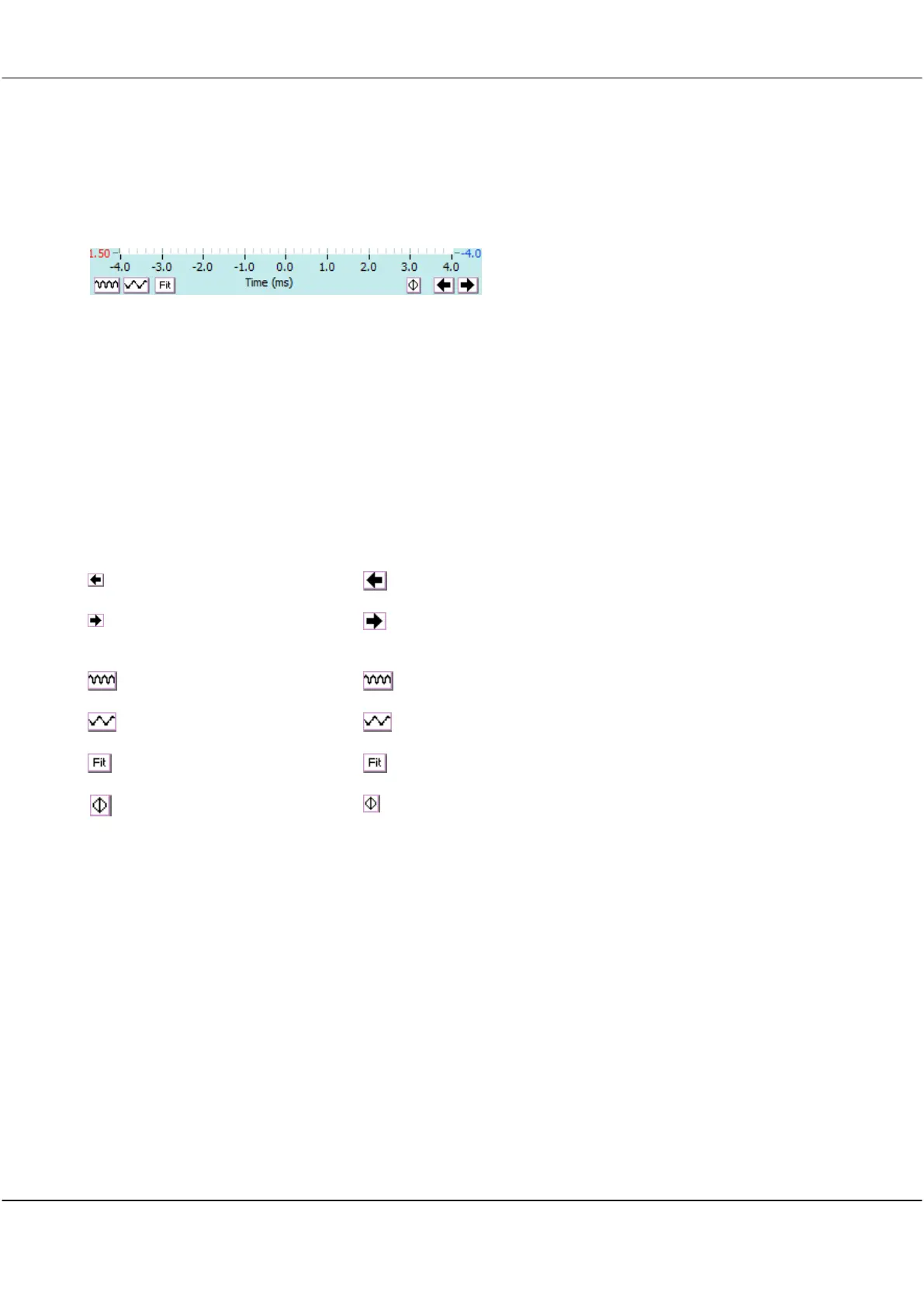
9.1.2 Display Buttons - Horizontal Axis
Buttons common to Scope, Tracking, Spectrum, XY, and Math displays
The horizontal time axis buttons control the positioning and scaling with respect to time of both A and B
channel signal traces.
The trigger position is always time 0.
Determines the start and stop time of the signal captured relative to the
trigger (this example has a start time of -4ms and stop time of +4ms. The
duration is 8ms.
If you position the time axis so that the left hand side of the axis is negative
the display will show the signal before the trigger occurred.
If you position the times axis so the left hand side is positive the display
shows only samples after the trigger. The Acquisition unit triggers, and then
waits until the time at which the graph starts, and starts recording samples.
This period can be up to 20 seconds, without a reduction in resolution.
Click to move the signal left in time.
Click to move the signal right in time.
Click to contract the signal with respect to time.
Click to expand the signal with respect to time.
Click to change the times axis to fit the available signal.
Click to reposition the graph so that the trigger (zero time) is at the
centre of the horizontal axis .
Note The mouse scroll wheel acts as a virtual knob using the last action
performed on the graph. For example will work on the last control used as a
virtual knob.
Note: Cleverscope keeps all the samples in the acquisition unit. When you zoom the graph the Cleverscope
application Software requests a new graph view from the acquisition unit. The acquisition unit finds the
samples, and returns them, via the USB or Ethernet.
The acquisition unit can keep up to 2M or 4 M samples in any one display buffer (for the 4M and 8M models) if
the Number of Frames = 2. You can click Get Frame on the Control Panel to move all the samples in the
acquisition unit into the PC. Further zooming and panning will then use the samples in the PC.



 To Next Page