v2.13 Cleverscope CS300 Reference Manual
©Cleverscope 2004-2018 www.cleverscope.com Page 177
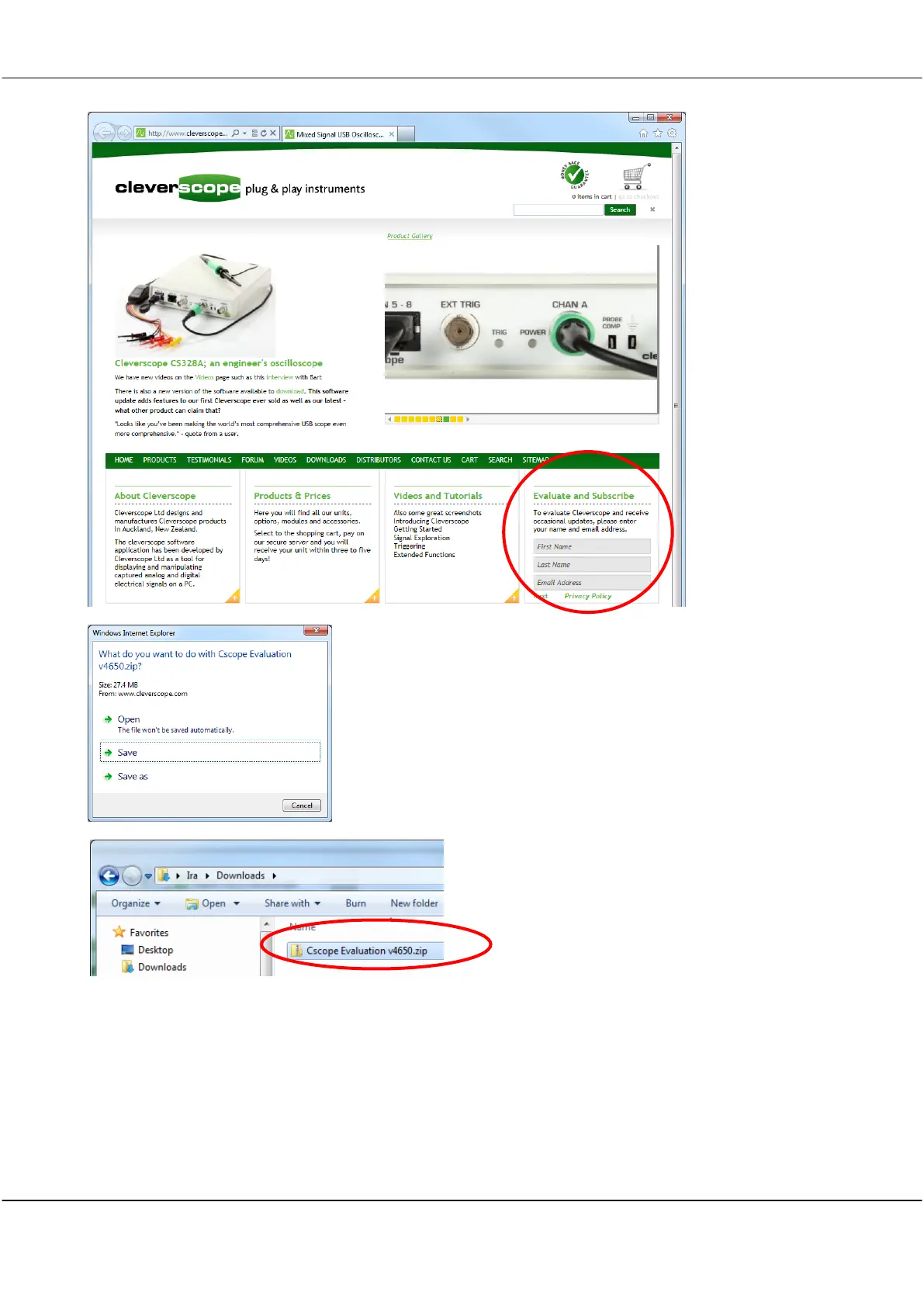
Fill in your name and email and click Next. Click on the
download. Choose the option of saving the zip file
rather than opening it.
A zipped file will then be downloaded which must be
saved. In this example it has been saved in the users
Downloads folder.
Right-click on the zip file and choose Extract All.
Choose a suitable location to extract to and click
Extract.
Note The zip file must be extracted because the
installer (
Setup.exe
) will not run from inside the zip.



 To Next Page