v2.13 Cleverscope CS300 Reference Manual
©Cleverscope 2004-2018 www.cleverscope.com Page 43
5.3.5 Digital Names and Colours [Settings Menu]
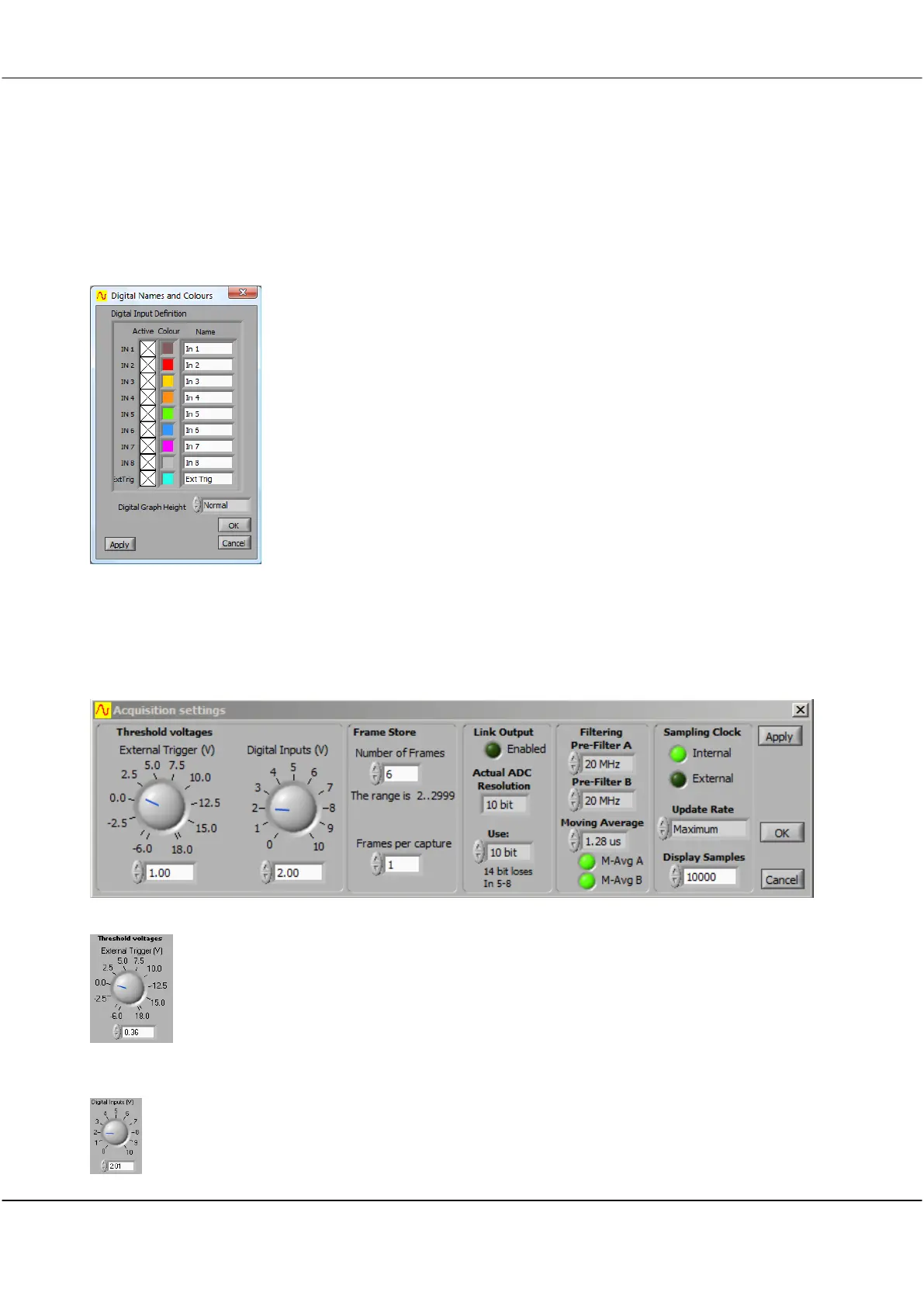
Digital Names and Colours controls what digital inputs are displayed, what colour they are, their name, and
how big the digital display area is.
Digital Input Definition Zone
Click in the Active check box to select which digital signals
are displayed.
Digital inputs can also be activated directly on the Scope
display when Digital Inputs are displayed
Click in the Colour box and select a colour from the colour
picker dialog if you want to change the colour of the input
Click in the Name field and type in a new name to change
the name of an input
Click on the up or down arrow or in the field select either
Normal
or
Large
to change the height of the Digital Inputs,
display.
Large
is twice the size of
Normal
.
5.3.6 Acquisition settings [Settings Menu]
Acquisition settings adjusts your Cleverscope Acquisition Unit for external trigger and digital input threshold
voltages, the number of frames stored, sampler resolution, link output, update rate, and external clock source.
Threshold voltages
External Trigger
The External Trigger Threshold can be set to any level (at increments of 12.5 mV)
between –6 and 18 volts by dialling, typing or nudging the voltage up and down.
The level that determines when a digital input is read to be a ‘1’ as opposed to a
‘0’.
The digital input threshold can be set to be any voltage between 0 and 10 volts in
10mV increments.



 To Next Page