Cleverscope CS300 Reference Manual v2.11
Page 76 www.cleverscope.com ©Cleverscope 2004-2015
Samples are saved in chunks (of either 25 or 100 MByte) as streaming progresses, one chunk for each channel.
Cleverscope does offer a Labview stream reader for sample extraction as a .vi if required. Please ask us.
You can set the Streaming Sample rate using the
Settings/Acquisition Settings/Streaming
value:
The Streaming sample rate will be rounded to the capture sample rate (10ns for the
CS328A). The range is 200 - 3.2 MSamples/sec using USB and 200 - 1.6 MSamples/sec
using Ethernet.
You can use two capture options to decimate the data, depending on the Display Method:
Sampled, in which case the signal is first filtered by the current filter setup, which can
be used to improve SNR and the resolution, and then one sample is taken every
sample interval (ie one sample every 330ns or every 33 samples in this example).
Peak Capture - in this method alternating minimum and maximum values in the
sample interval are recorded. Sine waves will be truncated to minimum and maximum
values in each sample interval.
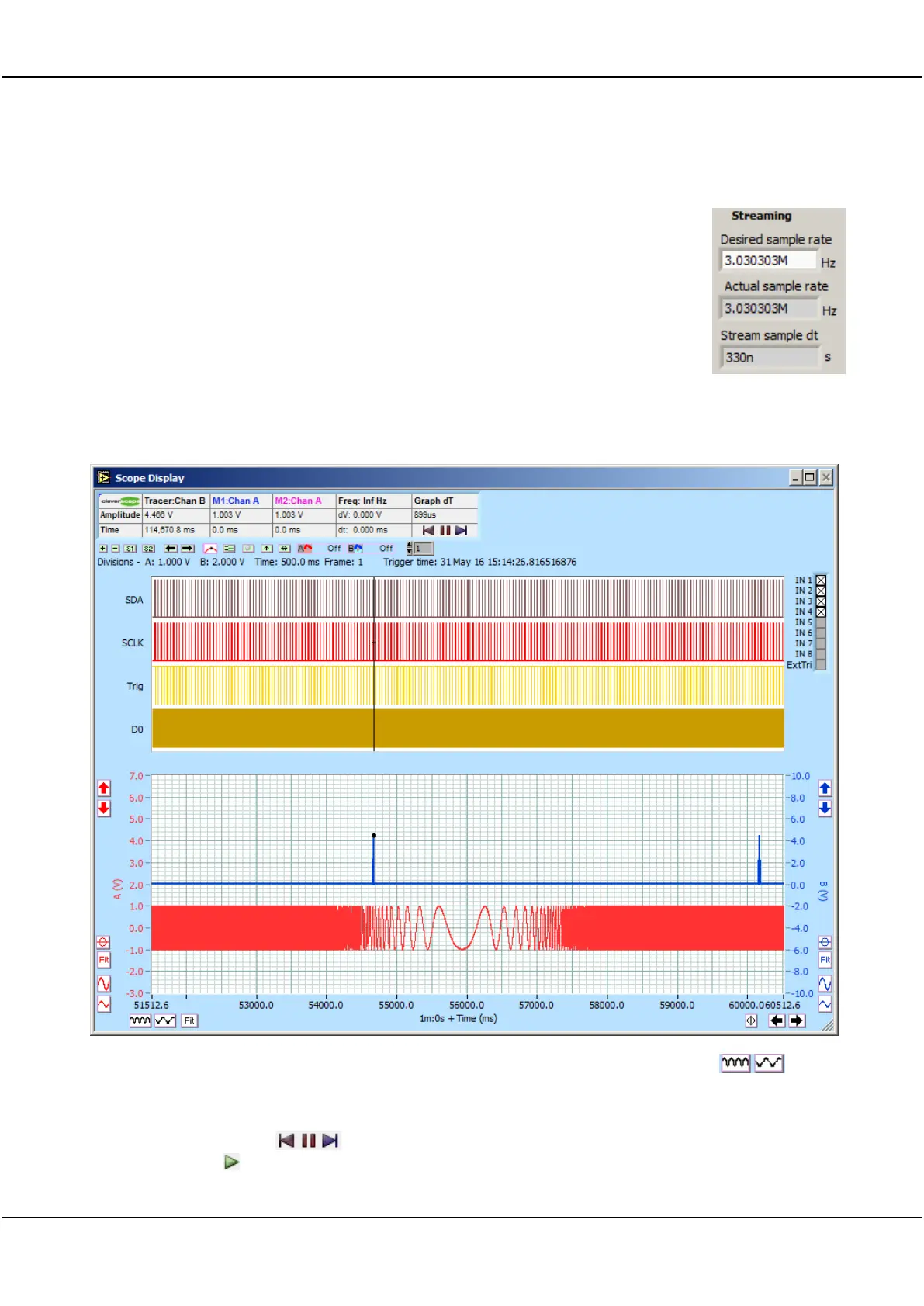
During Streaming, the signal streams from the right hand side of the graph. Here is a typical view:
You can adjust the Time per Division by clicking on the time axis expand and contract buttons . Here
we display at 500 ms/div.
While operating you can go to the beginning of the stream, pause the display, or go to the end of the stream
using these control buttons . If you Pause, you can zoom and pan, open other displays as required. To
start again click the button.



 To Next Page