v2.13 Cleverscope CS300 Reference Manual
©Cleverscope 2004-2018 www.cleverscope.com Page 93
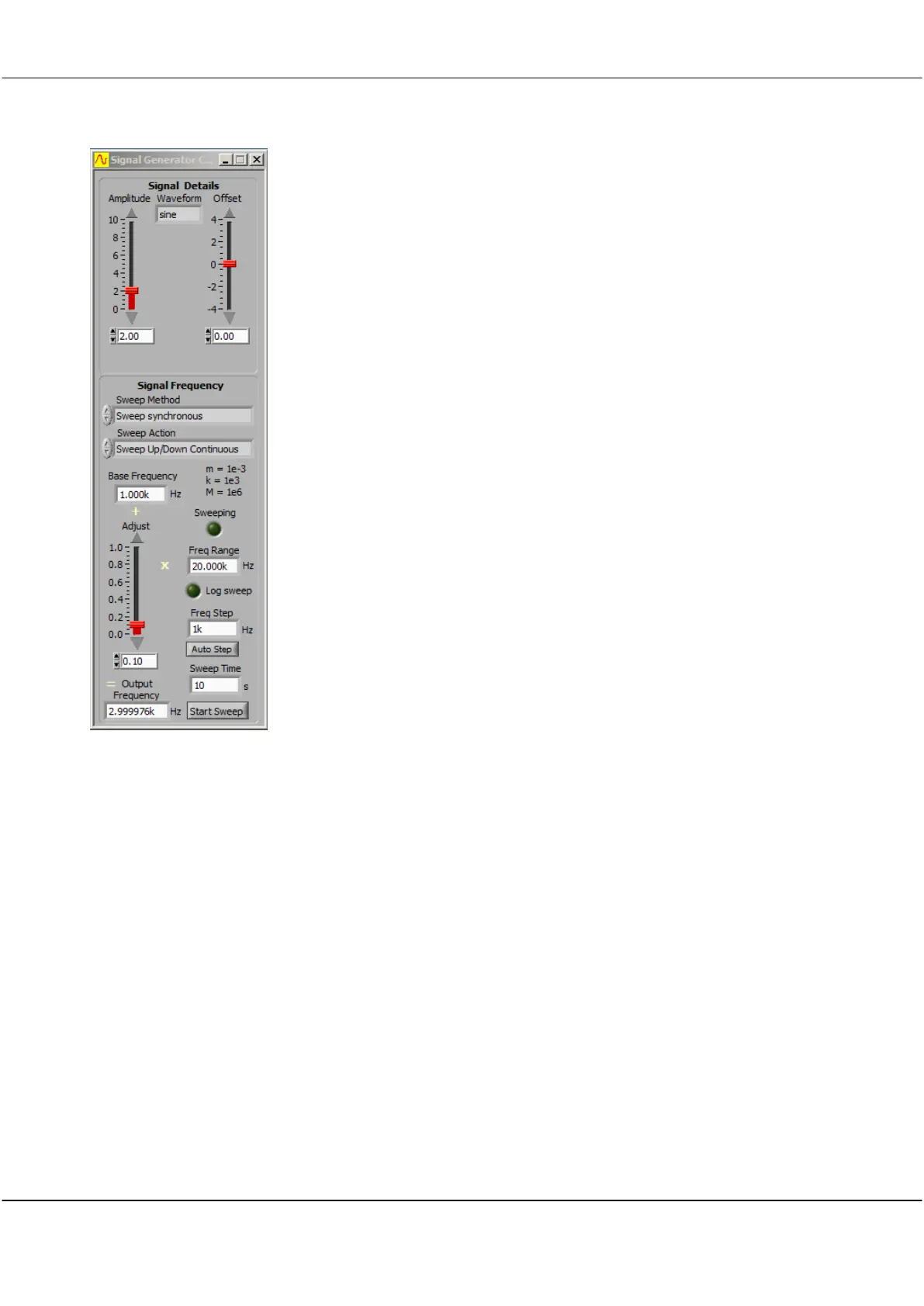
Sweep Action
Sweep Up Once
Sweep Up
continuous
Sweep Up/Down
Once
Sweep Up/Down
Continuous
Click the arrows or inside the field to select one of the
options
The signal sweeps up the frequency range from the base
frequency once and then stops
The signal sweeps up the frequency range from the base
frequency and then starts again from the base frequency.
The signal sweeps up the frequency range from the base
frequency and then back down to the base frequency once
and then stops.
the signal sweeps up the frequency range from the base
frequency and then back down to the base frequency and
then starts again.
Click inside field to set the frequency at start of sweep. This
is the lowest or minimum frequency.
m= le-3 (Milli), K= le-3 (Kilo), M= le6 (Mega)
Click and drag the slider to adjust the value of this fractional
multiplier applied to the Freq Fange.
Sweeping
Freq range
Log Sweep
Freq Step
Auto Step
Sweep Time
Output Frequency
Glows greeen when sweeping
Sets the range over which the Adjust slider operates.
.
Click button to capture a log of the sweep.
Click inside field to set the frequency step size (in Hz) for the
sweep.
If the Spectrum Display is open, clicking Auto step will set
the Freq Step to the size of a Frequency bin. This provides
maximum accuracy for Spectrum Display amlitudes
Click inside field and type a value to set the sweep time in
seconds.
Displays the actual frequency that is output .
Output Frequency = Base Frequency + (Freq Range x
Adjust)
Click to start the sweep.
Once sweeping the colour changes to green and the button
lable changes to Stop Sweep.
Note: Start Sweeep button will be inactive for the Single
Freq option
Click to stop sweep.



 To Next Page