NAME and SYMBOL DESCRIPTION
Video Control Keys
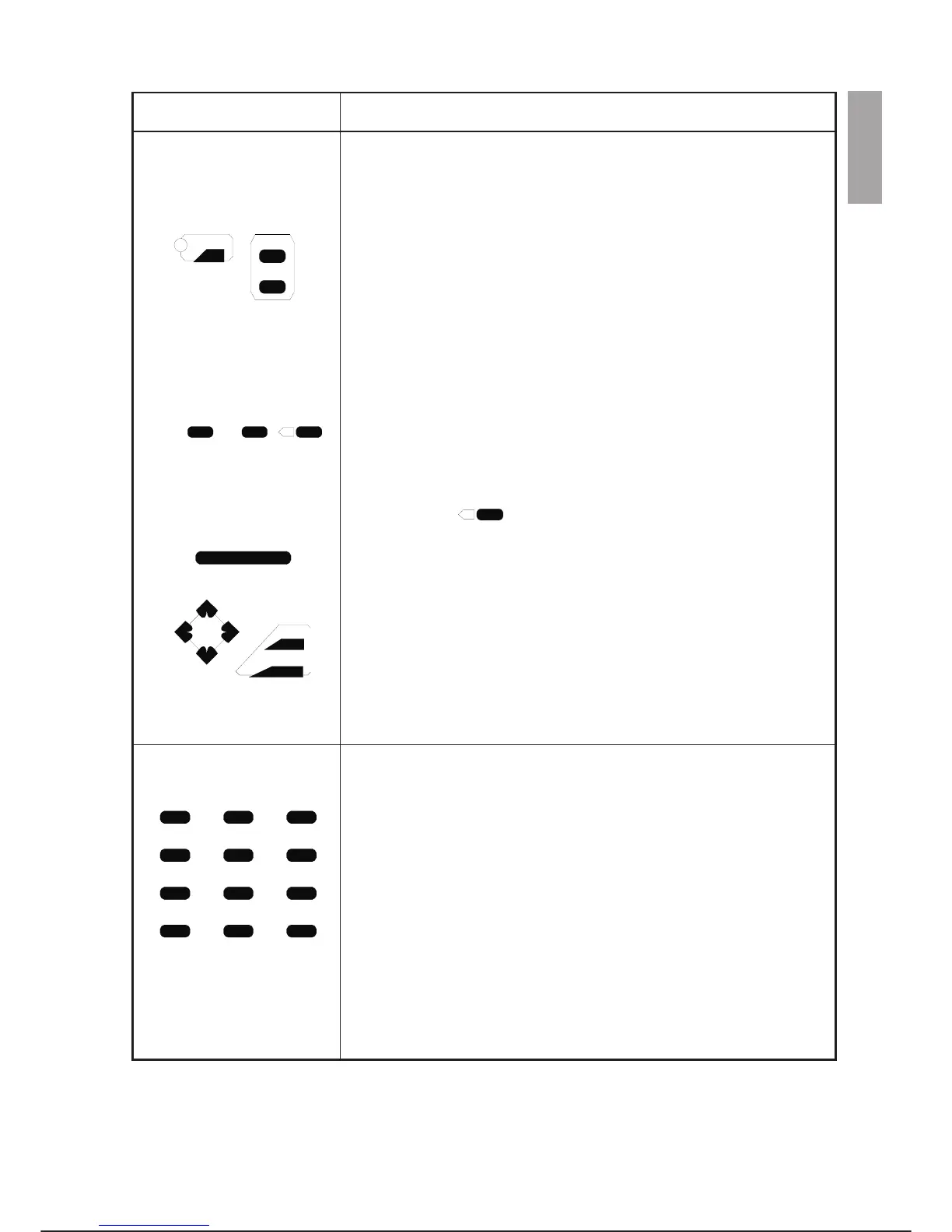
The ALARM key, easily distinguished by the red LED on a yellow back
-
ground, resets the alarm status when activated. The LED turns on when
alarm occurs.
The SHIFT key calls the secondary function of the double function keys, it
has no effect if pressed on its own.
The TOP key restores the top command menu while PREV returns the
previous command menu.
The CHAR/^C key displays the character menu. The character menu is
formed of two levels: the first level allows selection of a set of characters
whereas the second level is used to select the actual character. The char
-
acter menu is active when data is being entered in the window selected. If
pressed together with the SHIFT key, it aborts the command being exe
-
cuted.
The SCRL/SEL key interrupts and restores scrolling of information on the
display. If pressed together with the SHIFT key, the cursor is moved to the
window where the programme is waiting for entry from keyboard (case of
READ instruction).
The cancel key erases one character at a time to the left of the
cursor.
The arrow keys are used for moving the cursor up and down and to the
right and left of the display. If pressed in reply to a prompt, the up arrow
key calls the last ten answers entered from keyboard in reverse se-
quence.
The SCRN key toggles between the system and user screens. When the
editor is active, it switches between system, user and editor screens.
The ENTER key confirms entry of a command or data input.
Numeric/Edit Keys
The 7/CUT key enters the numeric value 7. If it is pressed together with
the SHIFT key, it is used in the editor to erase programme lines selected
previously with the MARK key.
The 8/COPY key enters the numeric value 8. If pressed together with the
SHIFT key, it is used in the editor to memorise programme lines selected
previously with the MARK key in a buffer.
The 9/(Option) key enters the numeric value 9. If it is pressed together
with the SHIFT key, the command options menus are displayed.
The 4/S.NXT key enters the numeric value 4. If it is pressed together with
the SHIFT key, the editor SEARCH NEXT command is called.
The 5/SRCH key enters the numeric value 5. If it is pressed together with
the SHIFT key, the programme editor SEARCH command is called.
C3G Plus OPERATOR INTERFACE
00/1097 3-5
ALARM
PREV
TOP
SCRN
ENTER
CHAR SCRL
X
^C
SEL
SHIFT
CUT COPY /
789
S.NXT SRCH PASTE
456
MODE
UNDEL DEL
123
PAGE
MARK
HELP
0
-
.
c3g-ptu4
X



 To Next Page