User's Manual
3
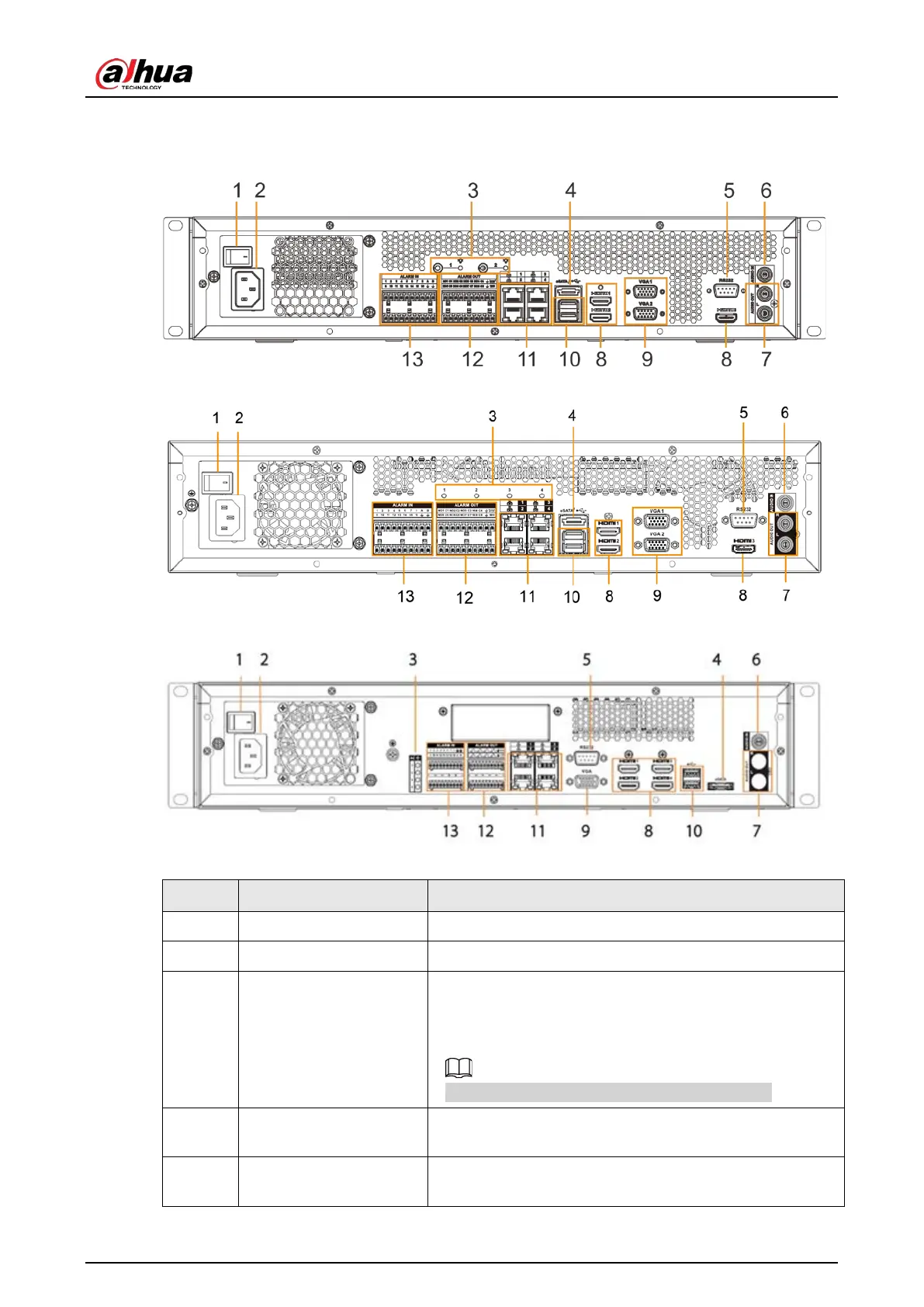
2.1.2 Rear Panel
Figure 2-2 IVSS7008 rear panel
Figure 2-3 IVSS7008-M rear panel
Figure 2-4 IVSS7108-M rear panel
Table 2-2 Rear panel description
1 Power Power on-off button.
2 Power input Inputs 100-240 VAC power.
3
AI module indicator
light
Displays AI module status.
●
Yellow light flashes: AI module is running properly.
●
Yellow light is on: AI module is malfunctioning.
This function is not available without AI module.
4 eSATA
SATA peripheral port. Connect to SATA port or eSATA
device.
5 RS-232
RS-232 COM debug. It is for general COM debug, set IP
address, transmit transparent COM data.



 To Next Page
 Loading...
