User's Manual
234
8.2.2.3.4 Configuring OSD
Set time and channel information overlay on the video.
Step 1 Click , or click on the configuration page, and then select
DEVICE.
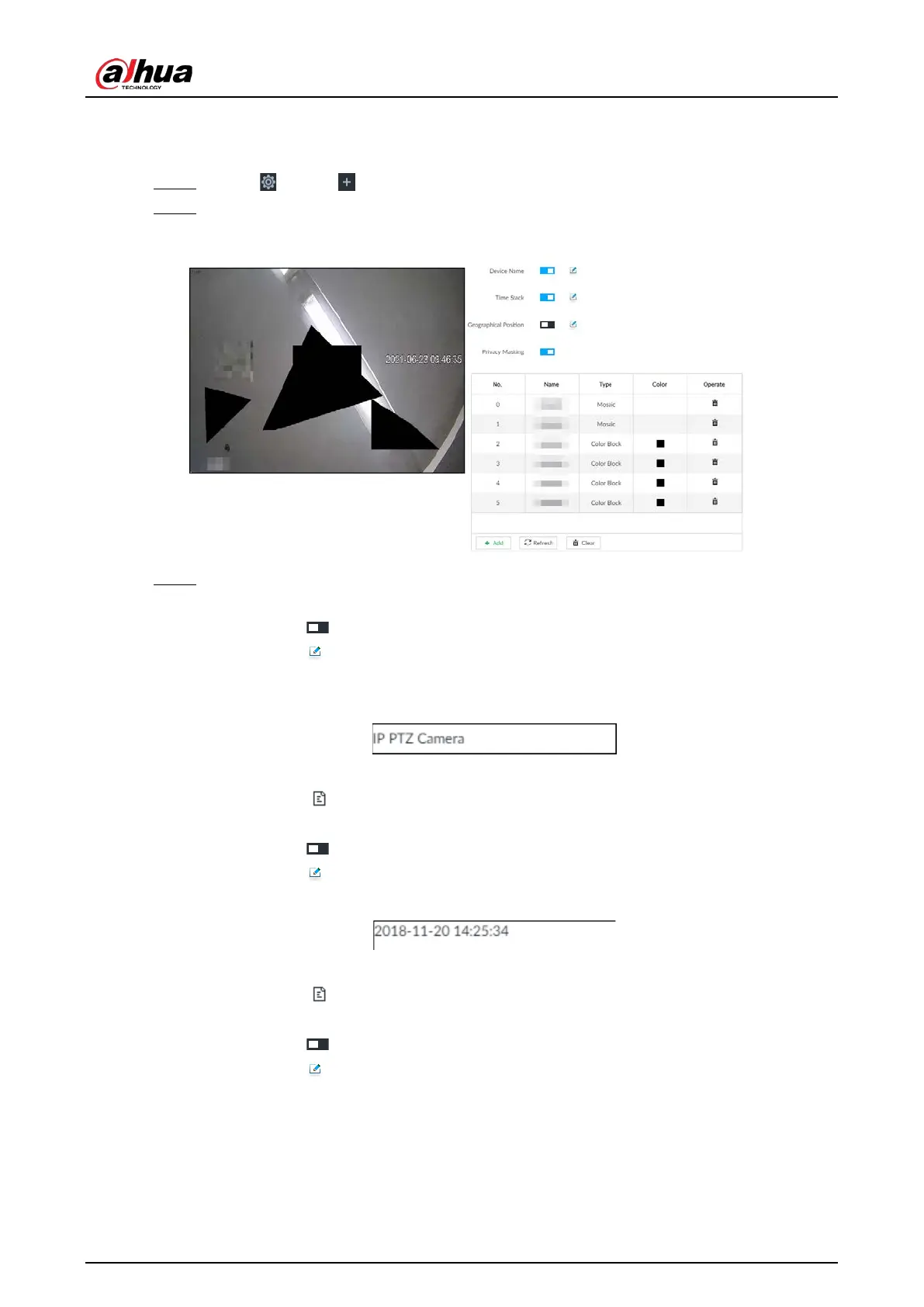
Step 2 Select a remote device on the left panel and then click OSD tab.
Figure 8-12 OSD
Step 3 Enable OSD information according to actual requirements.
●
Set device name
1. Click to enable OSD of device name.
2. Click .
3. Enter device name.
Figure 8-13 Device name
4. Drag the text box to the proper position.
5. Click to save the OSD information.
●
Set device name
1. Click to enable OSD of time.
2. Click .
Figure 8-14 Time
3. Drag the text box to the proper position.
4. Click to save the OSD information.
●
Set geographical position
1. Click to enable OSD of geographical position.
2. Click .
3. Enter the geographical position information.


 To Next Page
 Loading...

