User's Manual
309
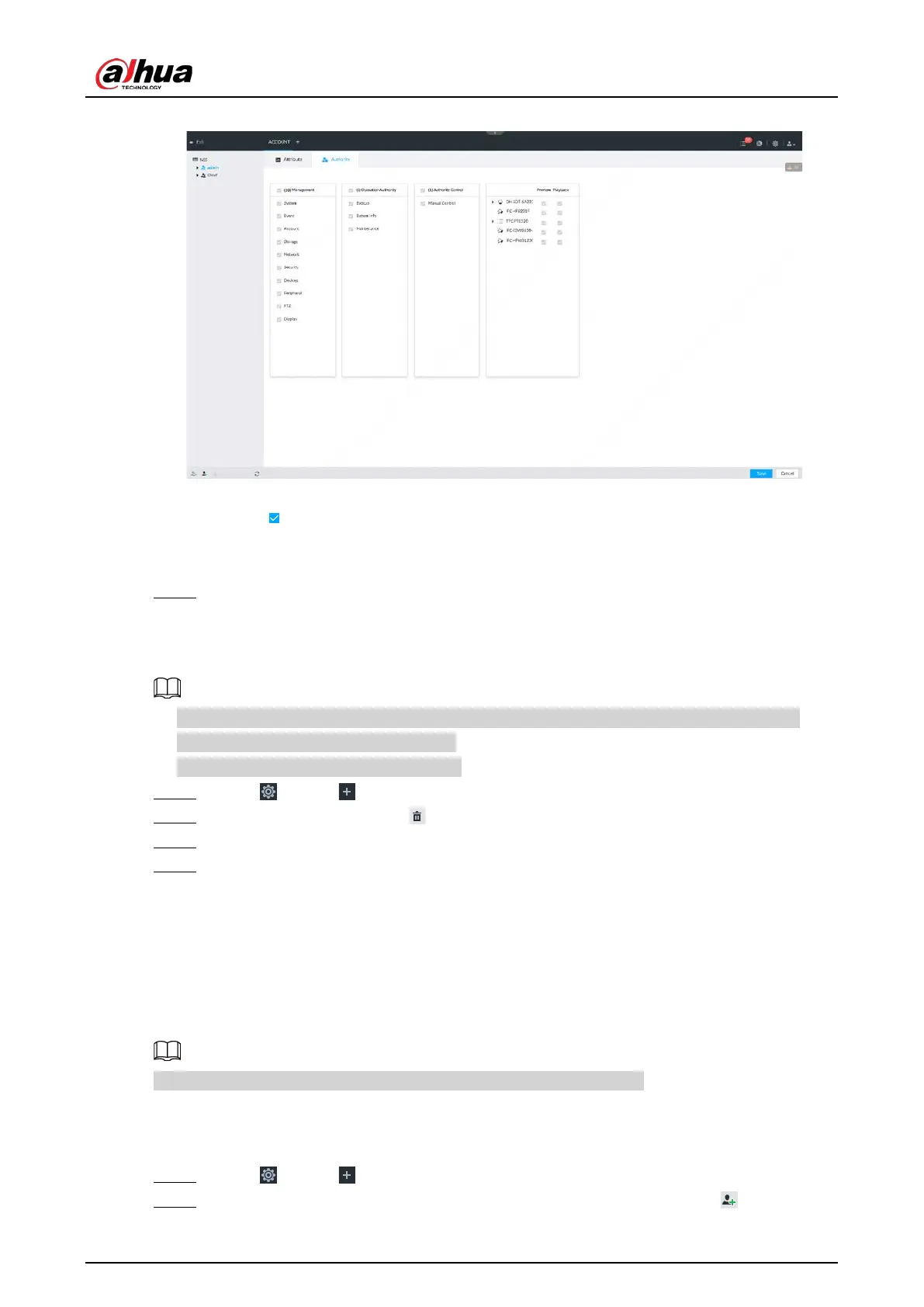
Figure 8-100 Authority
2) Set user group authorities according to actual situation.
●
: means it has the corresponding authority.
●
Check the box at the top of the authority list (such as (0) Authority Control) to select
all authorities of current category.
Step 6 Click
Save.
8.7.1.2 Deleting User Group
●
Before you delete a user group, delete all users of current group first. User group cannot be
restored after being deleted. Be cautious.
●
Admin and ONVIF user cannot be deleted.
Step 1 Click , or click on the configuration page, and then select ACCOUNT.
Step 2 Select user group and click .
Step 3 Enter current user’s login password, and then click OK.
Step 4 Click OK on the prompt page.
8.7.2 Device User
The device user is to access and manage the device. System default administrator is admin. It is to
add a user and then set corresponding authorities, so that the user can access the resources within
its own rights range only.
User authorities adopt the user group authorities settings. It is read-only.
8.7.2.1 Adding a User
Step 1 Click , or click on the configuration page, and then select ACCOUNT.
Step 2 Select admin user group or other newly added user group, and then click at the lower-



 To Next Page
 Loading...
