User's Manual
324
DST is a system to stipulate local time, in order to save energy. If the country or region
where the device is located follows DST, you can enable DST to ensure that system time is
correct.
1) Click to enable DST.
2) Select DST mode. It includes
Date and Week.
3) Set DST start time and end time.
Step 4 Click
Save.
8.8.3 Display
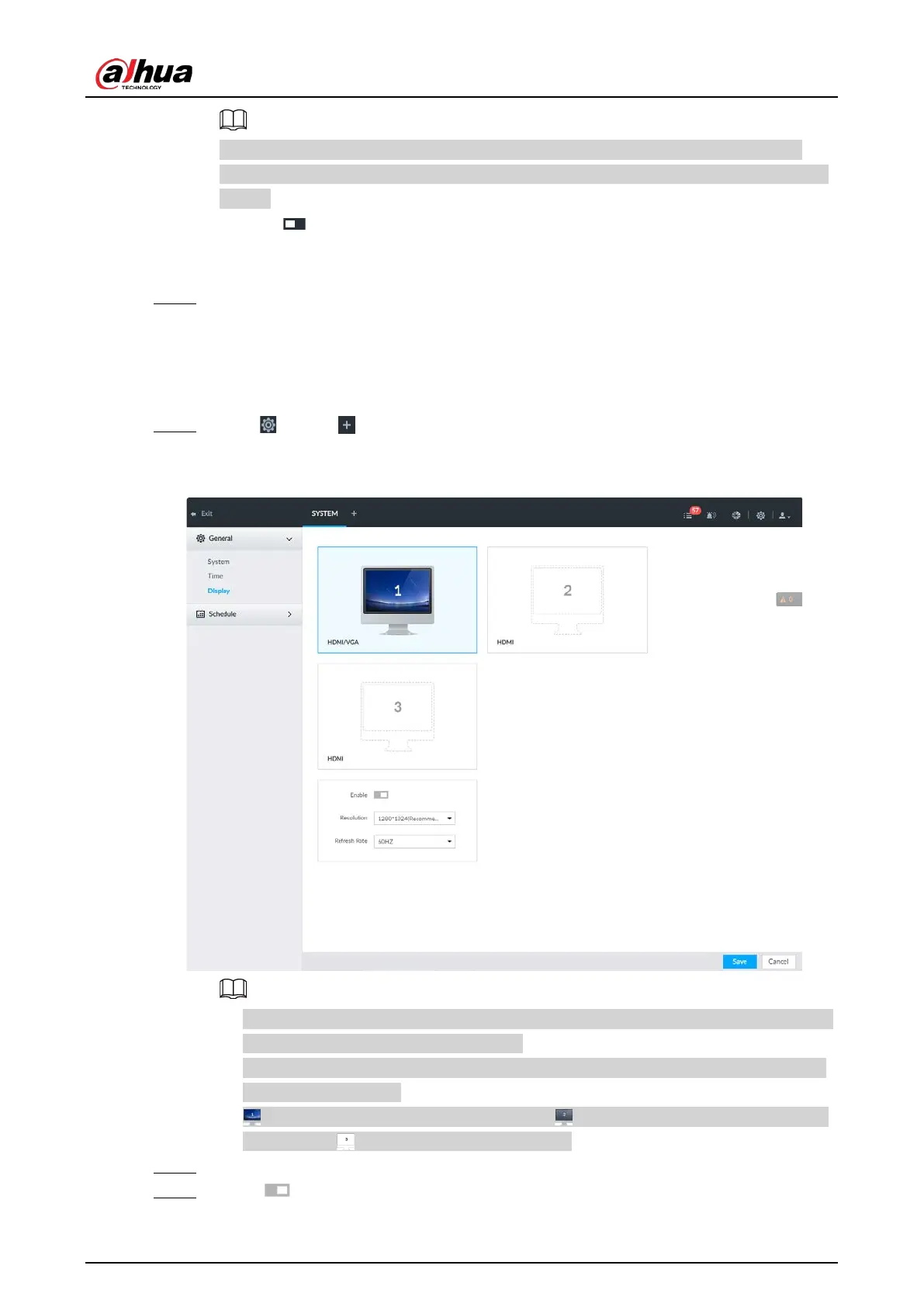
Set connected display resolution and refresh rate.
Step 1 Click , or click on the configuration page, and then select
SYSTEM > General >
Display.
Figure 8-118 Display
●
SN 1–3 refers HDMI 1–HDMI 3. Among which, HDMI/VGA is the main display, while the
VGA and HDMI 1 outputs the same video.
●
VGA and HDMI 1 are outputting the same video source. Three HDMI ports can output
different video sources.
●
means display is connected and enabled. means display is connected but has
not enabled. means display is disconnected.
Step 2 Select a display.
Step 3 Click to enable the selected display.


 To Next Page
 Loading...

