DATA T RANSFER
VF6 Infinity Vista 4-11
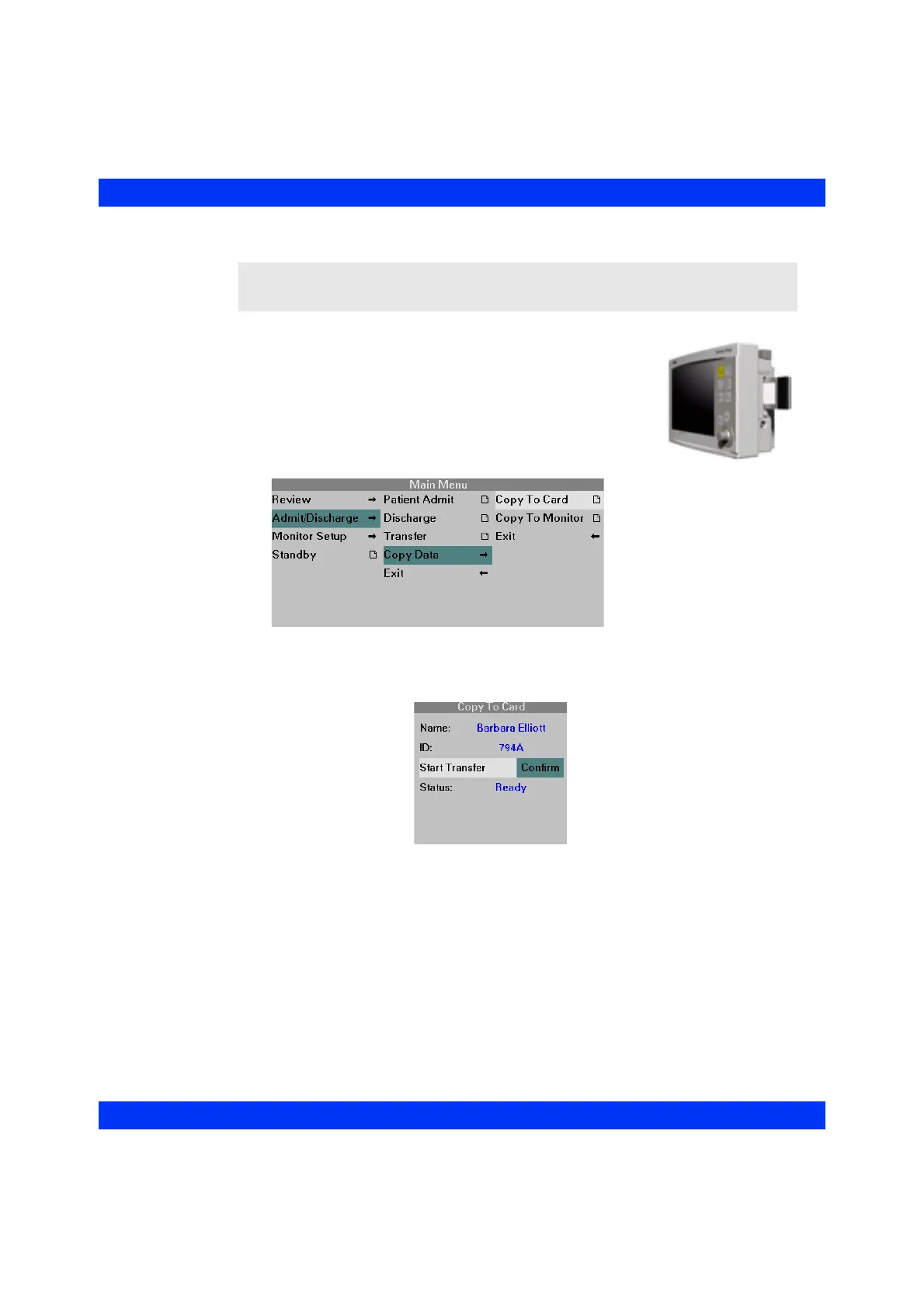
STEPS: Copy to Card
1. Insert a memory card into the memory card slot on the
right side of the source monitor.
2. Press the
Menu fixed key.
3. Click on
Admit/Discharge.
4. Click on
Copy Data.
5. Click on
Copy to Card. The monitor displays the Copy to Card menu.
6. When the message ‘Ready’ appears in the Status field, click on
Start
Transfer: Confirm
(or Cancel to cancel the transfer).
CAUTION: Before a copy, the monitor erases all contents of the card.











 To Next Page