4-12 Infinity Vista VF6
4 ADMISSION/DISCHARGE/TRANSFER
During data transfer, the monitor displays the message ‘Wait’ in the Status field or an
error message, if copying cannot be initiated (i.e. card is not fully inserted). If the copy
was successful, the monitor time stamps the card and displays the message ’Card data
copy complete’; otherwise, the monitor displays the error message ’Card data copy
unsuccessful’. Using an invalid memory card (i.e., a software card) produces the
message ’Card Contents Invalid’ together with an error tone, and copy to card is not
possible.
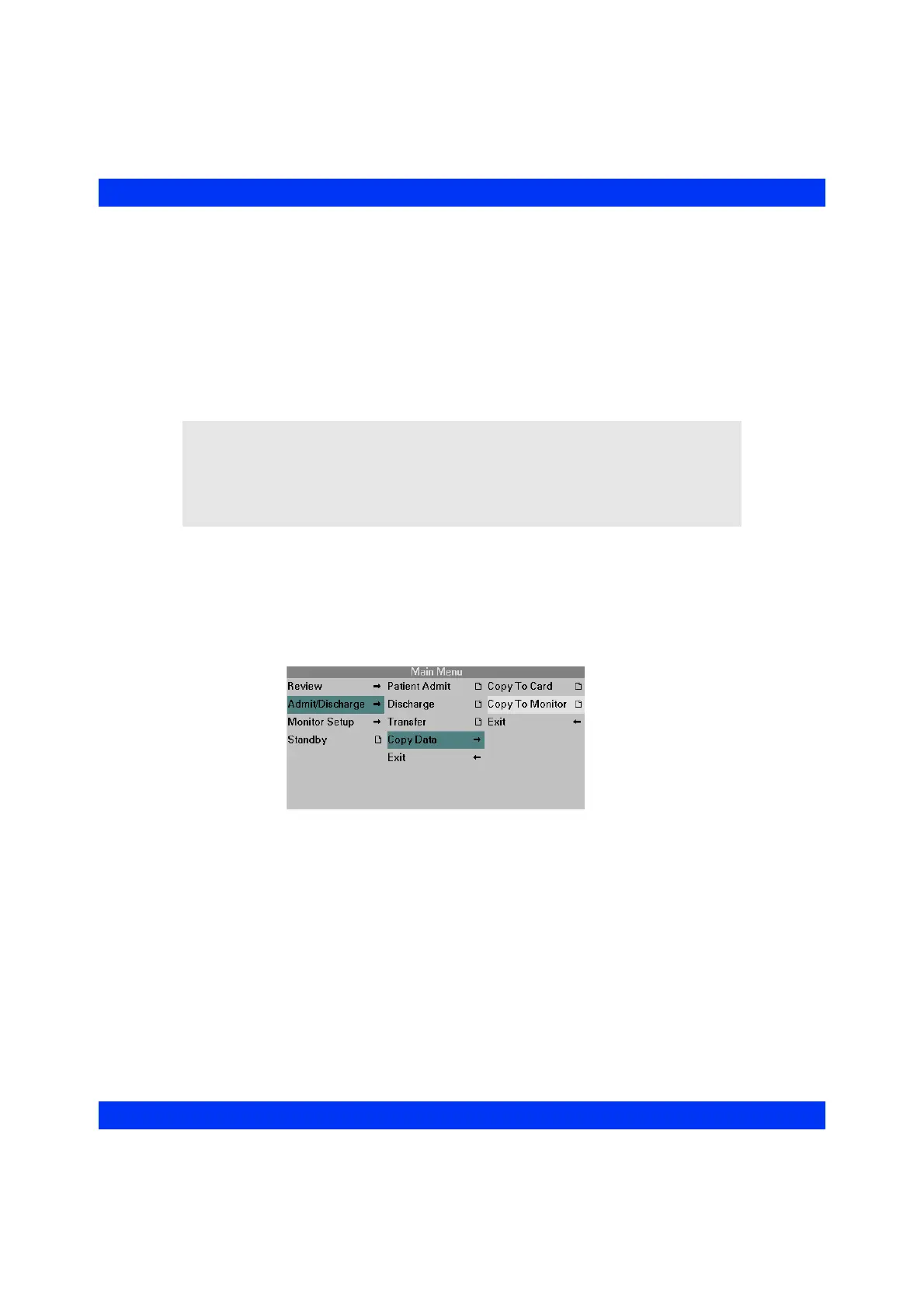
STEPS: Copy to Monitor
1. Insert the memory card into the memory card slot on the right side of the
destination monitor.
2. Press the
Menu fixed key.
3. Click on
Admit/Discharge.
4. Click on
Copy Data.
5. Click on
Copy to Monitor. The Copy to Monitor menu appears with the
patient Name, ID and Status in the corresponding fields.
CAUTION:
z Copying data from a card to a monitor overwrites (not appends) all data
currently stored in the monitor.
z After it has copied all the data from a card, the monitor erases data stored on
the card.











 To Next Page