031914 7-15
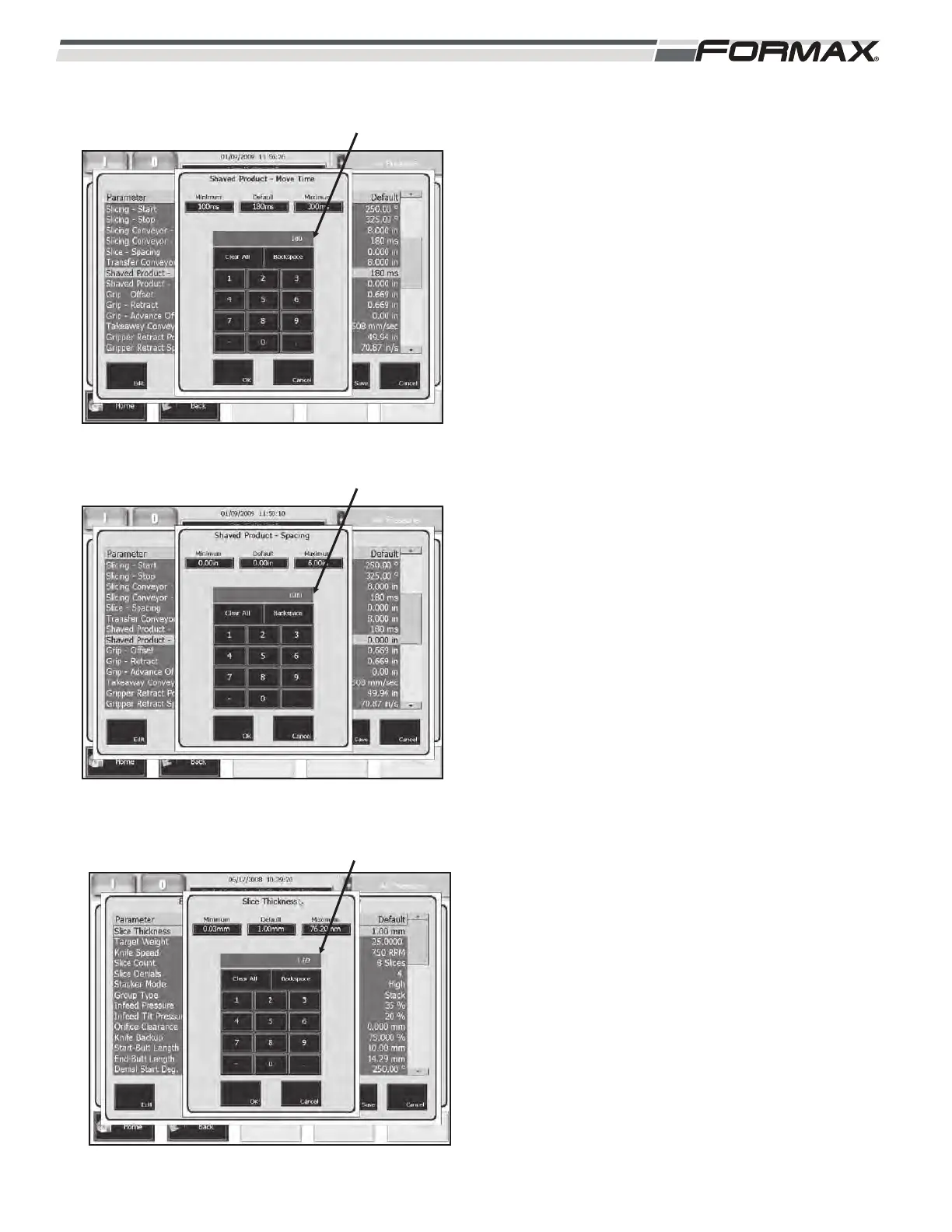
SHAVED PRODUCT MOVE TIME: The “Shaved
Product Move Time” is only used when operating in
“Shaved Mode.” The “Shaved Product Move Time”
parameter is programmed in milliseconds and sets
the acceleration rate of the Transfer Conveyor
when transferring “Bunched product” to the Scale
Conveyors. If the “Shaved Product Move Time” is
set to 300 milliseconds, the Transfer Conveyor will
take 300 milliseconds to go from a stopped position
to full speed. The higher the “Transfer Acceleration”
setting, the slower the Transfer Conveyor travels.
(Illustration 39)
SHAVED PRODUCT SPACING: The “Shaved
Product Spacing” parameter is only used in the
“Shaved Mode.” The “Shaved Product Spacing”
controls the “bunching speed” of the Transfer
Conveyor and is set in inches or millimeters of
travel. The lower the inches or millimeters of travel
the higher the pile of bunched slices. The travel
distance should be set low enough to ensure that
the bunched product fits completely on the Scale
Conveyors. (Illustration 40)
SLICE THICKNESS: The “Slice Thickness”
parameter is used as a “Target” Slice Thickness at
the start of production. The “Slice Thickness should
be set to make the first stacks or drafts close to the
correct weight range. After running a few
“On-Weight” drafts/stacks, the Computer takes
control of the “Slice Thickness Corrections.”
After running production for 15 minutes, change the
setting in the Product Code to the “Average Slice
Thickness” displayed on the “Production Data
screen. (Illustration 41) This setting will display in
millimeters or inches’, depending on which “System
of Units” that has been selected.
ILLUSTRATION 41
SLICE THICKNESS
ILLUSTRATION 39
SHAVED PRODUCT MOVE TIME
ILLUSTRATION 40
SHAVED PRODUCT SPACING



 To Next Page