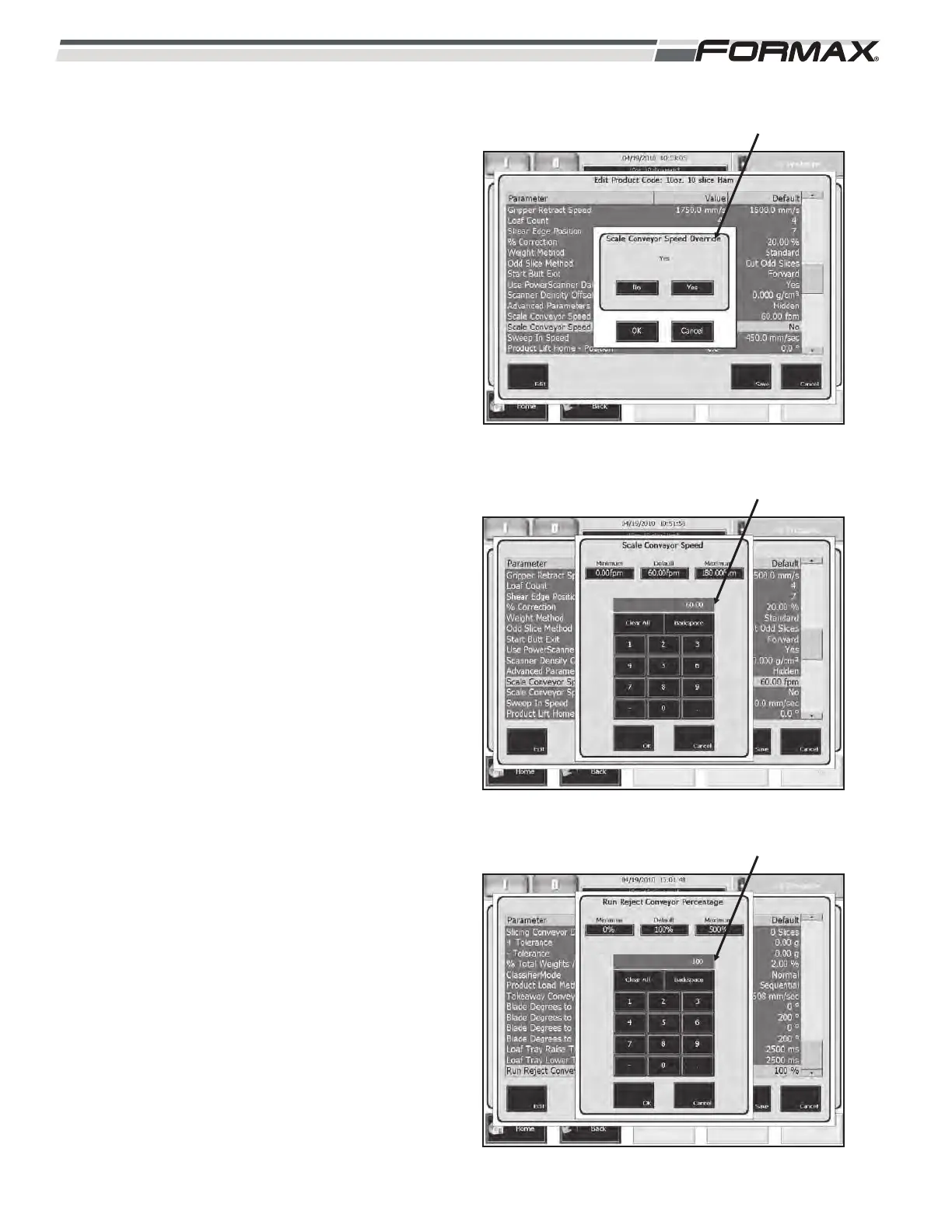
SCALE CONVEYOR SPEED OVERRIDE: When
the “Scale Conveyor Speed Override” is set to
“Yes,” the Computer will automatically control the
transfer speed of the Dynamic Scale Conveyors.
(Illustration 64) When set to “No,” the Scale
Conveyors will run at the speed set in the “Scale
Conveyor Speed” parameter.
SCALE CONVEYOR SPEED: The “Scale
Conveyor Speed” parameter allows you to control
the transfer speed of the Dynamic Scale
Conveyors independently of the Computer.
(Illustration 65) This adjustment is set in “Feet per
Minute.” If you want the Computer to automatically
control the speed of the Conveyors, set the “Scale
Conveyor Speed Override to “Yes” and the
Computer will ignore this setting.
RUN REJECT CONVEYOR PERCENTAGE: The
“Run Reject Conveyor Percentage” parameter
controls “how long” the Reject Conveyor runs.
(Illustration 66) This parameter is set as a
percentage of “run time.”
If the Reject Conveyor runs too long, decrease the
percentage.
If the Reject Conveyor does not run long enough,
decrease the setting.
7-28 031914
ILLUSTRATION 64
SCALE CONVEYOR SPEED OVERRIDE
ILLUSTRATION 65
SCALE CONVEYOR SPEED
ILLUSTRATION 66
RUN REJECT CONVEYOR PERCENTAGE


 To Next Page