031914 M2-7
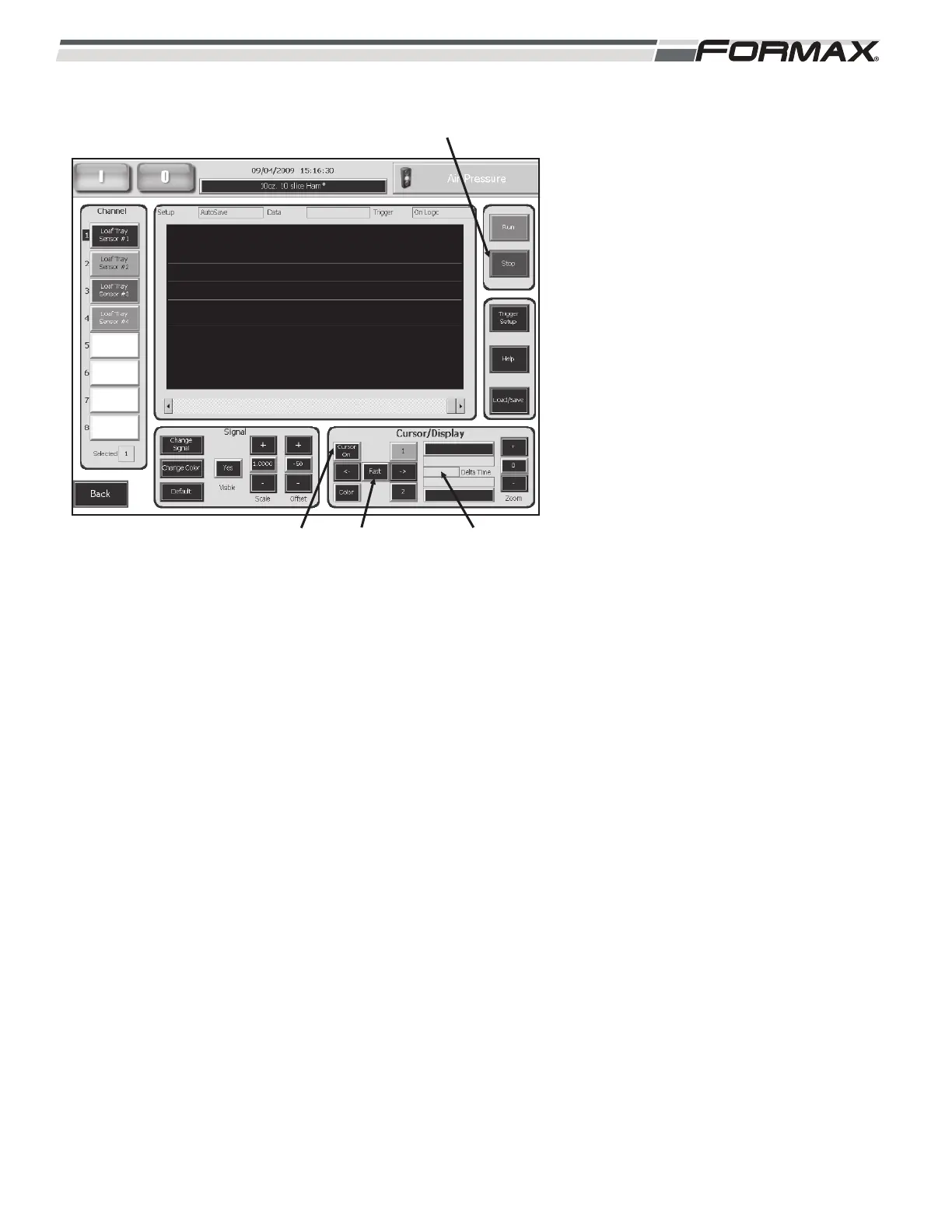
To measure the Signal Time:
1. Touch the “Stop” button to stop the
Chart.
2. Touch the “Cursor On” button to
display the 2 Cursors. (Illustrations 8)
The button will change to “Cursor
Off.”
3. Position the Cursors at the beginning
and end of the signals.
a. Touch the “1” button to select the
left Cursor.
b. Use the “<-“ or “->” buttons to
position the left Cursor at the end
of the signal.
“<-“ moves the Cursor to the left.
“->” moves the Cursor to the
right.
c. Touch the “Fast/Slow” button to
control the speed that the Cursor
moves.
Fast = Moves the Cursor in larger
movements.
Slow = Moves the Cursor in small
movements for fine-tuning the
position of the Cursor.
4. The “Signal Time” displays in the
window next to the Delta Time
display.
ILLUSTRATION 8
“CURSOR ON”
BUTTON
“STOP” BUTTON
“FAST/SLOW”
BUTTON
“SIGNAL TIME”
DISPLAY



 To Next Page