M2-8 031914
To set up an “Event”:
Setting up an “Event” allows you to chart
up to 8 signals using 1 of the signals as a
trigger. When the “Trigger” signal occurs,
the Chart Recorder will start and display
all of the signals occurring at this time.
This allows you to analyze and isolate
problems that are occurring during the
time of the “event.”
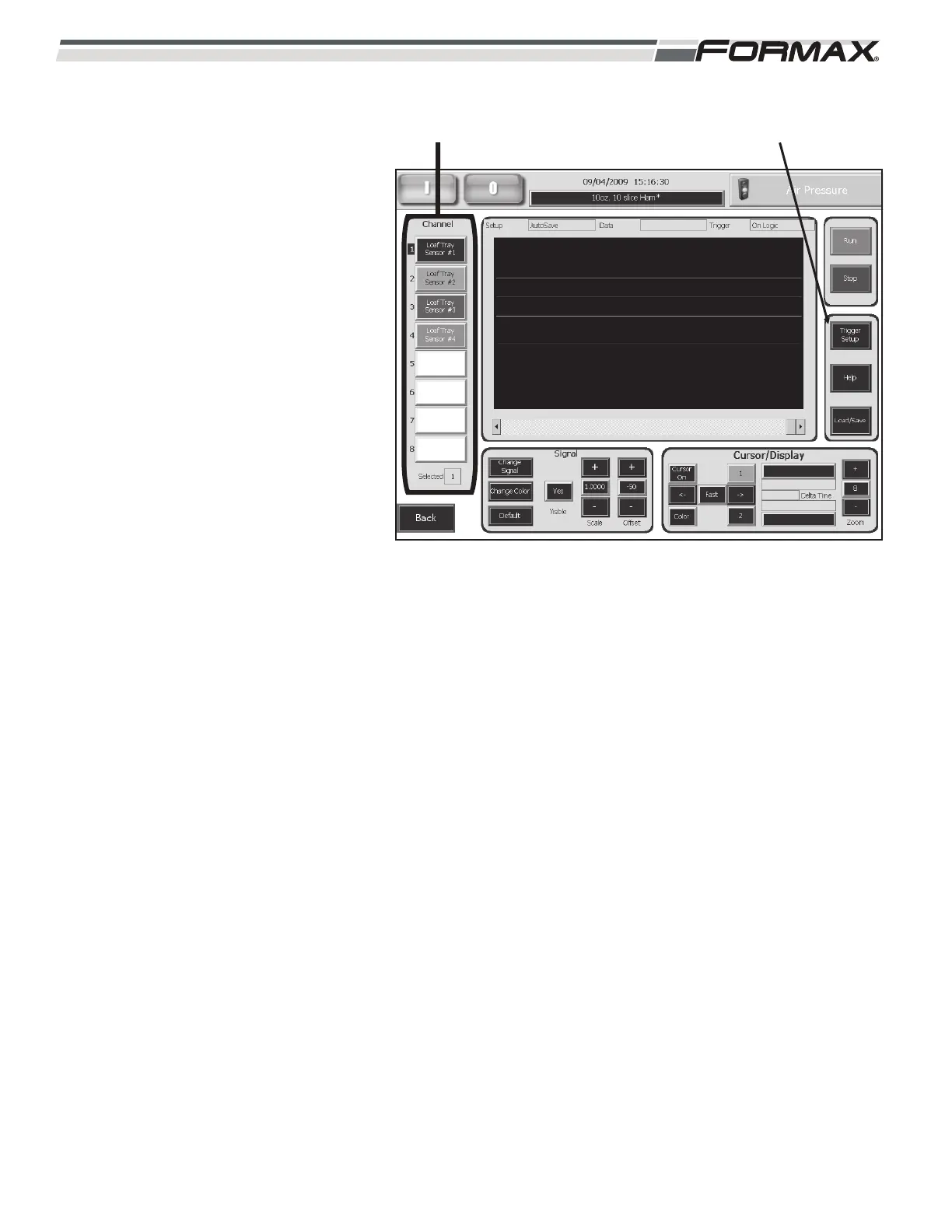
1. Setup the Channels with the
signals that will be monitored
during the “Event.” (Illustration 9)
2. Touch the “Trigger Setup” button.
(Illustration 9)
3. Touch the “Mode” button to set
the “Trigger Mode.”
4. Touch and highlight “On Fault” or
“On Logic” to set the “Trigger
Mode,” then touch “OK.”
On Fault = When a “Fault” occurs
from the signal the Chart will
“trigger” and run.
On Logic = When the Signal is
sent the Chart will “trigger and
run.
ILLUSTRATION 9
CHANNELS “TRIGGER SETUP” BUTTON



 To Next Page