031914 M2-31
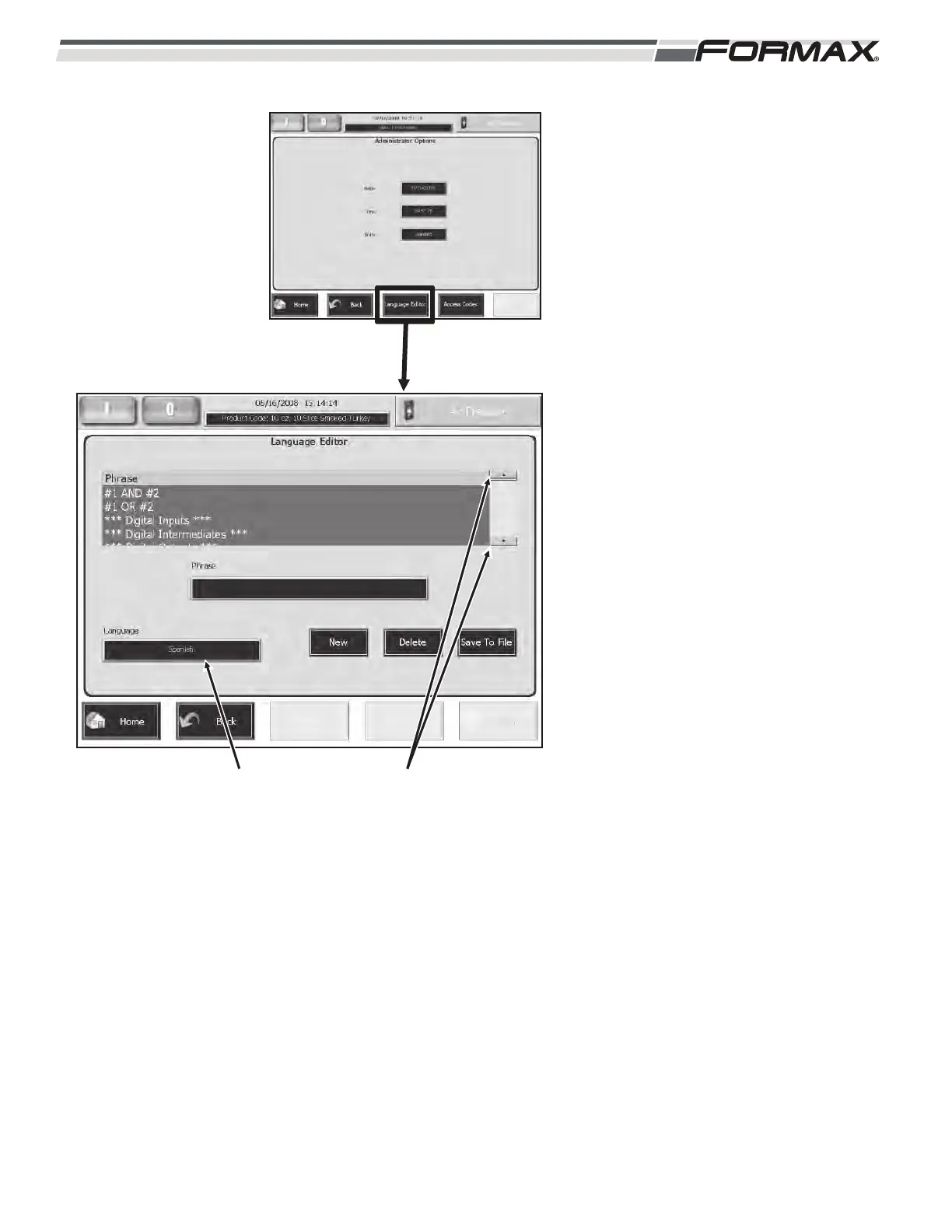
Language Editor: The Language Editor
screen allows you to translate word and
phrases used on the Touchscreen in any
of 6 languages, Spanish, Portuguese,
French, Danish, German and Italian.
(Illustration 49) Some of the works and
phrases have already been translated and
will automatically appear on the screens.
To translate a work or a phrase:
1. Use the Up/Down arrows and scroll
through the list until you find the
“Word” or “Phrase.” (Illustration 49)
2. Touch and highlight the word or
phrase on the list.
3. Touch the “Language” button on
the Language Editor screen.
(Illustration 49)
ILLUSTRATION 49
“LANGUAGE” BUTTON “UP/DOWN” SCROLL ARROWS



 To Next Page