031914 M3-19
X132 Terminal Connector: The X132 Terminal Strip
receives 24 VDC Status Input Signals and sends Output
Signals to various components on the Slicer. (Illustration 31)
Terminal 1: 24 VDC Input Signal from the KA1/KA2
Safety Contactor when all guards are closed and all
“Master Off” buttons are pulled out. This signals the U1
Motion Control Module that it is safe to run the Servo
Motors.
Terminal 2: 24 VDC Input Signal from the KA3/KA4
Safety Contactor when all guards are closed and all
“Master Off” buttons are pulled out. This signals the U11
Motion Control Module that it is safe to run the Servo
Motors.
Terminal 5 and 6: Jumped.
Terminal 8: 24 VDC Output Signal to run the PT1 Hour
Meter.
Terminal 10: 24 VDC Output to turn on the Knife Motor
Water Coolant..
Terminal 11: 24 VDC Output to turn on the Servo Drive
Coldplate Water Collant.
X124 Terminal Connector: The Motion Control Modules
require a 24 VDC Supply Voltage in order to operate.
(Illustration 31) This voltage is sent from the QF9 Breaker to
the XT2 Terminal and then on to the X124 Terminals on
each Module and connects to the “+” and “M” terminals. 24
VDC is sent on wire “101” to terminal “+.” The W48-3K takes
the 24 VDC up to the U9 Motion Control Module in the upper
housing. The common wire is sent on wire “2” to terminal
“M.” This voltage runs in parallel to each of the Motion
Control Modules.
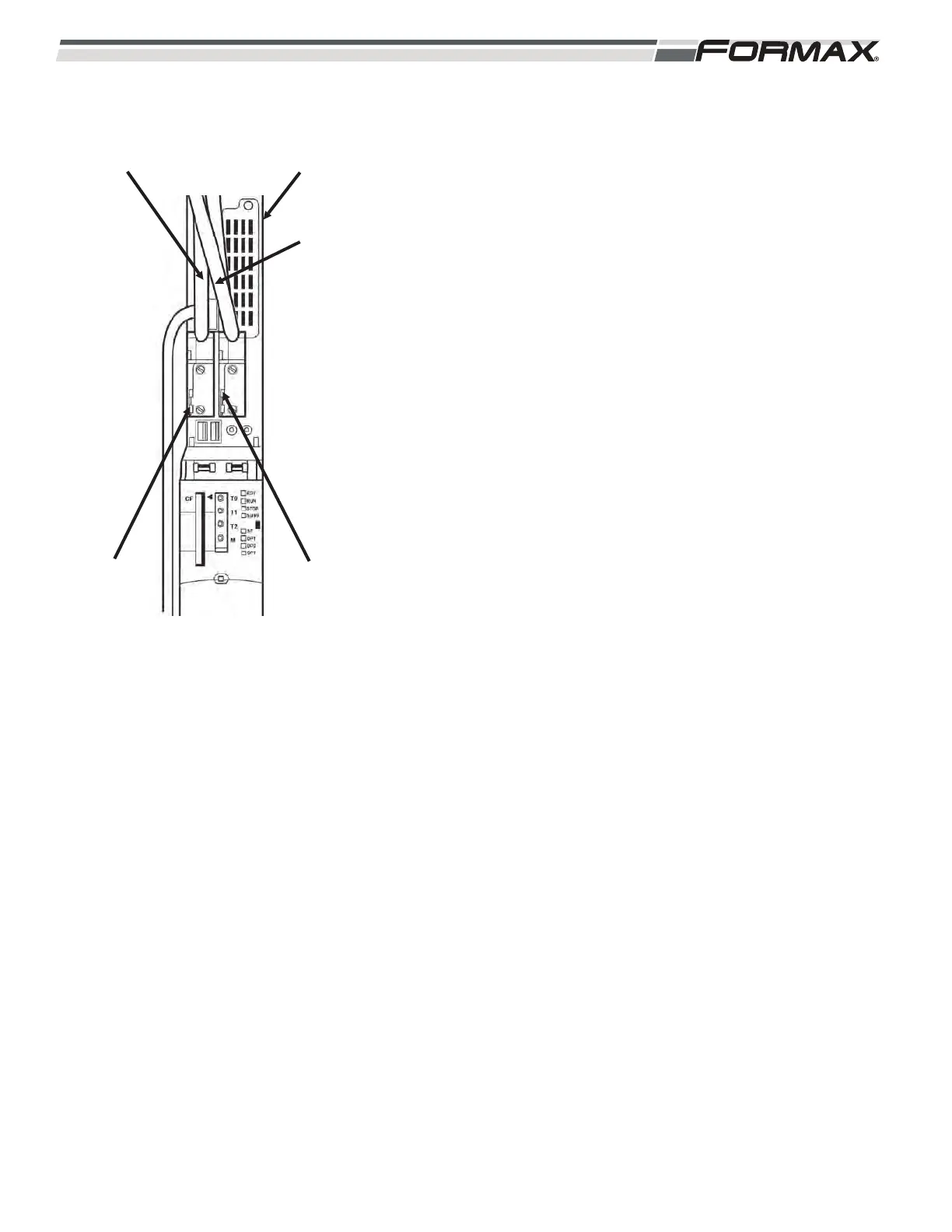
X126 Profibus Connection: The X126 Profibus Plug is the
start of the Profibus Communication Network between the
U11, U12 and U13 Motion Control Modules. The Terminating
Resistor Switch must be set to “On” position. There is only
one Profibus Cable connected to the “In” location of the plug.
X136 Profibus Connection: The Main Profibus Network
originates at the Profibus Interface Board and runs in series
throughout the components of the PowerMax3000
TM
. The
X136 Profibus Plug is the first stop in the Network. This plug
has an “In” cable coming from the Interface Board and an
“Out” cable that runs to A8 Modbus Converter. The
Terminating Resistor on this plug must be set “Off” position.
ILLUSTRATION 31
X126 PROFIBUS
CABLE
U11 MOTION
MODULE
X136
PROFIBUS
CABLE
SWITCH
“ON”
SWITCH
“OFF”


 To Next Page
 Loading...