031914 M3-21
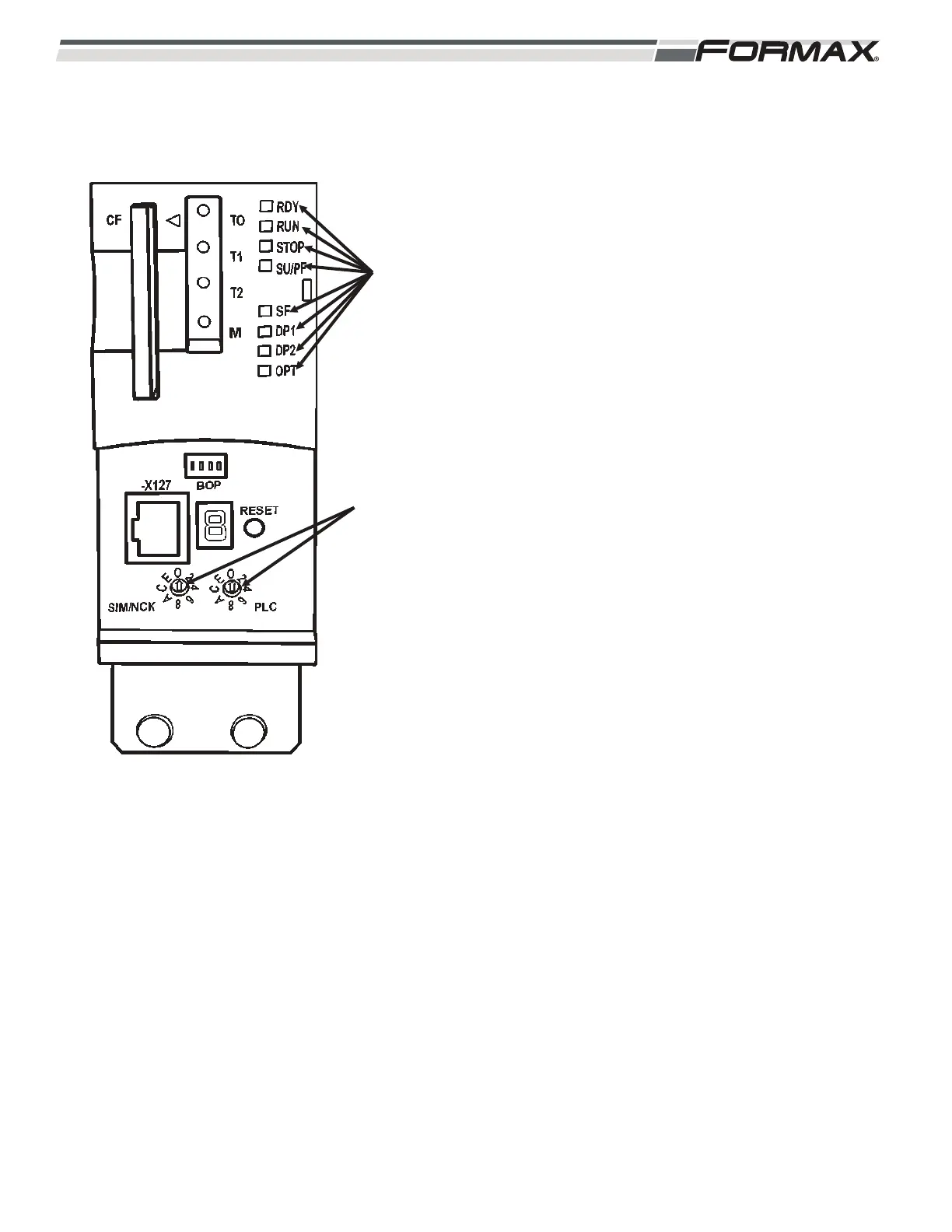
Status Indicator LED’s: There are Status LED’s on the
U1 Motion Control Module that indicate the status of the
operating system. (Illustration 33) The LED’s can
illuminate “green,” “yellow,” “red” or “off.”
RDY LED: The “Ready” LED shows the status of the U1
Motion Control Module and all of the Servo
Drives and Servo Motors under its control.
Green LED: Indicates that there are no faults
or problems with the U1 Motion Control
Module and all of the Servo Drives and Servo
Motors under its control.
Red LED: Indicates that there is a fault or
problem with the U1 Motion Control Module
and all of the Servo Drives and Servo Motors
under its control. Check the Status LEDs on
all of the Servo Drives, Feedback Hubs and
the Servo Motor Feedback Connections of all
of the Servo Motors controlled by the U1
Motion Control Module.
RUN LED: Green LED: Indicates that the Motion Control
Module is in “Run” mode and ready for
operation.
Red LED: Indicates that the Module is in
“Stop” mode and not ready for operation.
Profibus Address Setting: The Profibus Network Cable
runs in series to U1 Motion Control Module, the A8
Modbus Converter, the Safety Computer and then
through all of the Input/Output Nodes. Each Component
and Node have an address that must be set correctly for
proper communication to occur. There are 2 dials used to
set the address of the U1 Motion Control Module. They
are located under the lower cover on the front of the
module. Turn the left dial until the arrow points to “0.”
(Illustration 33) Turn the right dial until the arrow points to
“0.”
ILLUSTRATION 33
STATUS
LED'S
PROFIBUS
ADDRESS
SETTINGS


 To Next Page
 Loading...