M3-30 031914
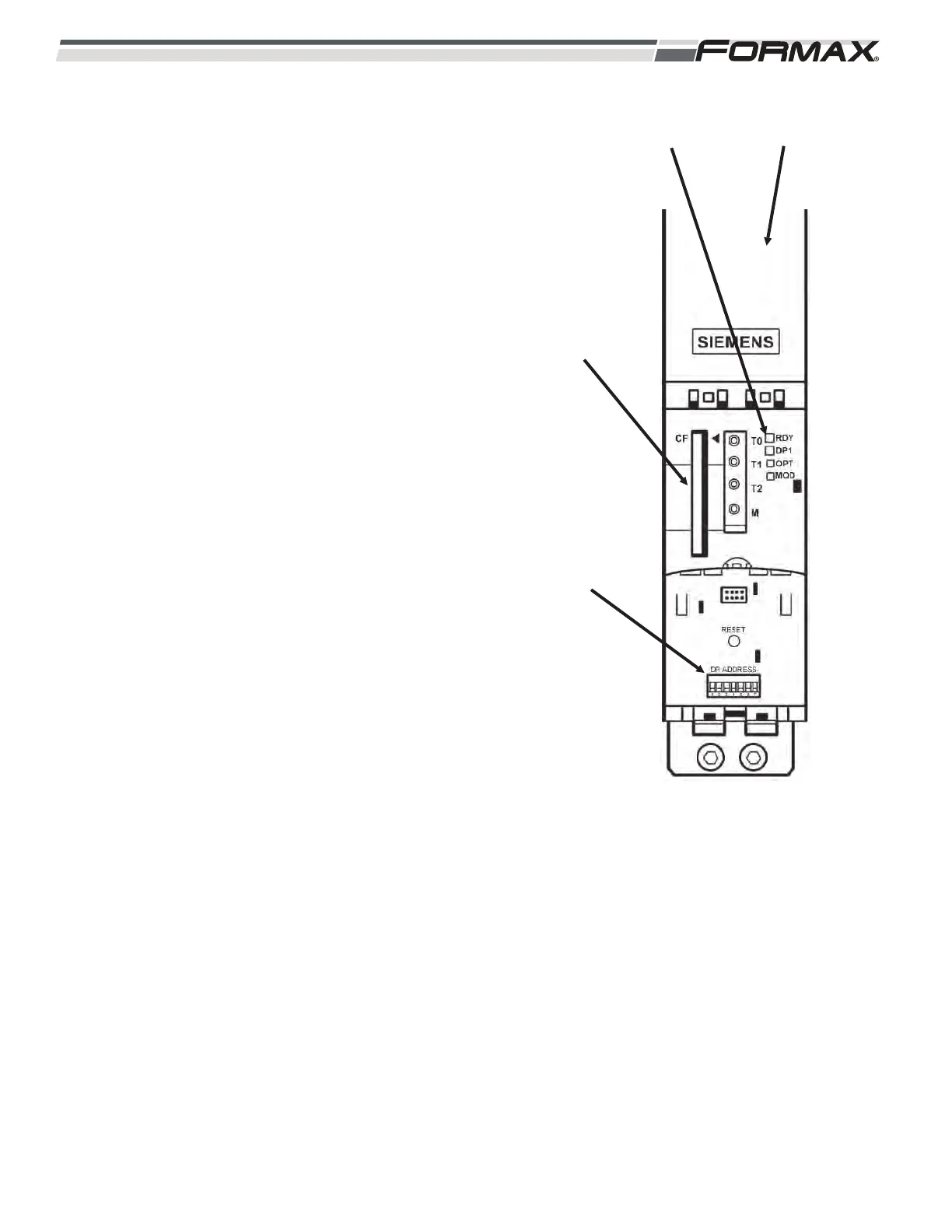
Status Indicator LED’s: There are Status LED’s on
the U9 Motion Control Module that indicate the
status of the operating system. (Illustration 44) The
LED’s can illuminate “green,” “yellow,” “red” or “off.”
RDY LED: The “Ready” LED shows the
status of the U9 Motion Control Module and
all of the Servo Drives and Servo Motors
under its control.
Green LED: Indicates that there are no
faults or problems with the U9 Motion
Control Module and all of the Servo
Drives and Servo Motors under its
control.
Red LED: Indicates that there is a fault or
problem with the U9 Motion Control
Module and all of the Servo Drives and
Servo Motors under its control. Check the
Status LEDs on all of the Servo Drives,
Feedback Hubs and the Servo Motor
Feedback Connections of all of the Servo
Motors controlled by the U9 Motion
Control Module.
DP1 LED: Shows the status of the Profibus
Communication.
Red LED: No Communication. Check
Cable Connection and make sure the
Terminating Resistor is in the “On”
position.
Green LED: Good Communication.
OPT LED: Option Board LED status. Does
not apply.
MOD LED: Not Used.
Profibus Address Setting: The U1 Motion
Controller communicates with the U2 and U9 Motion
Control Module using a second Profibus Network.
These Modules also require the correct address
setting. There is a DIP switch under the lower cover
on the front of the Module used to set the U9
address. (Illustration 44) There are 7 switches on the
DIP switch. Set switches “1” and “3” to the “ON”
position. Leave all of the other switches set to “OFF.”
ILLUSTRATION 44
U9
MODULE
U9
PROFIBUS
ADDRESS
SETTING
COMPACT
FLASH CARD
U9 STATUS
LED'S



 To Next Page