031914 M3-33
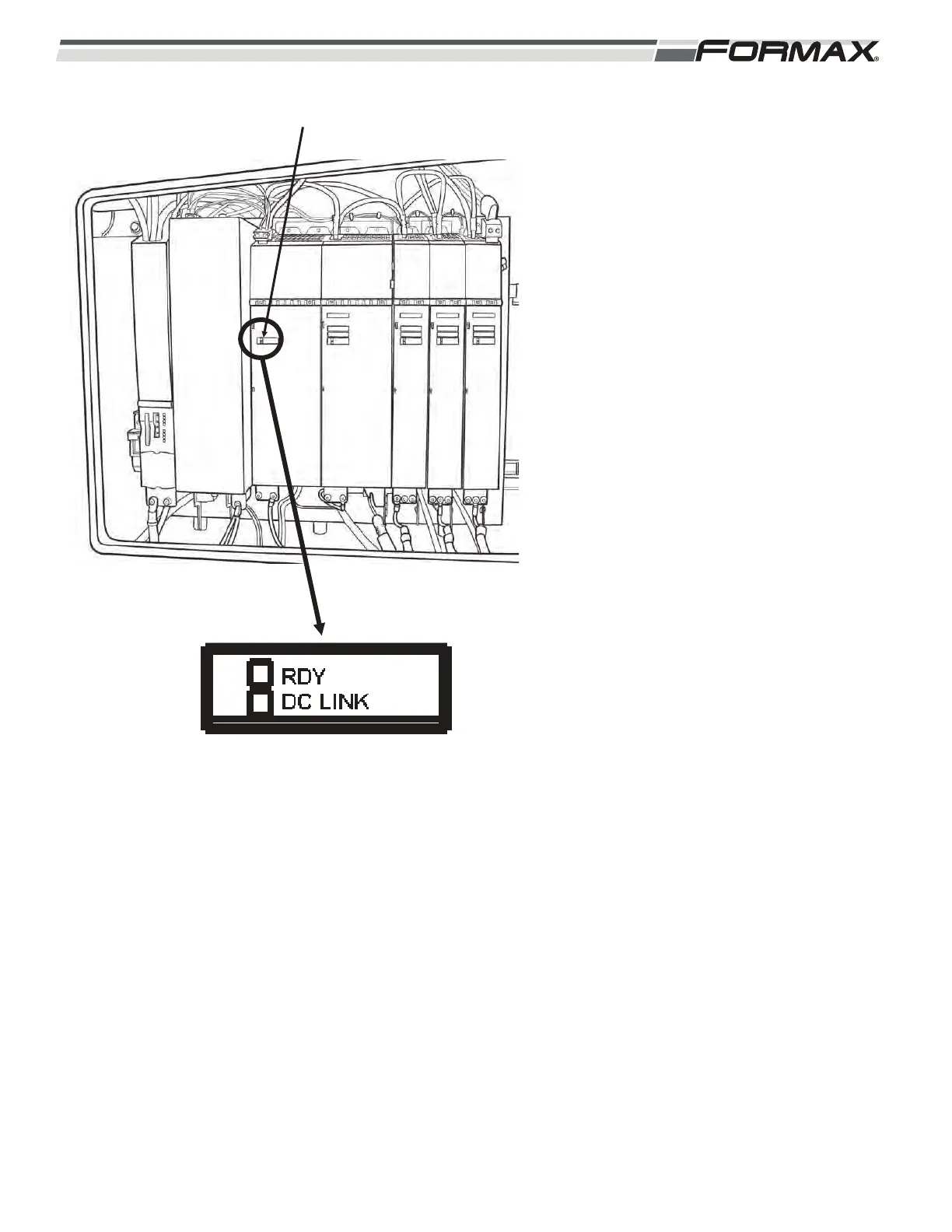
Status Indicator LED’s: There are Status
LED’s on the U3 Active Line Module that
indicate the status of operating system.
(Illustration 49) The LED’s can illuminate
“green,” “orange,” “red” or “off.”
RDY LED: The “Ready” LED shows the
status of the Active Line Module.
LED OFF: Indicates that there is no
24 VDC Control Voltage. Check the
24 VDC at the X24 Terminal Plug.
Green LED: Indicates that there are
no faults or problems with the Active
Line Module and it is ready to run.
Orange LED: The machine is
booting up and communication is
being established. If the machine is
already booted up then there is a
problem in the communication
between the U1 Motion Control
Module and the U3 Active Line
Module.
Red LED: Indicates that there is a
“Fault” present in the Active Line
Module.
LED Flashing Green and Red: The
U11 Motion Control Module is
downloading firmware information to
the Active Line Module. This will
only happen after a new Module has
been installed.
LED Flashing Green/Orange: The
Motion Control Computer has
recognized the Active Line Module.
LED Flashing Red/Orange: There
is a “Fault” present, but the Motion
Control Computer has recognized
the Active Line Module.
ILLUSTRATION 49
STATUS LED'S



 To Next Page