031914 M4-5
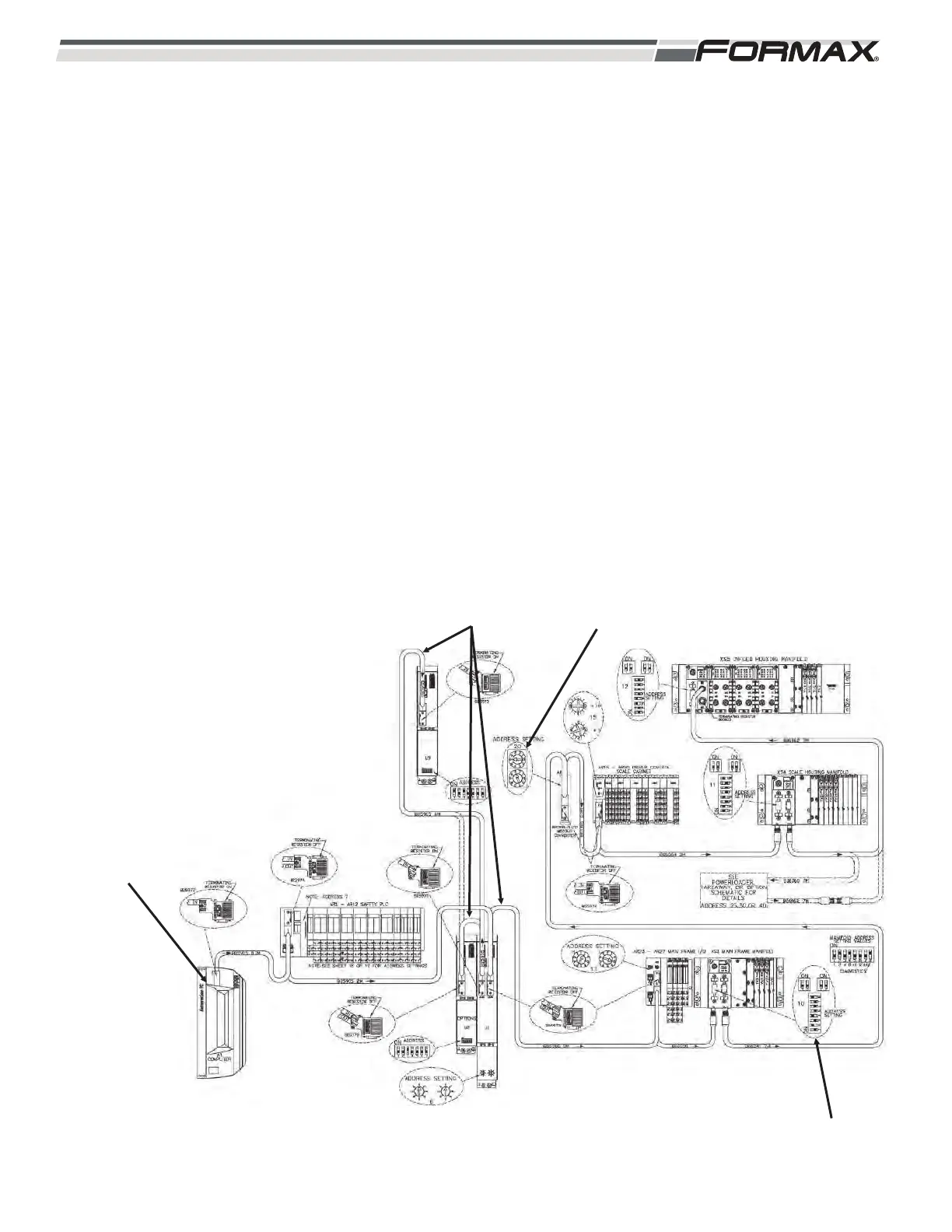
PROFIBUS NETWORK
The Profibus Network is a high speed communication system between the Computer and
all of the components on the Powermax3000
TM
Slicer. The Profibus Network starts at the
Computer and carries Input/Output communications signals over the Profibus Cables to
control all of the components on the machine. (Illustration 6) The Profibus Network Cables
run in series to the U1 Motion Control Module, the A8 Modbus Converter, the Safety
Computer and through all of the Remote Input/Output Nodes.
Profibus Address Settings:
Each component in the Profibus Network must have the correct address setting in order to
properly communicate with the Computer. (Illustration 6) The address settings for the
Computer and the AR1 Safety Computer are programmed into the software. All of the other
components have “DIP” Switches or “Address” Dials that must be set properly for that
component to communicate. (Refer to the “Profibus Routing and Address Information” page
of the Electrical Schematic for the correct “Address Setting” for each component in the
Profibus Network. The “Status” of the Profibus Network can be checked on the “Profibus
Network” screen displayed in the “Service” screens. The following describes the routing of
the Profibus Network Cabling through the components of the Slicer.
ILLUSTRATION 6
ADDRESS DIALSPROFIBUS NETWORK
COMPUTER
ASSEMBLY
DIP SWITCHES



 To Next Page