M4-72 031914
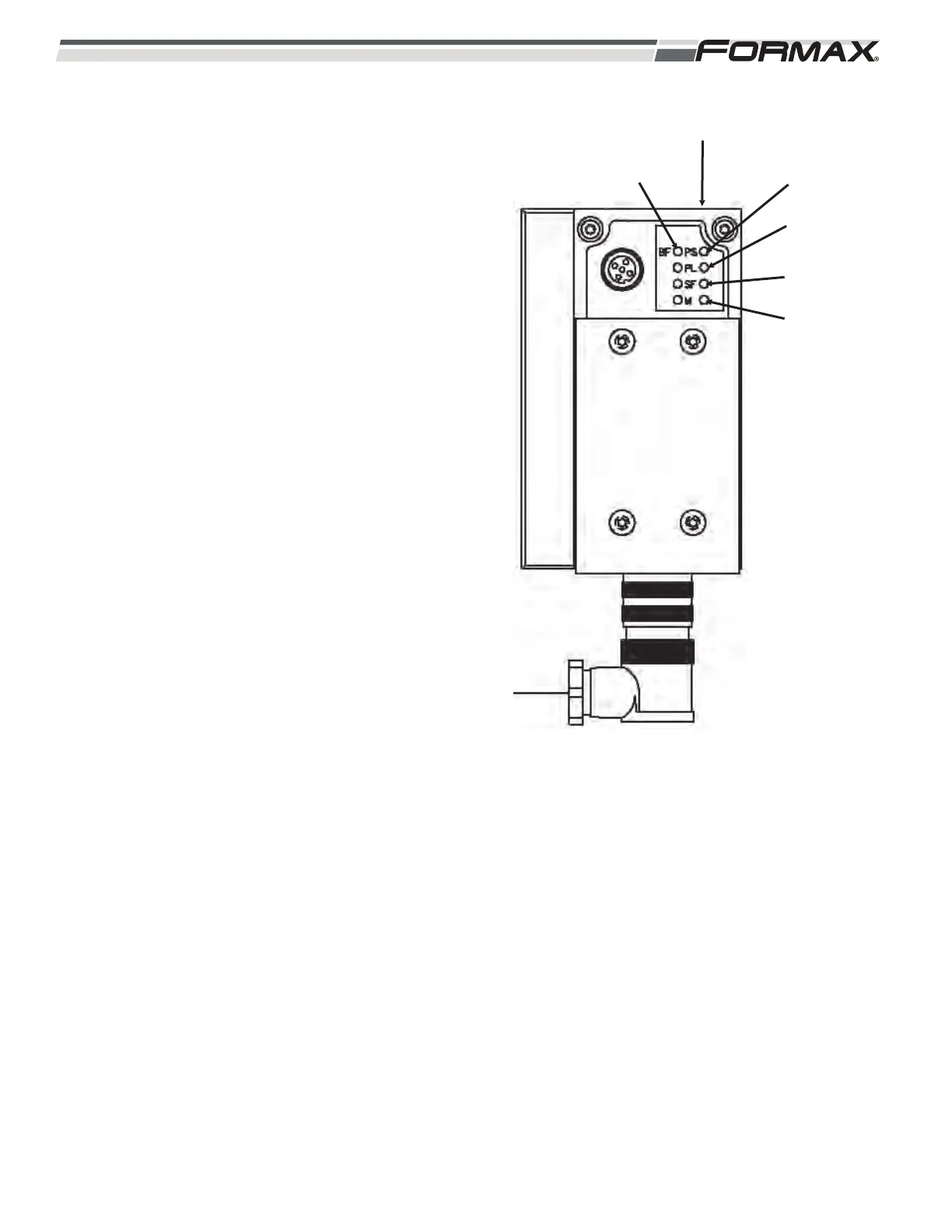
XS4 Gateway Module: The XS4 Gateway Module
transfers “Output” signals from the Computer to the
Directional Valves (Illustration 143). There are 5
“Status” LED’s used on the XS4 Gateway Module.
(Illustration ) The LED’s are “BF,” PS,” “PL,” “SF”
and “M.”
BF LED: Reports the Bus/Status.
LED is Green: No Faults.
LED is Flashing Red: Check:
1. Wrong Address Setting.
2. Defective Module.
3. Faulty Connection.
4. Faulty Configuration of Manifold.
PS LED: Reports Power Sensor/Logic Supply
Status.
LED is Green: No Faults.
LED is Flashing Green: Check:
1. Short Circuit/Overload.
2. Turn the Power “Off” and then back
“On.”
LED is “Off”: No Power.
ILLUSTRATION 143
PL LED
PS LED
SF LED
BF LED
XS4 GATEWAY MODULE
M LED



 To Next Page