M4-76 031914
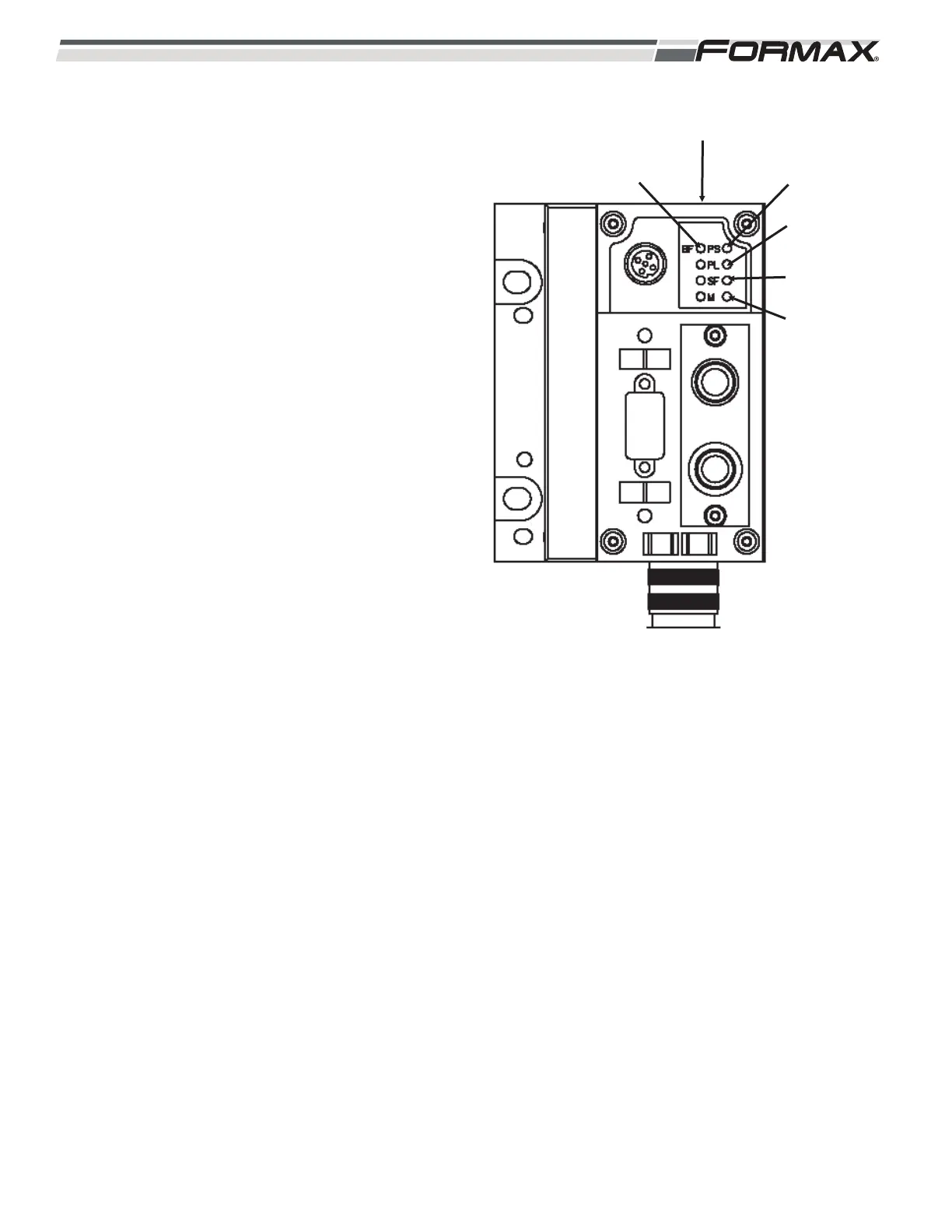
XS5 Gateway Module: The XS5 Gateway Module
transfers “Output” signals from the Computer to the
Output Modules and sends Input signals from the
“Input” Modules to the Computer over the Profibus
Cable (Illustration 148). There are 5 “Status” LED’s
used on the XS5 Gateway Module. The LED’s are
“BF,” PS,” “PL,” “SF” and “M.”
BF LED: Reports the Bus/Status.
LED is Green: No Faults.
LED is Flashing Red: Check:
1. Wrong Address Setting.
2. Defective Module.
3. Faulty Connection.
4. Faulty Configuration of Manifold.
PS LED: Reports Power Sensor/Logic Supply
Status.
LED is Green: No Faults.
LED is Flashing Green: Check:
1. Short Circuit/Overload.
2. Turn the Power “Off” and then back
“On.”
LED is “Off”: No Power.
ILLUSTRATION 148
PL LED
PS LED
SF LED
BF LED
XS5 GATEWAY MODULE
M LED


 To Next Page